HomeJavaModsSelective Render
Selective Render
ModsJava

Selective Render

by cepreni-pengwing · on Modrinth

Selective Render is a client-side Minecraft mod that renders only selected regions - or hides specific areas - with precise block-level filtering.

⬇ Download on Modrinth
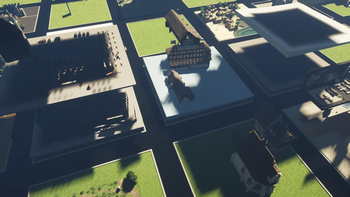
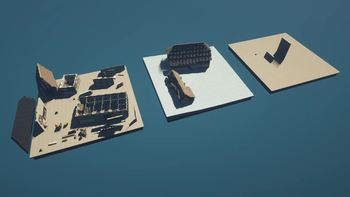
Selective Render — screenshot 1Selective Render — screenshot 2

Selective Render

Selective Render is a client-side Fabric mod for Minecraft 1.20.1 that renders only chosen three-dimensional block regions. It is intended for builders and PlotSquared users who want to isolate builds, hide palettes, reduce distracting geometry, and prevent filtered terrain from contributing shader shadows.

No server installation is required for manually selected regions. The mod keeps world state, network traffic, chunk loading, collision, and game logic unchanged; it changes only what the client renders and can interact with.

Requirements

Iris is optional and supported. Sodium mc1.20.1-0.5.13-fabric is tested in game; 0.5.8 and 0.5.11 are compile-checked by CI.

Basic usage

/sr is the short form of /selectiverender.

/sr 1
/sr 2
/sr s NAME
/sr t NAME

The two positions are exact block corners on all three axes. Saving creates a named cuboid and immediately enables it. Multiple render regions can be enabled at once. /sr t toggles the current render group and /sr t all (or /sr t a) changes every normal preset in the current server, world, and dimension context.

/sr l
/sr r OLDNAME NEWNAME
/sr d NAME

The full command names pos1, pos2, save, toggle, list, rename, and delete remain available.

Hiding regions

/sr h NAME
/sr l h
/sr h all  # alias: /sr h a

Hide presets remove selected cuboids while leaving the rest of the world visible. They are useful for temporary block palettes, scaffolding, or unwanted structures. Filtered blocks cannot be broken, used, placed against, or picked, but collision is intentionally unchanged. Player visibility can be set to none, inside regions, outside regions, or everywhere; debug hitboxes follow the same setting.

Default keybinds are F8 for the render group and F9 for the hide group. Position selection, PlotSquared toggling, and the settings screen are unassigned by default. The settings screen also controls normal, culled, or fully opaque black block faces at exact region boundaries and a separate off/on wireframe debug view. All bindings can be changed under Controls > Selective Render.

PlotSquared integration

With the compatible Selective Render Plots bridge installed on the server:

/sr p
/sr p minY maxY [xzMargin]
/sr p s NAME minY maxY [xzMargin]

This uses the exact PlotSquared region, including merged or irregular plots. The margin is optional and expands X/Z client-side.

Storage and limitations

Presets are stored locally per server or world and per dimension in config/selective-render/. Config writes are atomic and keep a recoverable .json.bak backup.

Minecraft 1.20.1 is currently supported. For requests regarding other Minecraft versions, contact cepreni on Discord.

Licensed under GPL-3.0-only.

Verified by MCModsHub

These come from our own check of the pack file, not from the source page.

Explore more