Farloom
Java shader pack listed for Minecraft 1.16–26.x. Downloads from the MC Java Mods app on Android.
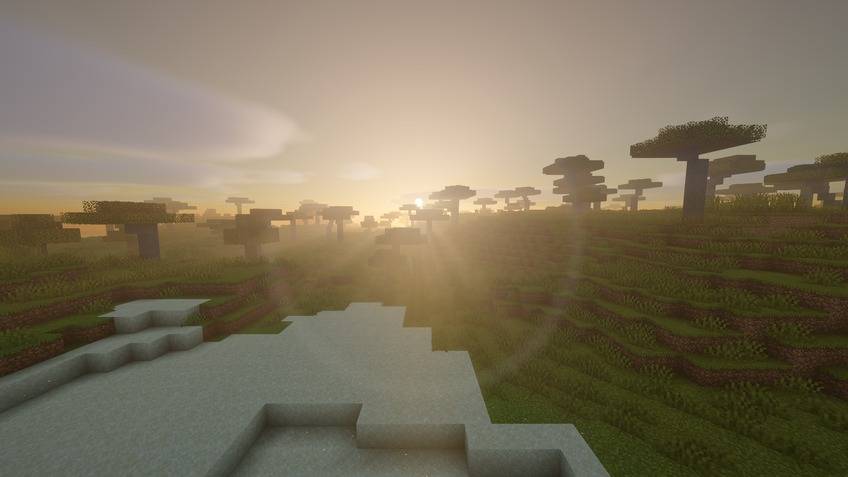
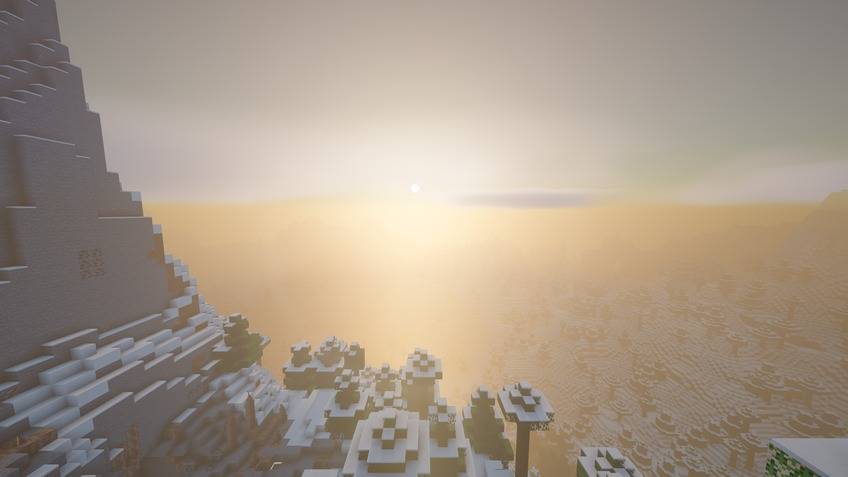
Endless views: soft haze, layered mountains and far horizons, built on the OMNISHADE engine for OptiFine and Iris.
⬇ Download on CurseForge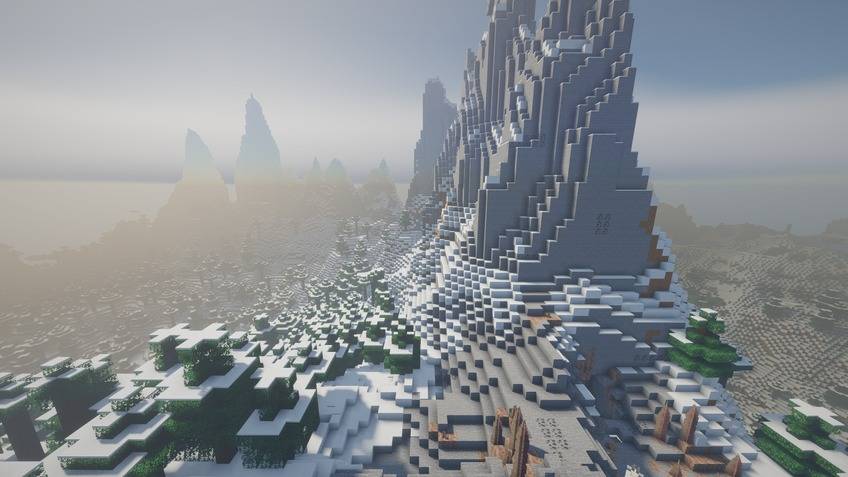
Farloom 2.0
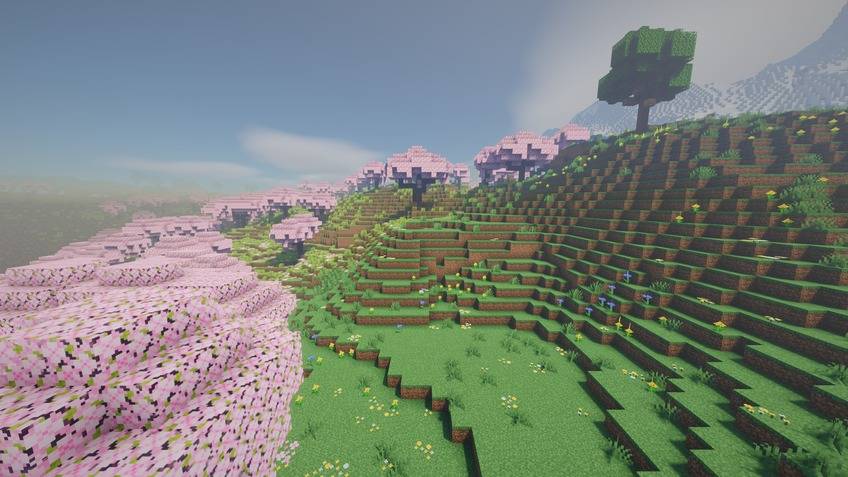
Endless views: soft haze, layered mountains, far horizons.
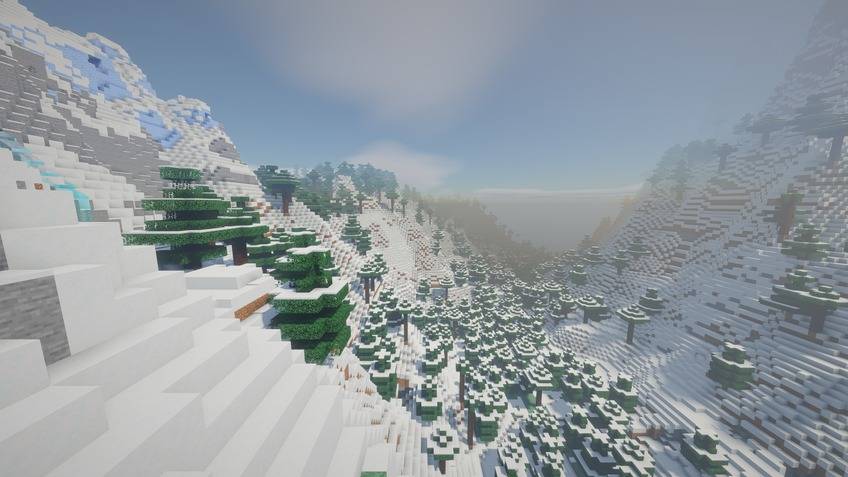
Farloom is built for looking far. Distant mountains fade into blue air layer by layer and the horizon light settles into the far haze, while close terrain stays crisp. Long, flat stratus clouds keep the sky calm and wide.
What makes Farloom different
- Aerial-perspective fog engine and stratus cloud layer
- Depth haze: contrast softens with distance and takes the horizon colour
- Haze starts closer, so distant ridges separate into soft layers; balanced exposure for bright, open views
Engine features (all ASTOR SHADERS packs)
- Physical sky with twilight colours, stars and the Milky Way at night
- Soft real-time shadows (coloured through stained glass), ambient occlusion and volumetric light shafts
- Water with waves, screen-space reflections, refraction and caustics; underwater fog
- Volumetric clouds with silver linings and cloud shadows on the ground
- Wet surfaces and puddles in rain
- Separate Nether and End atmospheres
New in 2.0.0
- Rebuilt from scratch on the OMNISHADE engine: new sky, water, clouds, shadows and lighting.
- Fixes the 1.x water grid lines and the image shimmer some 1.x profiles had.
- Every pack keeps its own look: its own lighting/fog/cloud/colour engine choices, palette and signature layer.
- 12 download files: 6 quality levels × 2 Minecraft ranges.
Downloads: 12 files
Pick one file for your Minecraft version and PC. Each file starts at its quality level with no setup:
| Quality | Minecraft 1.13 – 26.2 (OptiFine or Iris) | Minecraft 1.8.9 – 1.12.2 (OptiFine) |
|---|---|---|
| POTATO — weakest PCs, no shadows | Farloom_POTATO_v2.0.0_MC1.13-26.x |
Farloom_POTATO_v2.0.0_MC1.8.9-1.12.2 |
| LOW — laptops / integrated GPUs | …_LOW_…_MC1.13-26.x |
…_LOW_…_MC1.8.9-1.12.2 |
| MEDIUM — balanced | …_MEDIUM_…_MC1.13-26.x |
…_MEDIUM_…_MC1.8.9-1.12.2 |
| HIGH — sharper shadows, more cloud detail | …_HIGH_…_MC1.13-26.x |
…_HIGH_…_MC1.8.9-1.12.2 |
| EXTREME — strong GPUs | …_EXTREME_…_MC1.13-26.x |
…_EXTREME_…_MC1.8.9-1.12.2 |
| EXTREME ASTOR — maximum, the gallery look | …_EXTREME_ASTOR_…_MC1.13-26.x |
…_EXTREME_ASTOR_…_MC1.8.9-1.12.2 |
Every file also contains the 6 in-game quality profiles (Profile button at the top of the shader settings), so you can switch later without downloading again. Signature effects have their own ★ Signature Effects menu.
Compatibility
Made for Minecraft Java 1.8.9 – 26.2: OptiFine on 1.8.9 – 1.12.2, OptiFine or Iris on 1.13 – 26.2. Both ranges use the same shader code; the 1.8.9 – 1.12.2 files use the old block names.
All 12 files of 2.0.0 were compiled with glslang (no errors, every quality level). In-game test for 2.0.0 — all 6 modern files loaded one after another, screenshots taken, no shader errors in the log:
- Minecraft Java 1.21.11 — Fabric, Iris 1.10.7, Sodium 0.8.12
Other versions, and the 1.8.9 – 1.12.2 files, were not run in-game with 2.0.0 itself. If something looks wrong on your version, please report it with your Minecraft, OptiFine/Iris and GPU names.
Performance depends on your GPU, resolution and render distance. Start with MEDIUM and go up or down.
Installation
- Install OptiFine, or Iris (with Sodium), for your Minecraft version.
- Put the ZIP file in the
shaderpacksfolder. Do not unzip it. - Open Video Settings → Shader Packs (Iris) or Shaders (OptiFine) and select the file.
AI disclosure
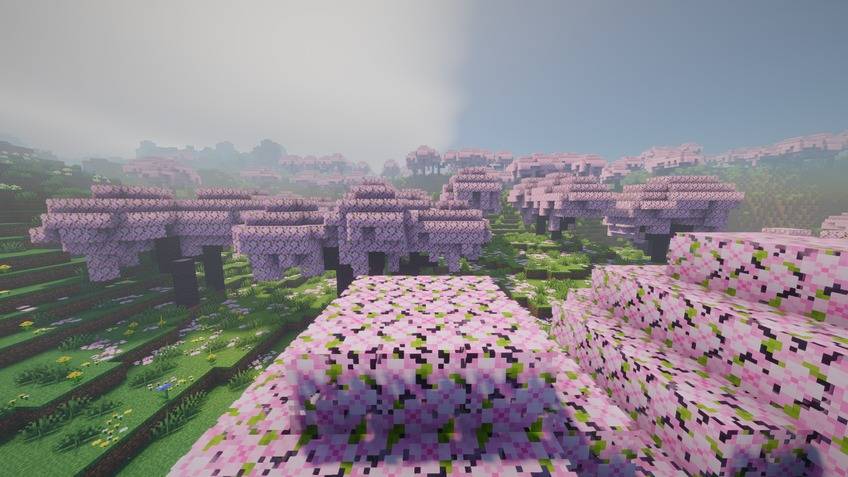
This pack was made with AI assistance. The shader code and this page text were written with substantial AI help (OpenAI Codex for versions up to 1.1, Anthropic Claude for 1.2.0 and 2.0.0) under the direction of AstorUVZ. Version 2.0.0 is rebuilt on the OMNISHADE engine that AstorUVZ's other ASTOR SHADERS packs use. Gallery screenshots are real in-game captures with the HUD hidden; they are not AI-generated or edited. The project icon is a crop of one of those screenshots with the pack name added by a script; no image-generation model was used.
Türkçe
Bitmeyen manzara: yumuşak pus, katman katman dağlar, uzak ufuklar.
Farloom uzağa bakmak için yapıldı. Uzak dağlar katman katman mavi havaya karışır ve ufuk ışığı uzaktaki pusa siner; yakın arazi net kalır. Uzun, yassı stratus bulutları gökyüzünü sakin ve geniş tutar.
Farloom'u farklı kılan
- Hava perspektifi sis motoru ve stratus bulut katmanı
- Derinlik pusu: uzaklaştıkça kontrast yumuşar ve ufuk rengini alır
- Pus daha yakında başlar, uzak sırtlar yumuşak katmanlara ayrılır; açık manzaralar için dengeli pozlama
Motor özellikleri (tüm ASTOR SHADERS paketleri)
- Alacakaranlık renkli fiziksel gökyüzü, gece yıldızlar ve Samanyolu
- Yumuşak gerçek zamanlı gölgeler (vitray camdan renkli), ortam kapatma ve hacimsel ışık huzmeleri
- Dalgalı, ekran-uzayı yansımalı, kırılmalı ve kostik ışıklı su; su altı sisi
- Gümüş kenarlı hacimsel bulutlar ve yerde bulut gölgeleri
- Yağmurda ıslak yüzeyler ve su birikintileri
- Ayrı Nether ve End atmosferleri
2.0.0'daki yenilikler
- OMNISHADE motoru üzerine sıfırdan yeniden kuruldu: yeni gökyüzü, su, bulut, gölge ve ışık.
- 1.x'teki su ızgara çizgileri ve bazı 1.x profillerindeki görüntü titremesi giderildi.
- Her paket kendi görünümünü korur: kendi ışık/sis/bulut/renk motoru seçimi, paleti ve imza katmanı.
- 12 indirme dosyası: 6 kalite × 2 Minecraft aralığı.
İndirmeler: 12 dosya
Minecraft sürümünüze ve bilgisayarınıza uyan tek dosyayı seçin. Her dosya kendi kalitesiyle, ayar gerektirmeden başlar:
| Kalite | Minecraft 1.13 – 26.2 (OptiFine veya Iris) | Minecraft 1.8.9 – 1.12.2 (OptiFine) |
|---|---|---|
| POTATO — en zayıf bilgisayarlar, gölgesiz | Farloom_POTATO_v2.0.0_MC1.13-26.x |
Farloom_POTATO_v2.0.0_MC1.8.9-1.12.2 |
| LOW — dizüstü / dahili ekran kartı | …_LOW_…_MC1.13-26.x |
…_LOW_…_MC1.8.9-1.12.2 |
| MEDIUM — dengeli | …_MEDIUM_…_MC1.13-26.x |
…_MEDIUM_…_MC1.8.9-1.12.2 |
| HIGH — daha keskin gölge, daha ayrıntılı bulut | …_HIGH_…_MC1.13-26.x |
…_HIGH_…_MC1.8.9-1.12.2 |
| EXTREME — güçlü ekran kartları | …_EXTREME_…_MC1.13-26.x |
…_EXTREME_…_MC1.8.9-1.12.2 |
| EXTREME ASTOR — en yüksek, galerideki görünüm | …_EXTREME_ASTOR_…_MC1.13-26.x |
…_EXTREME_ASTOR_…_MC1.8.9-1.12.2 |
Her dosyada 6 oyun içi kalite profili de vardır (shader ayarlarının üstündeki Profil düğmesi); sonradan yeniden indirmeden değiştirebilirsiniz. İmza efektlerinin kendi ★ İmza Efektleri menüsü vardır.
Uyumluluk
Minecraft Java 1.8.9 – 26.2 için yapıldı: 1.8.9 – 1.12.2'de OptiFine, 1.13 – 26.2'de OptiFine veya Iris. İki aralık aynı shader kodunu kullanır; 1.8.9 – 1.12.2 dosyaları eski blok adlarını kullanır.
2.0.0'ın 12 dosyasının hepsi glslang ile derlendi (hata yok, her kalite). 2.0.0 oyun içi testi — 6 modern dosyanın hepsi sırayla yüklendi, ekran görüntüsü alındı, günlükte shader hatası yok:
- Minecraft Java 1.21.11 — Fabric, Iris 1.10.7, Sodium 0.8.12
Diğer sürümler ve 1.8.9 – 1.12.2 dosyaları 2.0.0'ın kendisiyle oyunda çalıştırılmadı. Sürümünüzde bir sorun görürseniz Minecraft, OptiFine/Iris ve ekran kartı adlarıyla bildirin.
Performans ekran kartına, çözünürlüğe ve görüş mesafesine bağlıdır. MEDIUM ile başlayıp yukarı veya aşağı geçin.
Kurulum
- Minecraft sürümünüz için OptiFine ya da Iris (Sodium ile) kurun.
- ZIP dosyasını
shaderpacksklasörüne koyun; açmayın. - Video Ayarları → Shader Paketleri (Iris) ya da Gölgelendiriciler (OptiFine) bölümünden dosyayı seçin.
Yapay zekâ beyanı
Bu paket yapay zekâ desteğiyle yapıldı. Shader kodu ve bu sayfanın metni AstorUVZ yönetiminde, büyük ölçüde yapay zekâ yardımıyla yazıldı (1.1'e kadar OpenAI Codex, 1.2.0 ve 2.0.0'da Anthropic Claude). 2.0.0, AstorUVZ'nin diğer ASTOR SHADERS paketlerinin kullandığı OMNISHADE motoru üzerine yeniden kuruldu. Galeri görüntüleri HUD gizli gerçek oyun görüntüleridir; yapay zekâ ile üretilmedi veya düzenlenmedi. Proje simgesi bu görüntülerden birinden kırpılıp paket adı bir betikle eklenerek yapıldı; görsel üreten bir model kullanılmadı.
- Edition: Minecraft Java
- File type: .zip (resource pack)
- Minecraft versions listed: 1.16.3, 1.17.1, 1.21
- How to install: Download the .zip resource pack — do not unzip it. → Put it in .minecraft/resourcepacks. → Enable it in Options → Resource Packs.
- Where to get it: Opens on CurseForge — not every file is mirrored on our own servers.
Install steps are the general flow for this file type — see the MC Java Mods guides for the full walkthrough.
- Downloads as Farloom-0.4.0-dev.19.zip
- Download size: 58 KB
- Download link checked 1 Nov 2026 — working
These come from our own check of the pack file, not from the source page.