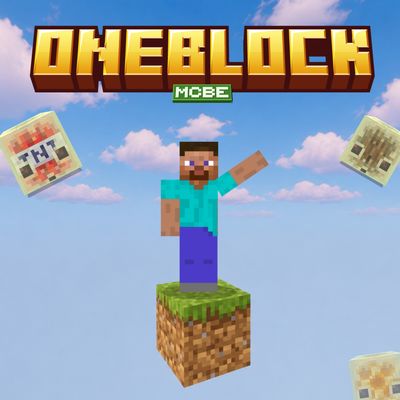
OneBlock Generator (fs)
Bedrock add-on listed for Minecraft 26.x (behavior pack only). File opened and checked on 31 Aug 2026; installs from the MC Bedrock Mods app on Android.
⬇ Download on CurseForge
One Block Generator
Turn a simple void world into a One Block survival experience with One Block Generator for Minecraft Bedrock Edition. Start with a single block, break it to generate new blocks, collect resources, and build your own world from nothing.
✦ How It Works
After activating the Behavior Pack, create a new world and start on a void world. A One Block will generate for you to begin your survival progression.
Keep breaking the block to generate new blocks and resources as you progress.
✦ Recommended World Settings
For the best experience, follow these steps when creating your world:
- Activate the One Block Generator Behavior Pack.
- Go to World Settings → Advanced.
- Turn Flat World ON.
- Select the Void World Template.
- Create the world and start your One Block adventure.
Important: For the intended experience, use this on a newly created world. Do not use it in an existing survival world, as the generated One Block setup may interfere with your existing world.
✦ Features
- Simple One Block generator system.
- Designed for Minecraft Bedrock Edition.
- Progressive block generation.
- Start your survival world from a void environment.
- Great for One Block survival challenges.
- Multiplayer friendly.
✦ Your Goal
Start with one block, gather resources, expand your platform, and build your own survival world from almost nothing.
Created by FleetMc Studio
✦ Support FleetMc Studio
If you enjoy this addon and would like to support future Minecraft Bedrock projects, consider supporting FleetMc Studio on Ko-fi. I'm currently saving for a new laptop so I can create bigger, higher-quality maps, addons, and texture packs with faster updates and more features. Every contribution helps bring future projects to life. ❤️

Report a bug by clicking Here!
Also, give your rating by scrolling down 👇🏻
- Edition: Minecraft Bedrock
- File type: .mcpack or .mcaddon
- Minecraft versions listed: 26.20, 26.13, 26.30
- How to install: Download the .mcpack or .mcaddon file. → Open it — Minecraft imports it. → In your world: Behavior Packs → Available → Activate, then the same under Resource Packs.
- Where to get it: Opens on CurseForge — not every file is mirrored on our own servers.
Install steps are the general flow for this file type — How to install Minecraft Bedrock addons & mods walks through it step by step.
- Pack type: .mcaddon — behaviour and resource pack in one file
- Manifest requires Minecraft 1.26.30 or newer
- Complete pack — everything it depends on is inside the file
- Download size: 167 KB
- Download link checked 11 Oct 2026 — working
These come from our own check of the pack file, not from the source page.