Player statistics Complete
Bedrock add-on listed for Minecraft 1.17–26.x (behavior + resource pack). File opened and checked on 31 Aug 2026; installs from the MC Bedrock Mods app on Android.
⬇ Download on CurseForge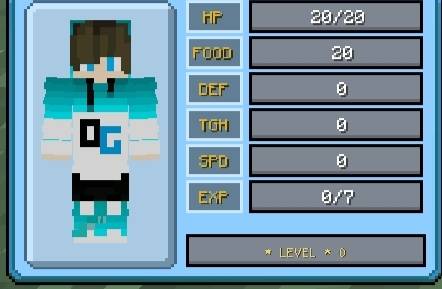
**Player Statistics Complete - Enhanced HUD for Minecraft Bedrock**
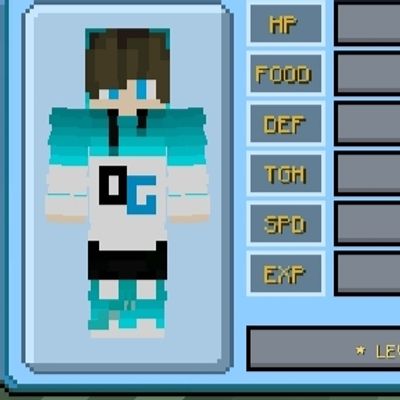
This addon adds a comprehensive player statistics display to your screen, allowing you to monitor your character's status in real-time.
**Features:**
- **Health & Food Bars:** View your current health (HF) and food levels at a glance.
- **Defense & Toughness:** See your defense points (DEF) and toughness (TGH) to know how much damage you can absorb.
- **Safe Fall Distance (SFD):** Know exactly how far you can fall before taking damage.
- **Experience & Level Tracker:** Track your current experience points (EXP) and level progress.
- **Position Coordinates:** Display your exact X, Y, Z coordinates to help with navigation.
- **Days Played:** Keep track of how many in-game days you've survived.
**How It Works:**
Simply install the addon and enable Experimental Mode in your world settings. The statistics will appear automatically on your screen as soon as you join the game. No additional commands or setup required.
**Why Download This Addon?**
- Perfect for survival players who want to track their stats without opening the inventory.
- Useful for speedrunners and builders who need precise coordinates.
- Lightweight and compatible with most other addons.
**Requirements:**
- Minecraft Bedrock Edition
- Experimental Mode must be enabled
- Resource Pack and Behavior Pack must be activated
**Support:**
If you encounter any issues, feel free to leave a comment or contact support.
---
**Enjoy tracking your stats like never before!**
- Edition: Minecraft Bedrock
- File type: .mcpack or .mcaddon
- Minecraft versions listed: 26.20, 26.30, 26.40
- How to install: Download the .mcpack or .mcaddon file. → Open it — Minecraft imports it. → In your world: Behavior Packs → Available → Activate, then the same under Resource Packs.
- Where to get it: Opens on CurseForge — not every file is mirrored on our own servers.
Install steps are the general flow for this file type — How to install Minecraft Bedrock addons & mods walks through it step by step.
- Pack type: .mcaddon — behaviour and resource pack in one file
- Manifest requires Minecraft 1.17.0 or newer
- Complete pack — everything it depends on is inside the file
- Download size: 96 KB
- Download link checked 11 Oct 2026 — working
These come from our own check of the pack file, not from the source page.