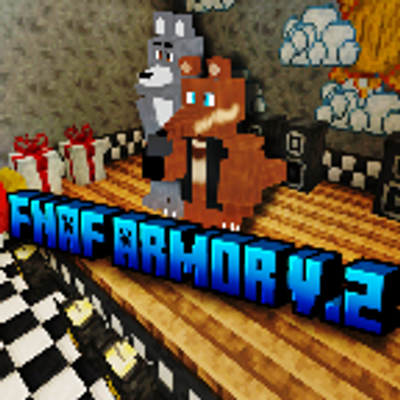
Fnaf armor v2
Bedrock add-on listed for Minecraft 1.20–26.x. Download on the author's site.
FNaF Armor adds wearable animatronic suits from FNaF 1 into Minecraft. Perfect for creating machinimas, you can step inside the suits to become the…
⬇ Download on CurseForge


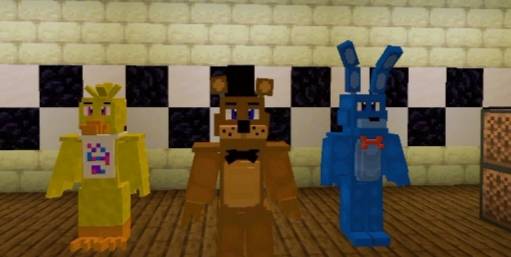
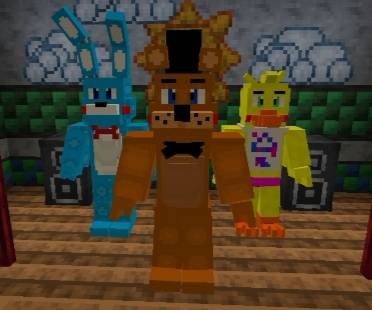
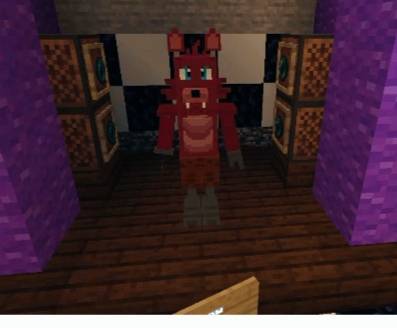
🎉 Update v2.0 — FNAF Armor Addon
Hello everyone! Version 2.0 of my FNAF Addon for Minecraft has arrived, made with so much love! ✨
📋 What was already in v1.0:
- ✅ All FNAF 1 animatronics complete
- ✅ Some of the Toys Animatronics: Toy Freddy, Toy Chica, Toy Bonnie, and Toy Foxy
- ✅ Armor system so you can suit up and live the experience!
🆕 What’s NEW in v2.0:
- 🔹 Complete FNAF 2 armors — including the Withereds and the Shadows! 👻
- 🔹 New items & equipment: now you get a microphone and a guitar 🎤🎸
- 🔹 New animatronic poses — before they only walked around, now they have special poses!
- 🔹 Channel-exclusive animatronic: Tamby — the tamandua animatronic! 🐾
- 🔹 Upgraded textures & models: gave the original characters a fresh polish, they look even more beautiful and detailed now! ✨
ℹ️ Note:
This Addon is made by a fan, inspired by the Five Nights at Freddy's franchise. It has no official connection to the original story or company — just my way of paying tribute and bringing fun to you all!
Perfect for creating your own stories, adventures, and scenes inside Minecraft! Hope you all love this new version!
- Edition: Minecraft Bedrock
- File type: .mcpack or .mcaddon
- Minecraft versions listed: 1.20.1, 1.20, 26.40
- How to install: Download the .mcpack or .mcaddon file. → Open it — Minecraft imports it. → In your world: Behavior Packs → Available → Activate, then the same under Resource Packs.
- Where to get it: Opens on CurseForge — not every file is mirrored on our own servers.
Install steps are the general flow for this file type — How to install Minecraft Bedrock addons & mods walks through it step by step.
Fnaf armor v2 is a free Minecraft Bedrock addon. Compatible with Minecraft 1.20.1, 1.20, 26.40, 26.20 and newer. Downloaded 555 times (via CurseForge). Download it and open it directly in the game.