
ResizePlayer
Smoothly change player size with permission-based donator tiers, automatic timed resets, and per-world restrictions.
⬇ Download on Modrinth
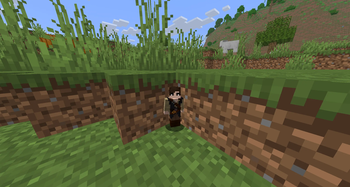
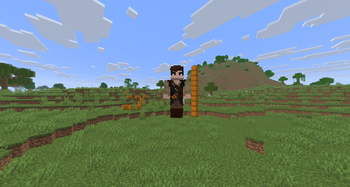
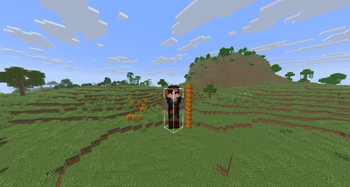
Resize
Smoothly change a player's size in-game, with donator classes, automatic timed resets, and per-world restrictions — built for servers that sell size perks and need it to expire cleanly.
Requirements
- Paper (or a Paper fork) 1.21.x
Installation
- Drop the jar into your server's
plugins/folder and restart (or/reload, though a restart is safer). - A
config.ymland alang/folder (withen.ymlandru.yml) will be generated inplugins/Resize/. - Set
language: "en"orlanguage: "ru"inconfig.yml, edit whatever you want, then run/resizereload.
Features
- Smooth, animated size changes (not an instant snap)
- Unlimited donator classes — define any number of permission-based size tiers (e.g. Iron, Diamond) with their own min/max range, fully configurable, no code editing needed
- Automatic timed resets — pair a temporary permission grant with
/resizescheduleso a player's size reliably returns to normal when their donation period ends, even if they were offline when it expired or the server restarted in between - Per-world restrictions — block resizing entirely in chosen worlds, or force a player's size back to normal the moment they enter one (e.g. the Nether)
- Configurable cooldown between uses
- Full permission set, so admins control exactly who can resize themselves, resize others, bypass the cooldown, bypass world restrictions, or manage timers
- Multi-language support (English and Russian included) with fully customizable message text, including the prefix — MiniMessage formatting throughout: named colors,
<#RRGGBB>hex, and gradients all supported - Master on/off switches for world restrictions, scheduling, and cooldown, so you only run what you need
Commands
| Command | Permission | Description |
|---|---|---|
/resize <scale> |
resizeplugin.resize |
Resize yourself |
/resize <player> <scale> |
resizeplugin.resize.others |
Resize another player |
/resizeschedule <player> <duration> |
resizeplugin.schedule |
Schedule an automatic reset back to normal after a delay |
/resizecancel <player> |
resizeplugin.schedule |
Cancel a pending scheduled reset |
/resizetime [player] |
resizeplugin.time / resizeplugin.time.others |
Check how long until a size auto-resets |
/resizereload |
resizeplugin.reload |
Reload config.yml and the active language file |
Duration format for /resizeschedule: 30d, 12h, 45m, 20s, or combinations like 1d12h — the same tokens LuckPerms uses for settemp.
Permissions
| Permission | Default | Description |
|---|---|---|
resizeplugin.resize |
false | Use /resize on yourself. Grant this to your donator rank (or see below to make it free for everyone) |
resizeplugin.resize.extended |
false | Ships as an example donator tier (0.0625–16.0) in scale.tiers — rename/replace freely |
resizeplugin.resize.others |
op | Resize other players |
resizeplugin.bypass.cooldown |
op | Bypass the cooldown |
resizeplugin.bypass.worldrestriction |
op | Ignore world restrictions entirely |
resizeplugin.schedule |
op | Use /resizeschedule and /resizecancel |
resizeplugin.reload |
op | Use /resizereload |
resizeplugin.time |
true | Check your own remaining time with /resizetime |
resizeplugin.time.others |
op | Check another player's remaining time |
resizeplugin.* |
false | Grants everything above |
Donator size classes (scale.tiers)
Instead of one fixed range, config.yml has an ordered list of size classes. Each has its own permission node and its own min/max range:
scale:
  tiers:
    - permission: ""
      min: 0.8
      max: 1.15
    - permission: "resizeplugin.resize.extended"
      min: 0.0625
      max: 16.0
    # - permission: "resizeplugin.tier.iron"
    #   min: 1.0
    #   max: 1.5
    # - permission: "resizeplugin.tier.diamond"
    #   min: 2.0
    #   max: 2.5
- Checked top to bottom; if a player qualifies for more than one, the last matching entry wins — list weaker/free tiers first, stronger/paid tiers last.
permission: ""applies to everyone who can use/resizeat all.- Add, rename, reorder, or delete entries freely — no code changes needed, just
/resizereloadafter editing. - Uncomment or duplicate the example lines to create your own donator ranks (Iron, Diamond, VIP, whatever you sell), each gated by its own LuckPerms permission.
Making /resize itself free (or donator-only)
By default resizeplugin.resize is required to use /resize at all (recommended if size is a paid perk). If you'd rather let everyone use the base range and only gate the bigger ranges behind donator tiers, flip this in config.yml:
features:
  require-resize-permission: false
Solving the classic "temp permission expires, size doesn't" problem
Donation panels typically grant a size perk with something like:
lp user {player} permission settemp resizeplugin.resize.extended true 30d
That alone doesn't reset the player's size when the 30 days are up — LuckPerms and the plugin don't talk to each other. Pair it with a second command from your panel:
resizeschedule {player} 30d
The plugin stores this in scheduled-resets.yml inside its data folder, checks for due resets on an interval (configurable, see below), and applies it even if the player is offline when it fires — it catches up on their next login. It survives restarts and doesn't depend on the LuckPerms permission itself still existing; it just reliably sets the player back to scale.base-value at the scheduled time. Players can check their own remaining time with /resizetime.
Per-world restrictions
worlds:
  disabled-worlds:
  #  - "world_nether"
  force-reset-worlds:
  #  - "world_nether"
  #  - "world_the_end"
disabled-worlds—/resizeis blocked entirely while standing in one of these worlds.force-reset-worlds— blocked and the player's size is instantly reset back toscale.base-valuethe moment they enter (e.g. "enter the Nether → back to normal size, and can't resize again until they leave").- Both lists are empty by default and only take effect once
features.world-restrictions-enabled: trueis set. resizeplugin.bypass.worldrestrictionlets admins/staff ignore both lists.
Turning features on/off
config.yml has a features section so you can disable parts of the plugin without touching anything else:
features:
  world-restrictions-enabled: false   # the two world lists above
  scheduling-enabled: true            # /resizeschedule and /resizecancel
  cooldown-enabled: true              # the /resize cooldown
  require-resize-permission: true     # whether resizeplugin.resize is required at all
Performance / the "check every second" scheduler
scheduling.check-interval-seconds (default 1) controls how often the plugin scans for due scheduled resets. This is a cheap in-memory map scan — even at 1 second it's not something you'll notice on server performance — but you can raise it (e.g. 5) if you want to be extra conservative; resets will then fire up to that many seconds late.
Cooldown
cooldown:
  seconds: 30
Seconds a player must wait between uses of /resize on themselves. Ignored entirely if features.cooldown-enabled: false, and bypassable per-player with resizeplugin.bypass.cooldown.
Localization & colors
config.yml's language key points at a file in lang/ (en.yml and ru.yml are included — add your own by dropping a new <code>.yml in that folder and setting language to match). Every message, including the prefix shown before each line, lives in that file and is parsed with MiniMessage, so named colors, <#RRGGBB> hex codes, and <gradient:...> all work anywhere in it. Edit, save, /resizereload — no restart needed.
Troubleshooting
If a future Paper release removes Attribute.GENERIC_SCALE (it's currently deprecated in favor of a registry lookup, scheduled for removal no earlier than 1.22) and the plugin fails to load with an Attribute-related error on startup, check for a plugin update or report it on the issue tracker with your exact Paper version.
🐛 Support & Feedback
Found a bug? Have a suggestion? Feel free to:
- Contact me on Discord: igromania_
- Ships as ResizePlugin.jar — drop this file into the mods folder
- Download size: 33 KB
- Download link checked 31 Aug 2026 — working
These come from our own check of the pack file, not from the source page.