Course Timer
Bedrock add-on listed for Minecraft 1.21–26.x (behavior + resource pack). File opened and checked on 31 Aug 2026; installs from the MC Bedrock Mods app on Android.
Add timed runs and a persistent leaderboard to any Minecraft parkour or obstacle course map. Players can race against the clock, set personal bests, and…
⬇ Download on CurseForge
Course Timer
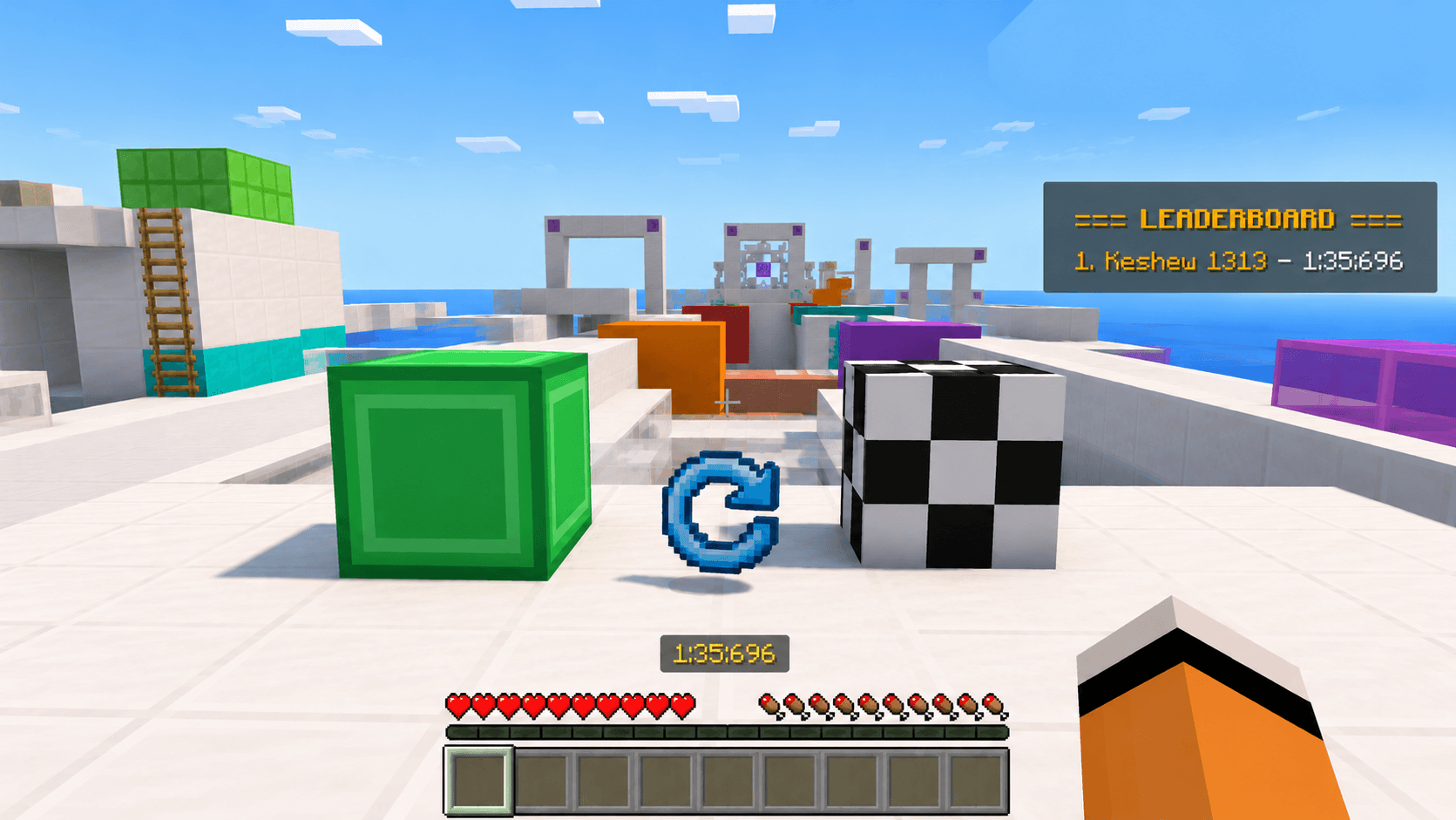
Course Timer is a lightweight Minecraft Bedrock add-on that adds a complete timing system to parkour and obstacle course maps. Place a Start Block and a Finish Block, and the add-on takes care of the rest—timing runs, saving records, and managing a persistent leaderboard. No command blocks, no redstone, and no complicated setup required.
Features
- 🟢 Start Block — Starts the timer instantly when a player steps on it, complete with a sound cue.
- 🏁 Finish Block — Stops the timer and records the player's completion time.
- 🏆 Persistent Leaderboard — Saves each player's personal best, even after leaving or restarting the world.
- 👥 Multiplayer Support — One shared leaderboard for everyone in the world.
- ⏱️ Accurate Timer — Displays completion times in
M:SS.msformat (for example,0:07.340). - 🔄 Reset Score Item — Instantly clear the leaderboard whenever you want.
- 🚫 Safe for Existing Maps — Uses the custom
timer:namespace, so it won't conflict with your map's blocks or commands.
How to Use
-
Enable both the Behavior Pack and Resource Pack in your world.
-
Get the timer blocks and reset item using commands:
/give @s timer:start_block

/give @s timer:finish_block

/give @s timer:reset_score
/give @s timer:finish_block
/give @s timer:reset_score
-
Or open the Creative inventory and search for:
- Start Block
- Finish Block
- Reset Score
-
Place the Start Block where the course begins and the Finish Block where it ends.
-
Step on the Start Block and race to the finish!
Commands
| Command | Description |
|---|---|
/scriptevent timer:reset |
Clears the leaderboard from chat. |
Perfect for parkour maps, obstacle courses, speedrun challenges, and multiplayer competitions, Course Timer gives your Minecraft Bedrock maps a clean, reliable timing system without any extra setup.
- Edition: Minecraft Bedrock
- File type: .mcpack or .mcaddon
- Minecraft versions listed: 1.21, 26.0, 26.40
- How to install: Download the .mcpack or .mcaddon file. → Open it — Minecraft imports it. → In your world: Behavior Packs → Available → Activate, then the same under Resource Packs.
- Where to get it: Opens on CurseForge — not every file is mirrored on our own servers.
Install steps are the general flow for this file type — How to install Minecraft Bedrock addons & mods walks through it step by step.
- Pack type: .mcaddon — behaviour and resource pack in one file
- Manifest requires Minecraft 1.21.0 or newer
- Complete pack — everything it depends on is inside the file
- Download size: 135 KB
- Download link checked 11 Oct 2026 — working
These come from our own check of the pack file, not from the source page.