
Inf Villager Trading
🧑🌾 Trade forever in Minecraft 26.2-1.19! ♾️ Enjoy unlimited villager trades, no restocking limits, and stable prices! 💰 Build your ultimate trading…
I don't know my version or loader
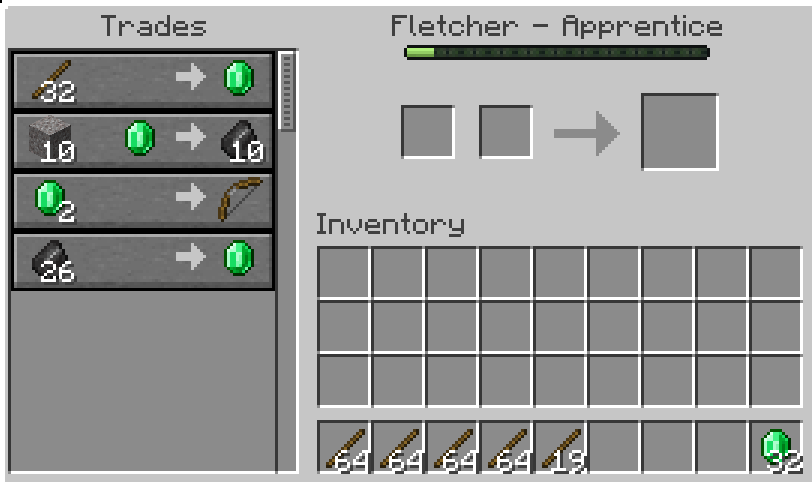
🧑🌾 Infinite Villager Trades ♾️
💰 No More Trade Limits • 🚫 No Price Increases • 🔄 Endless Trading!
This lightweight Minecraft 26.2 datapack keeps your villagers ready to trade, so you can keep buying and selling without constantly waiting for their trades to restock.
✨ Features
♾️ Unlimited Trading
Trade with your villagers again and again! 🔄
No more waiting around for a villager to restock after you've used a trade too many times.
Trade once? ✅ Trade 100 times? ✅ Trade 1,000 times? ✅ Still want to trade? GO FOR IT! 🤑
💰 No More Rising Prices
Normally, repeatedly trading for the same item can cause a villager's prices to increase. 📈😭
This datapack keeps the villager's demand at zero, preventing those annoying demand-based price increases.
You can keep your trades nice and consistent. 💎✨
🔄 Automatic & Hands-Free
You don't need to run commands every time you trade.
Once the datapack is installed, it automatically handles the villagers in your world. ⚙️
Just:
- 📦 Install the datapack
- 🧑🌾 Find a villager
- 💰 Start trading!
That's it!
📦 Installation
- ⬇️ Download the datapack ZIP.
- 🌎 Open your Minecraft world.
- 📂 Place the ZIP into your world's
datapacksfolder. - ✅ Check that the datapack is enabled.
- 🧑🌾 Start trading!
💡 Tip
If you're creating a brand-new trading hall, install the datapack before setting up your villagers. That way, you can immediately start testing their trades. 🏗️
🚫 IMPORTANT
This is PERMANANT! Villagers will not go back to being stockable after the datapack has been removed!
CONTAINS AI-GENERATED MATERIAL
Infinite Villager Trading — because your villagers should never run out of deals! 🎉
- Downloads as infinite_villager_trades_1_19_x.zip
- Download size: 7 KB
- Download link checked 1 Sept 2026 — working
These come from our own check of the pack file, not from the source page.