
Liberty
Java mod listed for Minecraft 26.x. Downloads from the MC Java Mods app on Android.
A client-side security, privacy, and anti-griefing toolkit for Fabric. Blocks telemetry, filters dangerous network payloads, shields streamer info, and…
⬇ Download on Modrinth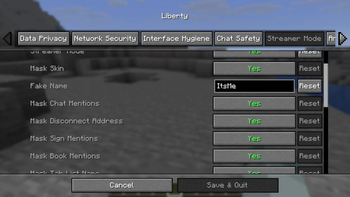

Liberty is a client-side security, privacy, and anti-griefing toolkit for Minecraft. Built as a client-only Fabric mod, Liberty protects your client from network-based exploits, private data leaks, server-side tracking, and chat or packet-based griefing—without requiring any server-side components.
Whether you are playing on public multiplayer networks, streaming to an audience, or auditing server behavior, Liberty gives you granular control over what your client sends, receives, and displays.
Anticheat & Rule Compliance
Liberty is designed to be 100% safe for multiplayer networks and anticheat systems (such as GrimAC, Vulcan, Matrix, and others):
- Local-Only Processing: Feature elements like username/skin masking, coordinate overlays, and F3 redactions are strictly cosmetic and processed locally on your client.
- No Packet Spoofing: Liberty does not modify server-bound gameplay or movement packets. You will not trigger false-positive bans for movement hacks or invalid interactions.
- Safe Rate-Limiting: Packet rate-limiting only filters incoming traffic (like sound, particle, or scoreboard packet spam) to prevent your game client from freezing. It does not alter your outgoing connection status.
Showcase / Screenshots
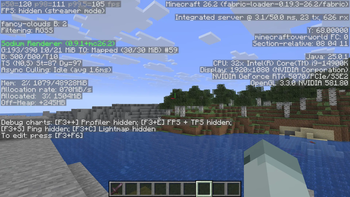
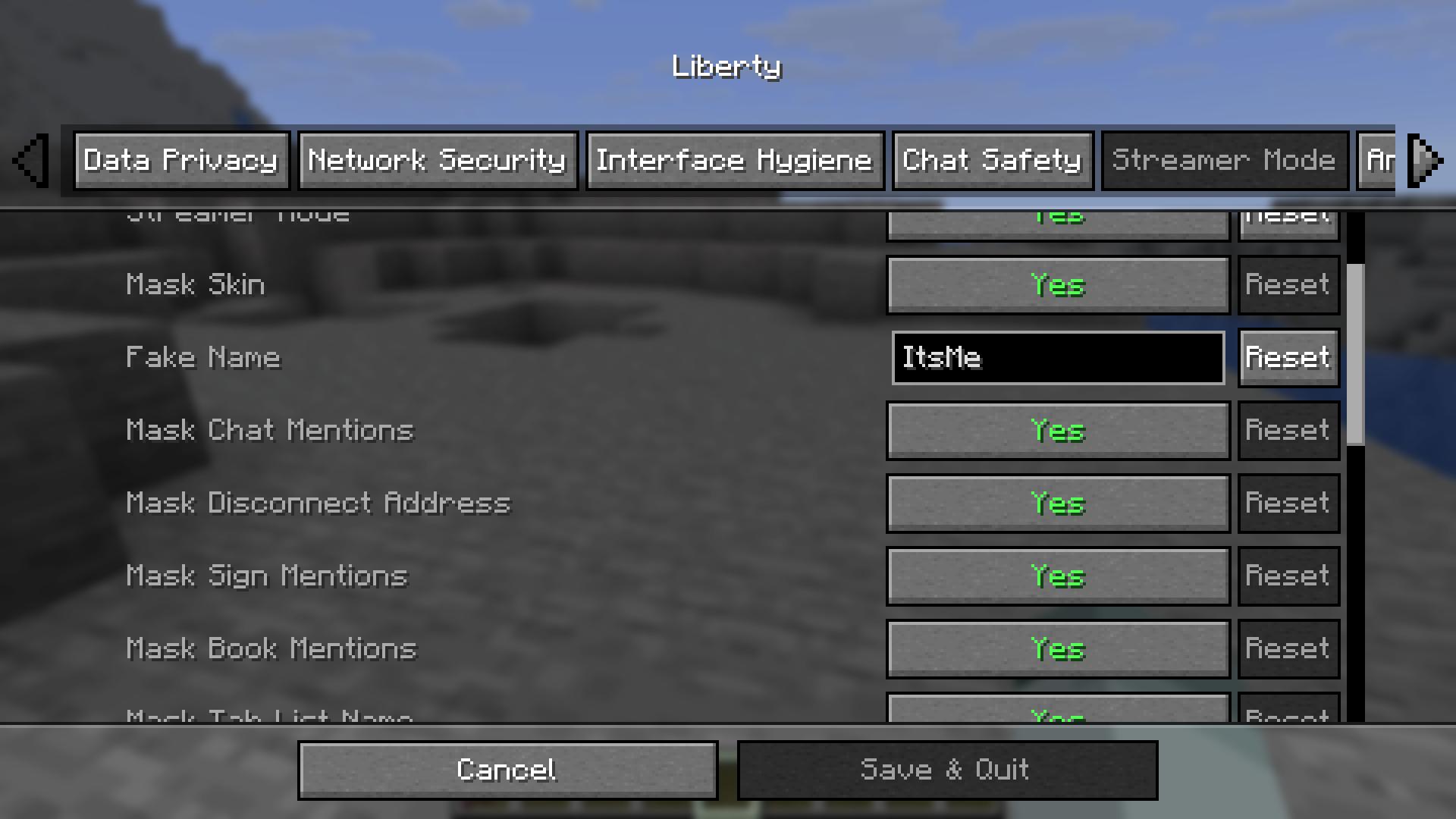
| In-Game Config Screen | Streamer Mode HUD Masking |
|---|---|
 |
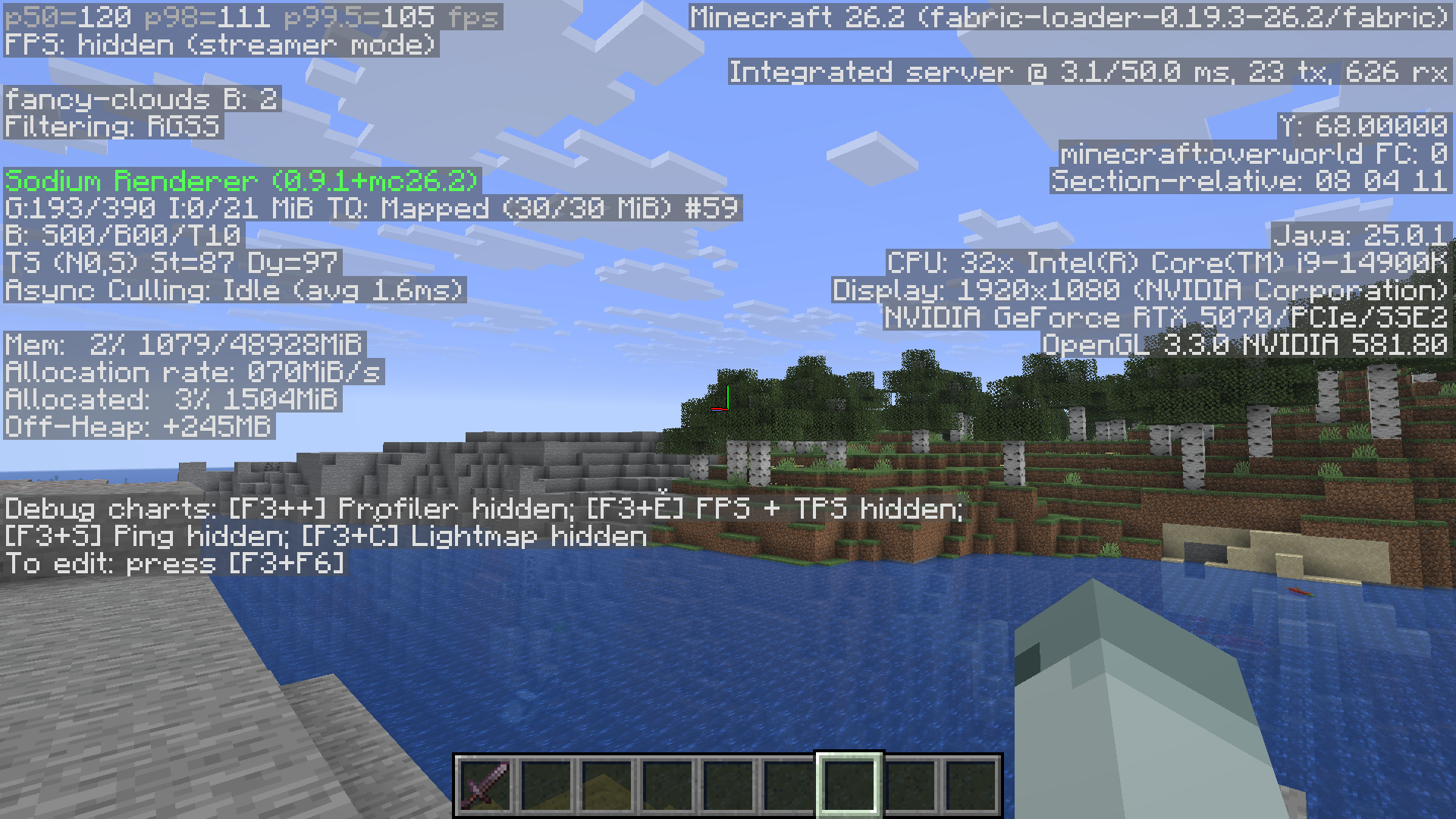 |
| Granular configuration menus via Cloth Config | Redacted F3 screen showing coordinates masked |
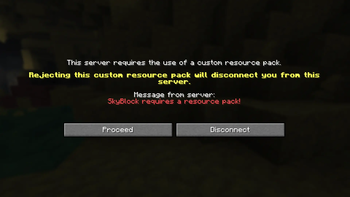
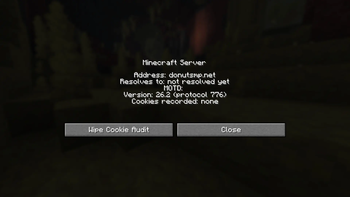
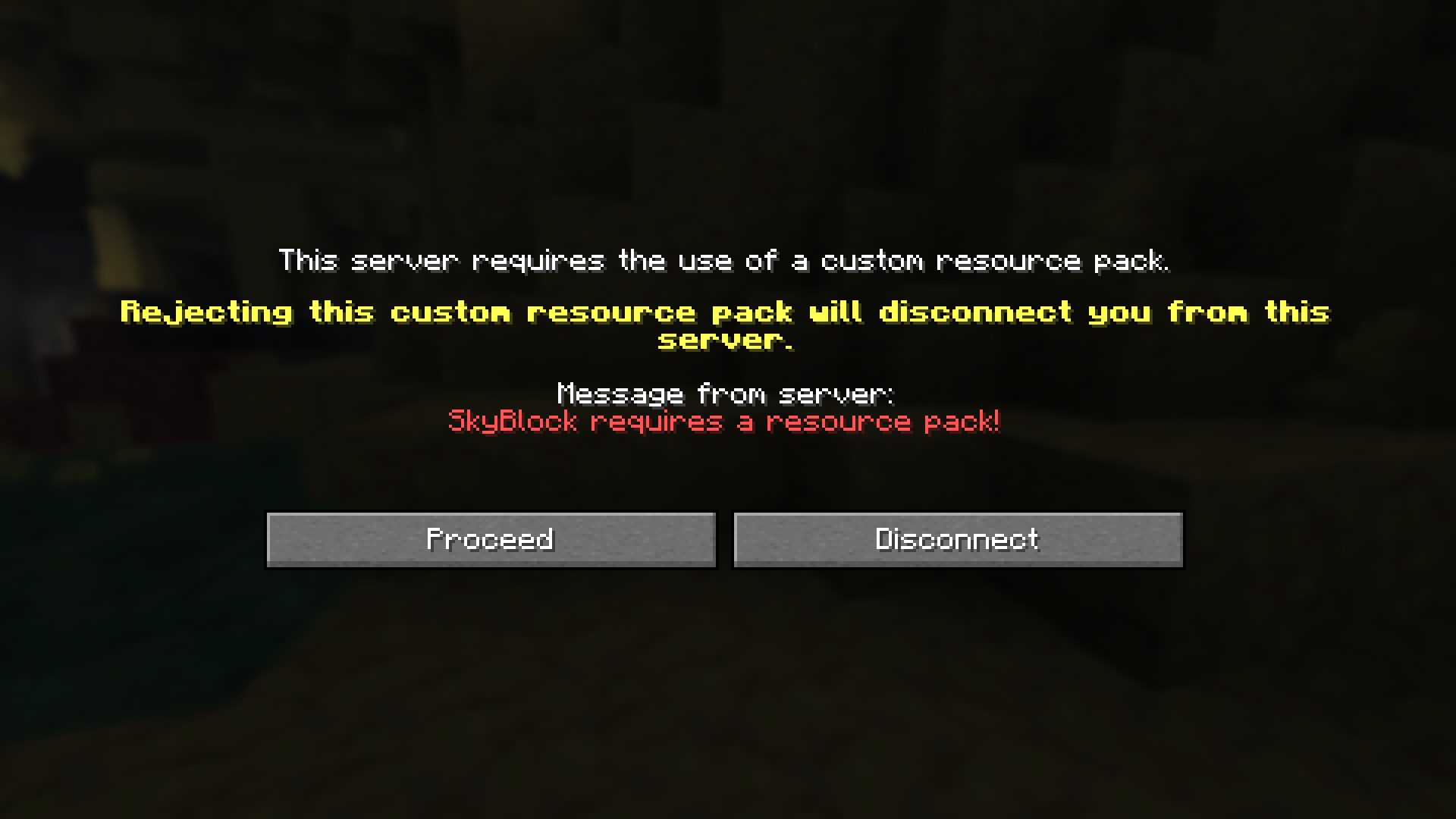
| Custom Resource Pack Prompt | Server Info Inspector |
|---|---|
 |
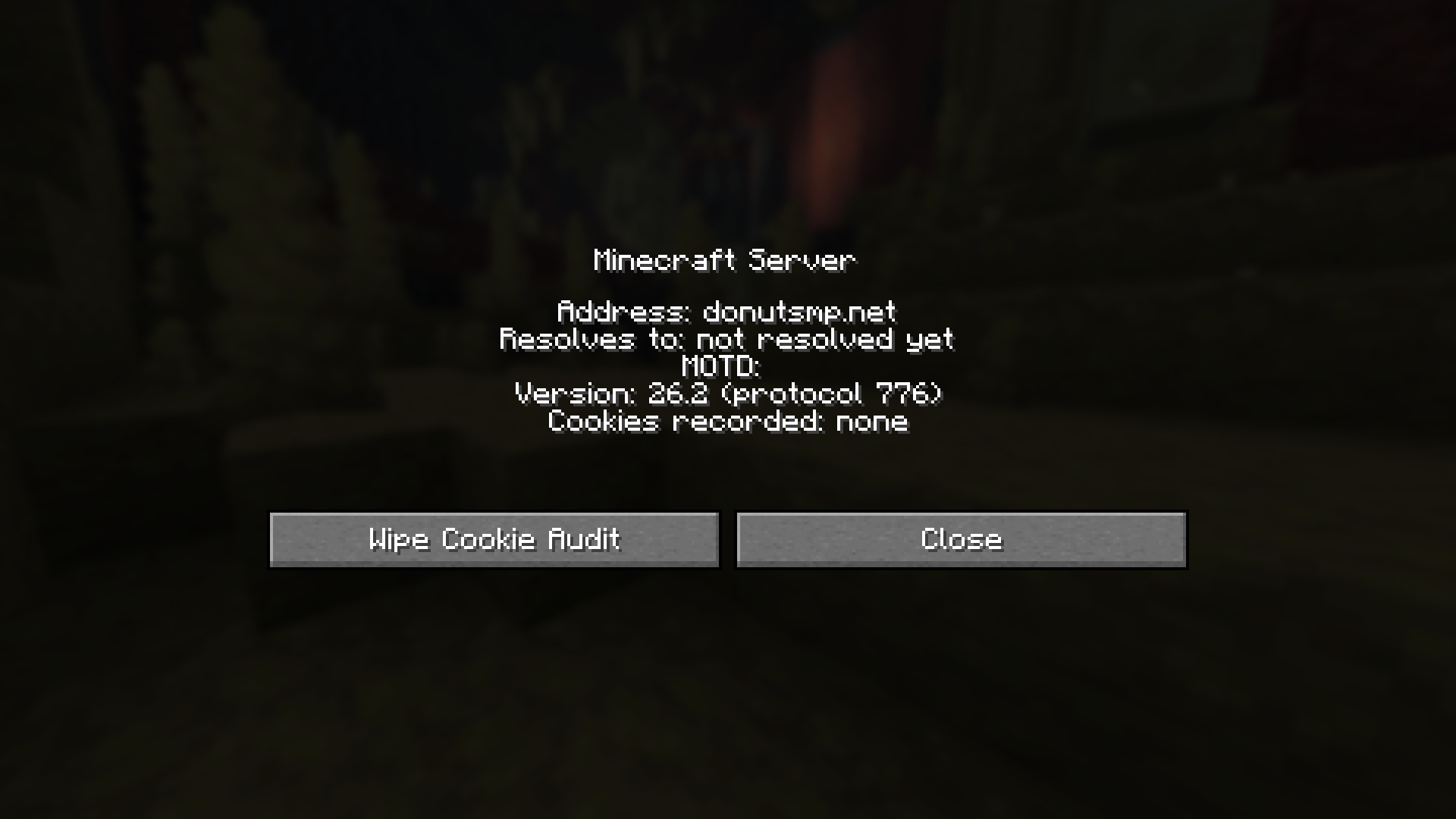 |
| Prompt showing resource pack size probe before accepting server assets | Right-click server diagnostics panel showing resolved IP and connection audits |
Key Feature Areas
Liberty organizes its 60+ configurable options into five core domains:
1. Data Privacy & Telemetry Control
- Block Telemetry: Stops all outbound telemetry traffic to Microsoft and Mojang.
- Log & Crash Redaction: Automatically scrubs personal identifiable information (PII) from logs and crash reports (including your OS username, home directory, and local IP addresses).
- Draft Protection: Prevents draft messages (including
#-prefixed command drafts) from being sent to the server as you type. - Ping-on-Hover: Only pings servers in your server list when you hover over them, reducing passive tracking.
- Cookie Isolation: Prevents cookie data from being shared across server transfers.
2. Network & Asset Security
- SSRF Sandbox: Scans resource pack URLs and blocks downloads originating from private, local, or loopback IP addresses.
- Secure Player Skins: Restricts skin downloads to trusted Mojang domains over strict HTTPS, blocking potential network tracking via custom asset servers.
- Confirmations & Prompts: Intercepts server-initiated transfers, chat links, and command executions, prompting you for consent before action is taken.
- Chat Signatures: Adds a colored indicator to chat messages to show if they are officially signed by Mojang's authentication system.
3. Anti-Griefing & Rate Limiting
- Spam Throttlers: Rate-limits excessive incoming packets for sounds, particles, titles, and scoreboards to prevent performance drops or client crashes.
- Clean UI: Groups repeating consecutive chat lines (e.g.,
[x5]) and aggregates identical boss bars (e.g.,Boss Name (x3)) to keep your screen readable. - Map & Screen Protection: Drops redundant GPU texture uploads from map data spam and ignores container-open packet spam.
4. Streamer Protection
- Coordinate & System Masking: Restricts F3 debug info to show only Y-level (height) or hides it completely. Hides FPS, hardware specs, and base coordinates.
- Bedrock Hiding: Automatically swaps bedrock textures with stone or deepslate to prevent coordinates from being leaked via natural terrain patterns.
- Identity Obfuscation: Replaces your username, skin, and chat mentions with a customizable fake profile across all rendering paths (including player tab list, scoreboards, signs, books, and chat).
5. Diagnostics & Server Audits
- Server Inspector: Adds a right-click diagnostic panel to the server list, showing resolved server IPs, ping behavior, and active security overrides.
- Cookie Audit Logging: Records the keys (never the payloads) of cookies set by multiplayer servers in a local JSON log.
- Transfer Audit Logs: Tracks a CSV history of all server-to-server transfers.
Commands & Configuration
In-Game Command Cheatsheet
Liberty features a /liberty command line interface for managing settings, logs, and diagnostics:
| Command | Action |
|---|---|
/liberty status |
View the current status of all options grouped by category. |
/liberty toggle <option> |
Enable or disable a specific feature. |
/liberty log |
View the last 100 security events (e.g., blocked links, SSRF flags). |
/liberty override add <server> <option> <value> |
Define per-server config rules applied automatically on join. |
/liberty friend add/remove <name> |
Manage a whitelist of players allowed to whitelist whispers. |
/liberty diag |
Run client-side diagnostics to verify mixin integrity and check if secure chat is enforced. |
Configuration Interfaces
- Graphical Interface: If you have Mod Menu and Cloth Config installed, you can configure all options via the standard in-game GUI (Main Menu > Mods > Liberty > Config).
- Presets: Quick-configure Liberty using built-in presets (e.g., Streamer Max, Privacy Max, and Griefing Defense) from the config menu.
- Local JSON File: Directly edit
<game-dir>/config/liberty.jsonwhen the game is closed.
Installation & Dependencies
Liberty is a client-side mod. Do not install it on a dedicated server.
- Install Fabric Loader (>= 0.19.3).
- Download and place the Fabric API jar in your
mods/directory. - (Recommended) Install Mod Menu and Cloth Config to enable the in-game settings screen.
- Place
liberty-1.0.0.jarin yourmods/folder and launch the game.
Version Compatibility
- Minecraft Version: 26.2
- Required Fabric Loader: >= 0.19.3
- Required Fabric API: >= 0.153.0+26.2
- Recommended Cloth Config: >= 26.2.155
- Recommended Mod Menu: >= 20.0.0-beta.4
Local Data & Transparency
Liberty operates under a local-first philosophy. It does not send any data to external servers, and actively blocks vanilla telemetry. All data is saved locally:
config/liberty.json: Your options and runtime statistics.config/liberty-cookie-audit.json: Audited cookie keys set by servers (payloads are excluded).config/liberty-transfers.csv: Audit log of server transfer redirects.config/liberty-backups/: Auto-generated backups of your settings.
Note: If Show Resource Pack Size is enabled, Liberty will issue a lightweight HTTP HEAD request to resource pack hosts before you download them to calculate file sizes.
- Edition: Minecraft Java
- File type: .jar
- Minecraft version listed: 26.2
- How to install: Install the matching mod loader (Forge, Fabric or NeoForge) for your Minecraft version. → Download the .jar. → Put it in the .minecraft/mods folder and launch that loader profile.
- Where to get it: Opens on Modrinth — not every file is mirrored on our own servers.
Install steps are the general flow for this file type — How to install Minecraft Java mods & modpacks walks through it step by step.
- Ships as liberty-1.0.0.jar — drop this file into the mods folder
- Download size: 750 KB
- Download link checked 13 Oct 2026 — working
These come from our own check of the pack file, not from the source page.