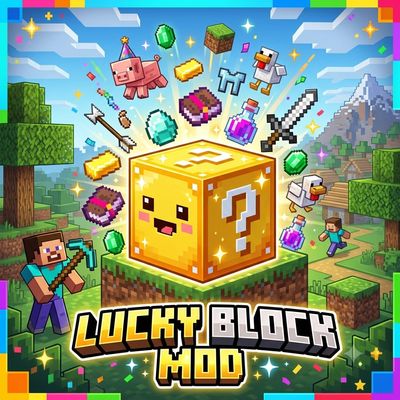
Lucky block 26.40
Bedrock add-on listed for Minecraft 26.x. File opened and checked on 3 Sep 2026; installs from the MC Bedrock Mods app on Android.
A custom Lucky Block for Bedrock — break it for a random reward or disaster. 30+ outcomes: diamonds, emeralds, mobs, TNT, lightning, and more. Built with…
⬇ Download on CurseForgeThe author built this one for Minecraft 26.40. On other versions it may install and then do nothing.
# 🍀 Lucky Block Addon
A from-scratch take on the classic Lucky Block, built for Minecraft Bedrock using the Script API. Break it and you never know what you'll get — huge rewards or nasty surprises.
## ✨ Features
- **30+ random outcomes**, each with its own drop chance
- **Good outcomes:** diamonds, emeralds, netherite scrap, enchanted golden apple, enchanted sword, a friendly horse, a protective iron golem, a treasure chest, XP
- **Bad outcomes:** TNT explosion, zombie/skeleton/creeper ambush, lightning strike, poison/weakness effect, silverfish swarm
- **Fun outcomes:** firework show, chicken rain, random teleport
- **Craftable in survival**: 8 gold blocks + 1 chest
## 📦 Installation
1. Download `LuckyBlock.mcaddon` and open it (Minecraft imports it automatically)
2. When creating a world, enable both the **Behavior Pack** and **Resource Pack**
3. Turn on the **"Beta APIs"** experimental toggle (required for the Script API)
4. Craft the Lucky Block, or spawn one with `/give @s lucky:lucky_block`
## ⚙️ Requirements
- Minecraft Bedrock **1.26.40** or later
- **Beta APIs** experimental toggle enabled
## 📝 Notes
- To add this to an existing world, apply the packs in world settings and enable Beta APIs there too.
- Everything runs through the addon's own script — no extra mods or dependencies needed.
## 📜 License
This is original work. [state your license here, e.g. All Rights Reserved / CC BY-NC 4.0]
- Edition: Minecraft Bedrock
- File type: .mcpack or .mcaddon
- Minecraft version listed: 26.40
- How to install: Download the .mcpack or .mcaddon file. → Open it — Minecraft imports it. → In your world: Behavior Packs → Available → Activate, then the same under Resource Packs.
- Where to get it: Opens on CurseForge — not every file is mirrored on our own servers.
Install steps are the general flow for this file type — How to install Minecraft Bedrock addons & mods walks through it step by step.
- Pack type: .mcaddon — behaviour and resource pack in one file
- Download size: 6 KB
- Download link checked 14 Oct 2026 — working
These come from our own check of the pack file, not from the source page.