
ModsJava
ChamoItemSkins

Text Transcript
ChamoItemSkins
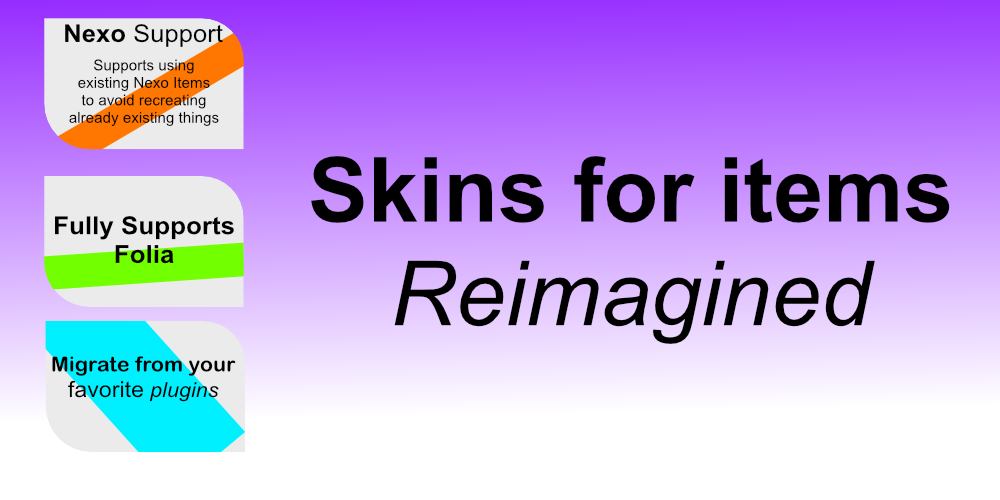
for your server to be remembered Nexo Support
Supports using existing Nexo items to avoid recreating already existing things Full Supports Folia
Migrate from your favorite plugins
Skins for items
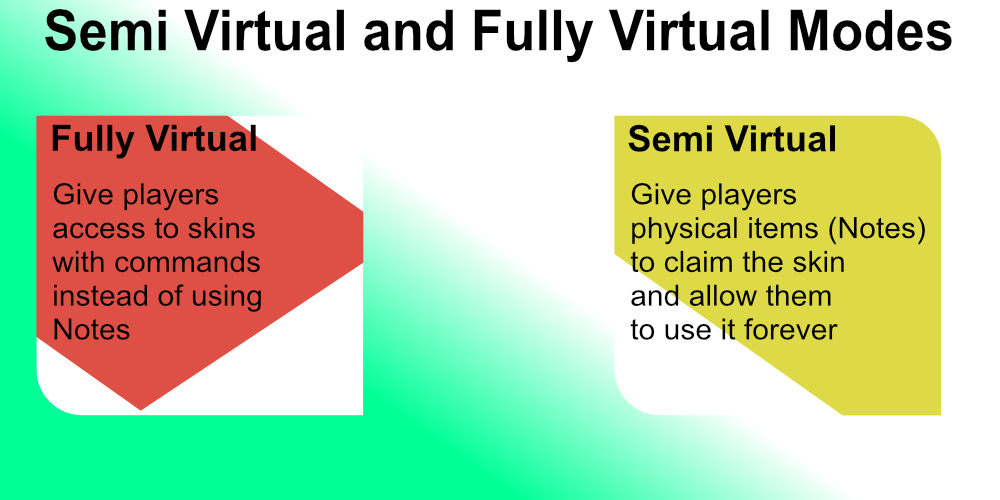
Reimagined Semi-virtual and fully virtual modes Fully Virtual
Gives players access to skins with commands instead of using skin notes Semi Virtual
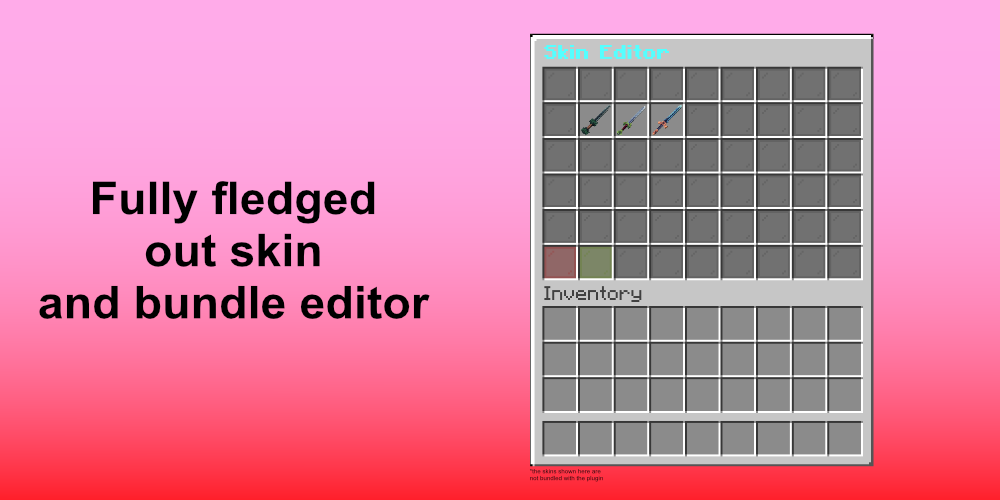
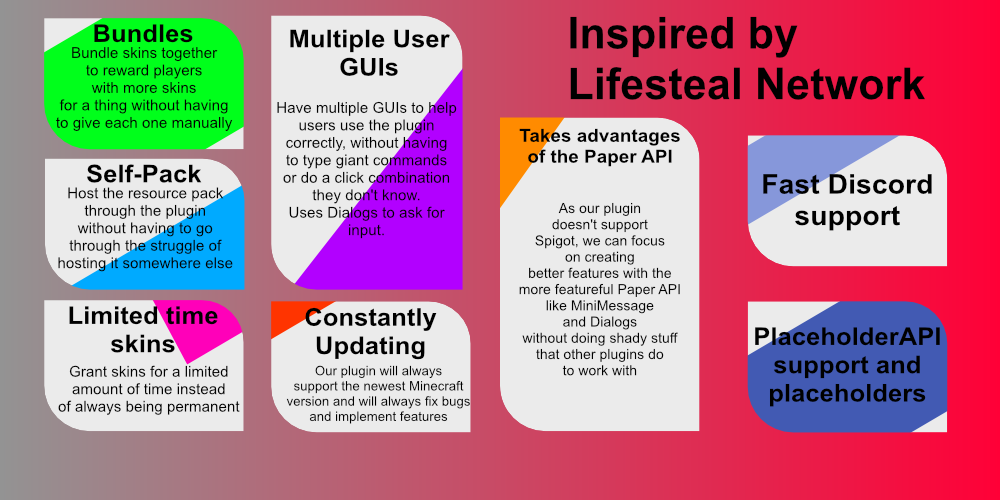
Give players physical items (Notes) to claim the skin and allow them to use it forever Fully fledged out skin and bundle editor [image of inventory] Inspired by Lifesteal Network Fast Discord Support PlaceholderAPI support and placeholders Takes advantage of the paper api
As our plugin doesn't support Spigot, we can focus on creating better features with the more featureful Paper API like MiniMessage and Dialogs without doing shady stuff that other plugins do to work with Multiple User GUIs
Have multiple GUIs to help users use the plugin correctly, without having to type giant commands or do a click combination they don't know. Uses Dialogs to ask for input. Constantly Updating
Our plugin will always support the newest Minecraft version and will always fix bugs and implement features Limited time skins
Grant skins for a limited amount of time instead of always being permanent SelfPack
Host the resource pack through the plugin without having to go through the struggle of hosting it somewhere else Bundles
Bundle skins together to reward players with more skins for a thing without having to give each one manually # ChamoItemSkins [](https://github.com/SQD-Studios/ChamoItemSkins/actions) [](https://sqd-studios.github.io/docs/chamoitemskins/administration/introduction/installing/) [](https://sqd-studios.github.io/ChamoItemSkins/) [](https://crowdin.com/project/sqd-studios) ChamoItemSkins is a Minecraft skin plugin built for **Paper 26.1.2** and **Folia**. It allows players to unlock and apply skins to their items. ## Features - **Folia**: Why not? - **Skin Notes**: Give players "Skin Notes" that they can use to unlock a skin. - **PlaceholderAPI**: Placeholders for active skins, ownership status, and totals. - **Nexo Items Support** Instead of vanilla textures, use Nexo Items - **HMCWarps Migration** Migrate from HMCWarps to us ## Requirements - **Java 25** or higher. - **Paper/Folia 26.1.2+**. - (Optional) **PlaceholderAPI** for placeholders. - (Optional) **Nexo** for NexoItems support - (Optional) **HMCWarps** for the migration ## Installation 1. Download the latest `ChamoItemSkins.jar`. 2. Place it in your server's `plugins/` folder. 3. Restart your server to generate the default configuration files. 4. Configure our plugin and enjoy! ## Configuration **Keep in mind that our documentation has a more detailed guide, so we recommend checking that instead :D** - **`config.yml`**: Database settings, default Note item settings, selfpack hosting, filler gui items, rarities, etc. - **`skins.yml`**: Define skins and bundles. - **`guis\(gui)`**: Edit a gui - **`lang\(language code)`** Stores all the messages in the specified language ### Example Skin (`skins.yml`) ```yaml skins: infernal_blade: id: "infernal_blade" name: "Infernal Blade" model-id: "chamoitemskins:infernal_blade" item-type: DIAMOND_SWORD enabled: true display-item: id: DIAMOND_SWORD name: "Infernal Blade" lore: [ "A blade forged in hellfire." ] glow: true ``` ### Example Bundle (`skins.yml`) ```yaml bundles: sky_bundle: id: sky_bundle name: "Sky Bundle" skins: - sky_meteor ``` ## Commands & Permissions > [!WARNING] > This needs to be documented and is outdated ### Player Commands | Command | Description | Permission | |:---------|:-----------------------------------|:-------------------------------| | `/skins` | Opens the main skin selection GUI. | `chamoitemskins.use` (default) | ### Admin Commands | Command | Description | Permission | |:-------------------------------------|:-------------------------------------------|:-----------------------| | `/skinsadmin gui` | Opens the administrative management GUI. | `chamoitemskins.admin` | | `/skinsadmin give ` | Gives a physical Skin Note to a player. | `chamoitemskins.admin` | | `/skinsadmin reload` | Reloads all configuration files and skins. | `chamoitemskins.admin` | ## Placeholders > [!WARNING] > This needs to be documented and is outdated Use these with **PlaceholderAPI**: - `%chamoitemskins_active_%`: Returns the name of the active skin for the specified material. - `%chamoitemskins_owns_%`: Returns `true` or `false` if the player owns the skin. - `%chamoitemskins_total_owned%`: Total number of skins owned by the player. - `%chamoitemskins_total_skins%`: Total number of enabled skins available. ## Developer API Developers can hook into ChamoItemSkins' `:api` submodule. ### Repository The repository for the API can be accessed here: Gradle Kotlin DSL ``` kotlin maven { name = "chamosmpRepoReleases" url = uri("https://maven.chamosmp.net/releases") } ``` ``` kotlin compileOnly("net.chamosmp.chamoitemskins:api:version") ``` Maven ``` xml chamosmp-repo-releases ChamoSMP Maven Repository https://maven.chamosmp.net/releases ``` ``` xml net.chamosmp ChamoParty version ``` Gradle Groovy DSL ```groovy maven { name "chamosmpRepoReleases" url "https://maven.chamosmp.net/releases" } ``` ```groovy implementation "net.chamosmp.chamoitemskins:api:version" ``` ### Events - `SkinEquipEvent`: Fired when a player equips a skin. - `SkinUnequipEvent`: Fired when a player unequips a skin. - `SkinGrantEvent`: Fired when a player unlocks a skin via a Note or Admin command. - `SkinRevokeEvent`: Fired when a skin is removed from a player. ### Javadocs Don't forget to see our Javadocs for more information ### Accessing the API ```java ChamoItemSkinsApi api = Bukkit.getServicesManager().load(ChamoItemSkinsApi.class); if(api != null){ SkinService skinService = api.getSkinService(); // Your logic here } ``` --- *Brought to you by SQD Studios*. _Keep in mind this is vibecoded to see how powerful (even though it isn't a valid excuse) it is. I've personally checked every file to maintain the quality. There aren't a lot of things (except unperformed code) that could go wrong right? If I have time, I may recode this as some people actually need it_ --- --- All the assets are made by real humans, without any assistance of AI. Credits: - assets/ChamoItemSkins.png - Chamogelastos, made with Affinity ([Project Files](https://drive.google.com/file/d/1Nss96bDYgBvlbML-1XOsDvFQxYXJ-jK5/view?usp=sharing)) - assets/logo-icon.svg - Black and white convertion of assets/ChamoItemSkins.png to an svg - assets/ChamoItemSkins ad.png - Chamogelastos, made with Affinity ([Project Files](https://drive.google.com/file/d/1mv-8KJExXF2AoQSd2A2fVQrtaHTmzmZc/view?usp=sharing)) Want to contribute assets yourself? DM me on discord (chamogelastos) --
for your server to be remembered Nexo Support
Supports using existing Nexo items to avoid recreating already existing things Full Supports Folia
Migrate from your favorite plugins
Skins for items
Reimagined Semi-virtual and fully virtual modes Fully Virtual
Gives players access to skins with commands instead of using skin notes Semi Virtual
Give players physical items (Notes) to claim the skin and allow them to use it forever Fully fledged out skin and bundle editor [image of inventory] Inspired by Lifesteal Network Fast Discord Support PlaceholderAPI support and placeholders Takes advantage of the paper api
As our plugin doesn't support Spigot, we can focus on creating better features with the more featureful Paper API like MiniMessage and Dialogs without doing shady stuff that other plugins do to work with Multiple User GUIs
Have multiple GUIs to help users use the plugin correctly, without having to type giant commands or do a click combination they don't know. Uses Dialogs to ask for input. Constantly Updating
Our plugin will always support the newest Minecraft version and will always fix bugs and implement features Limited time skins
Grant skins for a limited amount of time instead of always being permanent SelfPack
Host the resource pack through the plugin without having to go through the struggle of hosting it somewhere else Bundles
Bundle skins together to reward players with more skins for a thing without having to give each one manually # ChamoItemSkins [](https://github.com/SQD-Studios/ChamoItemSkins/actions) [](https://sqd-studios.github.io/docs/chamoitemskins/administration/introduction/installing/) [](https://sqd-studios.github.io/ChamoItemSkins/) [](https://crowdin.com/project/sqd-studios) ChamoItemSkins is a Minecraft skin plugin built for **Paper 26.1.2** and **Folia**. It allows players to unlock and apply skins to their items. ## Features - **Folia**: Why not? - **Skin Notes**: Give players "Skin Notes" that they can use to unlock a skin. - **PlaceholderAPI**: Placeholders for active skins, ownership status, and totals. - **Nexo Items Support** Instead of vanilla textures, use Nexo Items - **HMCWarps Migration** Migrate from HMCWarps to us ## Requirements - **Java 25** or higher. - **Paper/Folia 26.1.2+**. - (Optional) **PlaceholderAPI** for placeholders. - (Optional) **Nexo** for NexoItems support - (Optional) **HMCWarps** for the migration ## Installation 1. Download the latest `ChamoItemSkins.jar`. 2. Place it in your server's `plugins/` folder. 3. Restart your server to generate the default configuration files. 4. Configure our plugin and enjoy! ## Configuration **Keep in mind that our documentation has a more detailed guide, so we recommend checking that instead :D** - **`config.yml`**: Database settings, default Note item settings, selfpack hosting, filler gui items, rarities, etc. - **`skins.yml`**: Define skins and bundles. - **`guis\(gui)`**: Edit a gui - **`lang\(language code)`** Stores all the messages in the specified language ### Example Skin (`skins.yml`) ```yaml skins: infernal_blade: id: "infernal_blade" name: "Infernal Blade" model-id: "chamoitemskins:infernal_blade" item-type: DIAMOND_SWORD enabled: true display-item: id: DIAMOND_SWORD name: "Infernal Blade" lore: [ "A blade forged in hellfire." ] glow: true ``` ### Example Bundle (`skins.yml`) ```yaml bundles: sky_bundle: id: sky_bundle name: "Sky Bundle" skins: - sky_meteor ``` ## Commands & Permissions > [!WARNING] > This needs to be documented and is outdated ### Player Commands | Command | Description | Permission | |:---------|:-----------------------------------|:-------------------------------| | `/skins` | Opens the main skin selection GUI. | `chamoitemskins.use` (default) | ### Admin Commands | Command | Description | Permission | |:-------------------------------------|:-------------------------------------------|:-----------------------| | `/skinsadmin gui` | Opens the administrative management GUI. | `chamoitemskins.admin` | | `/skinsadmin give ` | Gives a physical Skin Note to a player. | `chamoitemskins.admin` | | `/skinsadmin reload` | Reloads all configuration files and skins. | `chamoitemskins.admin` | ## Placeholders > [!WARNING] > This needs to be documented and is outdated Use these with **PlaceholderAPI**: - `%chamoitemskins_active_%`: Returns the name of the active skin for the specified material. - `%chamoitemskins_owns_%`: Returns `true` or `false` if the player owns the skin. - `%chamoitemskins_total_owned%`: Total number of skins owned by the player. - `%chamoitemskins_total_skins%`: Total number of enabled skins available. ## Developer API Developers can hook into ChamoItemSkins' `:api` submodule. ### Repository The repository for the API can be accessed here: Gradle Kotlin DSL ``` kotlin maven { name = "chamosmpRepoReleases" url = uri("https://maven.chamosmp.net/releases") } ``` ``` kotlin compileOnly("net.chamosmp.chamoitemskins:api:version") ``` Maven ``` xml chamosmp-repo-releases ChamoSMP Maven Repository https://maven.chamosmp.net/releases ``` ``` xml net.chamosmp ChamoParty version ``` Gradle Groovy DSL ```groovy maven { name "chamosmpRepoReleases" url "https://maven.chamosmp.net/releases" } ``` ```groovy implementation "net.chamosmp.chamoitemskins:api:version" ``` ### Events - `SkinEquipEvent`: Fired when a player equips a skin. - `SkinUnequipEvent`: Fired when a player unequips a skin. - `SkinGrantEvent`: Fired when a player unlocks a skin via a Note or Admin command. - `SkinRevokeEvent`: Fired when a skin is removed from a player. ### Javadocs Don't forget to see our Javadocs for more information ### Accessing the API ```java ChamoItemSkinsApi api = Bukkit.getServicesManager().load(ChamoItemSkinsApi.class); if(api != null){ SkinService skinService = api.getSkinService(); // Your logic here } ``` --- *Brought to you by SQD Studios*. _Keep in mind this is vibecoded to see how powerful (even though it isn't a valid excuse) it is. I've personally checked every file to maintain the quality. There aren't a lot of things (except unperformed code) that could go wrong right? If I have time, I may recode this as some people actually need it_ --- --- All the assets are made by real humans, without any assistance of AI. Credits: - assets/ChamoItemSkins.png - Chamogelastos, made with Affinity ([Project Files](https://drive.google.com/file/d/1Nss96bDYgBvlbML-1XOsDvFQxYXJ-jK5/view?usp=sharing)) - assets/logo-icon.svg - Black and white convertion of assets/ChamoItemSkins.png to an svg - assets/ChamoItemSkins ad.png - Chamogelastos, made with Affinity ([Project Files](https://drive.google.com/file/d/1mv-8KJExXF2AoQSd2A2fVQrtaHTmzmZc/view?usp=sharing)) Want to contribute assets yourself? DM me on discord (chamogelastos) --
Quick facts
- Edition: Minecraft Java
- File type: .jar
- Minecraft versions listed: 1.21.11, 26.1, 26.1.1
- How to install: Install the matching mod loader (Forge, Fabric or NeoForge) for your Minecraft version. → Download the .jar. → Put it in the .minecraft/mods folder and launch that loader profile.
- Where to get it: Opens on Hangar — not every file is mirrored on our own servers.
Install steps are the general flow for this file type — How to install Minecraft Java mods & modpacks walks through it step by step.
ChamoItemSkins is a free Minecraft Java mod. Compatible with Minecraft 1.21.11, 26.1, 26.1.1, 26.1.2 and newer. Downloaded 6 times (via Hangar). Download it and open it directly in the game.