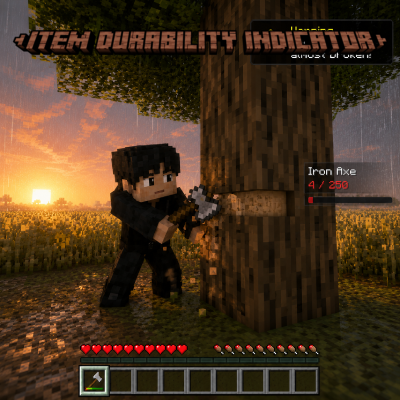
Item Durability Indicator
Item Durability Indicator provides a visual display of the durability of the tool you are currently using. For example, when holding an Iron Axe, you can…
⬇ Download on CurseForgeThe author built this one for Minecraft 26.40. On other versions it may install and then do nothing.
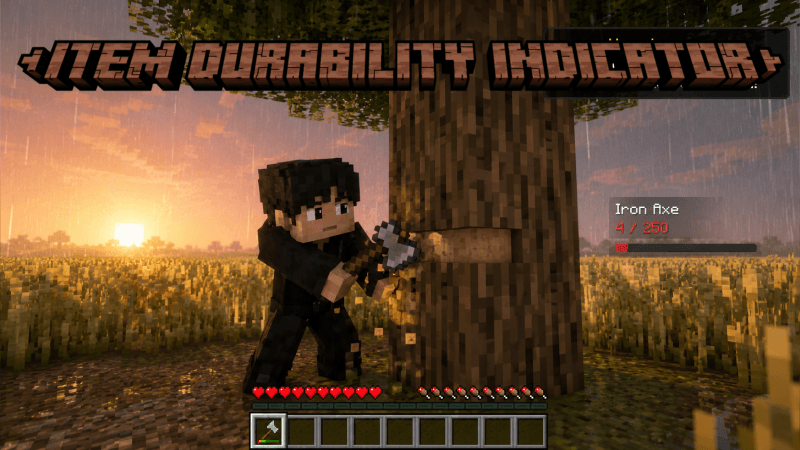
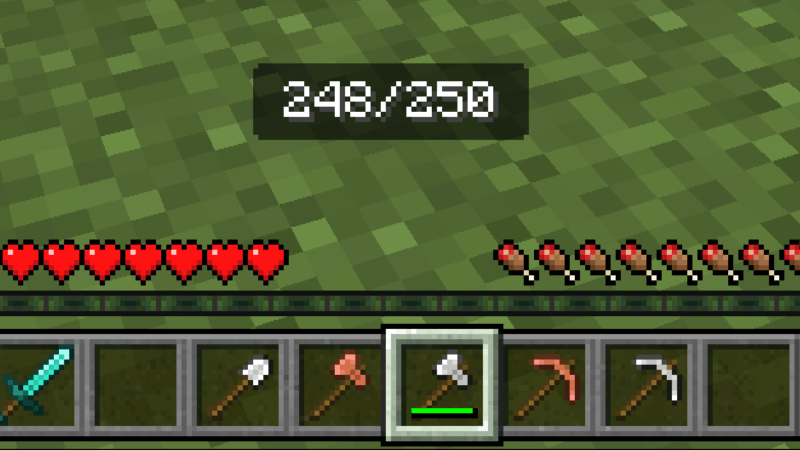
For example, if you are using an Iron Axe, the display might show 180/250, meaning the axe currently has 180 durability remaining out of a maximum of 250.
This is useful for tracking your tool's condition more accurately. Instead of guessing how much durability your tool has left based on its durability bar, you can see the exact numbers and better plan when you need to replace or repair your tools.
Note: Images shown are AI-generated.
- Edition: Minecraft Bedrock
- File type: .mcpack or .mcaddon
- Minecraft version listed: 26.40
- How to install: Download the .mcpack or .mcaddon file. → Open it — Minecraft imports it. → In your world: Behavior Packs → Available → Activate, then the same under Resource Packs.
- Where to get it: Opens on CurseForge — not every file is mirrored on our own servers.
Install steps are the general flow for this file type — How to install Minecraft Bedrock addons & mods walks through it step by step.
- Save it as Item Durability Indicator 1.mcaddon before opening — it downloads as .mcpack, but it is a .mcaddon pack
- Manifest requires Minecraft 1.20.30 or newer
- Complete pack — everything it depends on is inside the file
- Download size: 315 KB
- Download link checked 4 Sept 2026 — working
These come from our own check of the pack file, not from the source page.