
Spreadrooms
Java mod listed for Minecraft 26.x. Downloads from the MC Java Mods app on Android.
⬇ Download on Modrinth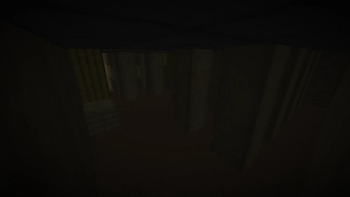

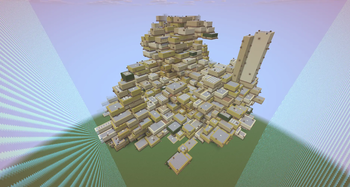
They are spreading...
⚠️ DO NOT USE THIS MOD IN A WORLD YOU CARE ABOUT!!! IT WILL DESTROY BLOCKS AUTOMATICALLY!!
This mod adds the 'backrooms' into vanilla minecraft that will slowly spread and consume your world!
This mod is only required to be on the SERVER since it doesnt add any new blocks, items, etc.
The mod is very customizable and allows you to change everything about how to rooms spread and what blocks they use.
Information
Currently, the mod creates a worldborder of size 200 (configurable) centered on the player that runs the/spreadrooms start command. You CANNOT turn this off yet!
The spreading of the rooms can get VERY laggy if you dont configure it right, also, it may be a good idea to let it generate for a bit before you start playing since it can be slow.
Commands
/spreadrooms start
⮡ starts the spread/spreadrooms stop
⮡ stops the spread/spreadrooms reset
⮡ removes all rooms from memory and resets the worldboard to vanilla/spreadrooms reload
⮡ reloads the config/spreadrooms debug rooms_count
⮡ lists how much of each room type exists/spreadrooms debug rooms_ticking
⮡ returns list of all active rooms
Configuration
located at /config/spreadrooms.jsonareaFromCenter: 100
⮡ Worldborder size and spreadrooms origin, starts in southeast cornertimeToSpread : 20
⮡ Ticks inbetween spreadtimeToSpreadVariation : 0
⮡ Random variation +/- for timeToSpread, disabled with 0timedSpread : true
⮡ ⚠️ HEAVY PERFORMANCE IMPACT IF FALSE! Toggles between spreading every tick and using timeToSpread and timeToSpreadVariationstrictGeneration : true
⮡ May impact performance! When true forces rooms to set blocks to air.generateOnPlane : true
⮡ Attempts to get rooms on a similar y-levelconnectRooms : true
⮡ Rooms next to eachother will remove touching walls when generatingmaxGenRooms : 5
⮡ ⚠️ PERFORMANCE IMPACT! Numbers of rooms generating at oncedefaultRoomSize : Size of [ x : 6, y : 4, z : 6]
⮡ Values x, y, and z define the default room sizesizeVariation : Size of [ x : 7, y : 1, z : 7]
⮡ Gets a random number between 0 and the valuesizeVariationShift : Size of [ x : 1, y : 0, z : 1]
⮡ Subtracts from the randomized sizeVariation numbersizeVariationFactor : Size of [ x : 2, y : 2, z : 2]
⮡ Multiplies by the sizeVariationShift number and adds to the respective value of the rooms sizeroomBlocking : true
⮡ ⚠️ PERFORMANCE IMPACT! Cuts bigger rooms into smaller ones to make big room generation fastermaxRoomSize : Size of [ x : 8, y : 6, z : 8]
⮡ Rooms bigger than any of these axis will but cut if roomBlocking is truefeatureStates : Map of [ RoomFeature, BlockID ]
⮡ Allows users to define what most of the features look like
⮡ The features GREEN, CARPET, E_PIPES, and E_CHAINS cant be changed
How it works
Creates a new record object called a 'room' with origin, size, and room features properties. Rooms have a method called search which checks if adjacent blocks are already set to the correct block, and if not it sets the block. It repeats this recursivley until the room is completed. Additionally, if a search returns a position outside the room, it generates a new set of random room properties, checks if that room will fit if places in the position, and if so, places the room. New rooms are added to the queue to be ticked, since only a maximum amount of rooms can be ticked at once. When where a block is placed, a room checks its room features and neighbors. This allows different rooms to connects, and room features allow a large variation of rooms. Room features are easily customizable and editable, and allow for unique walls, floors, patterns, structures, and other things to appear in rooms. Thats basically it so far! if your still curious, you can check out the github repo for youself!
Whats planned
- Ability to have simple user created features like custom floors, walls, etc
- Many more "RoomFeatures" to add variation to the rooms, and a reason for entering
- Edition: Minecraft Java
- File type: .jar
- Minecraft version listed: 26.2
- How to install: Install the matching mod loader (Forge, Fabric or NeoForge) for your Minecraft version. → Download the .jar. → Put it in the .minecraft/mods folder and launch that loader profile.
- Where to get it: Opens on Modrinth — not every file is mirrored on our own servers.
Install steps are the general flow for this file type — How to install Minecraft Java mods & modpacks walks through it step by step.
- Ships as spreadrooms-0.2.jar — drop this file into the mods folder
- Download size: 43 KB
- Download link checked 25 Sept 2026 — working
These come from our own check of the pack file, not from the source page.