
Conduit
Java mod listed for Minecraft 26.x. Downloads from the MC Java Mods app on Android.
I don't know my version or loader
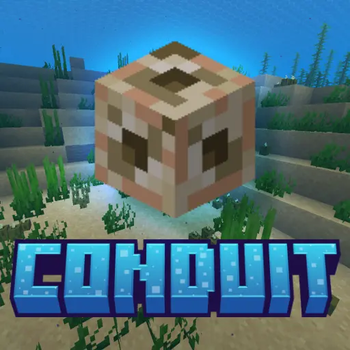
Conduit
Conduit is a system that helps Minecraft players get the mods before joining a server. It checks what mods the server needs downloads any that are missing and makes sure they are correct before letting the player join.
Features
Checks what mods a server needs before a player joins
Downloads mods from Modrinth
Makes sure downloaded mods are correct using special codes
Gets the right version of mods when the server starts
Has a simple and customizable way to download mods
Can download mods automatically or ask the player first
Keeps mods for different servers separate
Moves mods around when switching servers
Does not touch mods that players installed themselves
Has different looks for the download screen
Helps server owners see what is going on and logs what happens
Server-Specific Mod Sets
Conduit remembers what mods it installed for each server. When a player switches servers Conduit puts away mods that are not needed and brings out the ones that're. This way players do not have to change their mods folder every time they switch servers. Conduit does not move mods that players installed themselves.
Mod Sources
Conduit uses Modrinth to get mods.
Client Experience
Before joining a server Conduit talks to the server. Checks what mods are needed. Players can see what mods are needed look at details or let Conduit start downloading. The download screen has options like:
Simple download mode
download
Choosing optional mods
Looking at download details
Dimming the background
Different looks like Conduit, Emerald, Amethyst, Amber and Monochrome
These options are available by clicking the CONDUIT button on Minecrafts title screen or through the configuration file.
Server Administration
Server owners make a list of mods using a file. Conduit makes sure the mods are correct and shares the list with players. Server settings include:
Turning on the mod list
Choosing an address and port
Number of workers
Logging requests
Diagnostics
Server owners can change the mod list by editing the file and restarting the server.
Why Conduit?
Conduit makes it easy to join Minecraft servers with mods. Players do not have to search for mods or change their mods folder every time they switch servers! Server owners can keep one list of mods and Conduit handles the rest.
Example Configs{
"_comment": "Conduit manifest (schema 2). Add one entry per mod. Just the Modrinth slug + required flag — the server resolves the version and hash automatically at startup.",
"schemaVersion": 2,
"serverName": "Replace this server name",
"mods": [
{
"slug": "mo-glass",
"required": true
}
]
}
Other notes
Please if you find any issues report them in the discord server it is very hard to test every single version because that would be spinning up 13 different servers to check and would take hours Fabric and Neoforge versions for 1.20.1, 1.21.1 and 26.1.2+ are in testing currently
- Edition: Minecraft Java
- File type: .jar
- Minecraft versions listed: 26.1, 26.1.1, 26.1.2
- How to install: Install the matching mod loader (Forge, Fabric or NeoForge) for your Minecraft version. → Download the .jar. → Put it in the .minecraft/mods folder and launch that loader profile.
- Where to get it: Opens on Modrinth — not every file is mirrored on our own servers.
Install steps are the general flow for this file type — How to install Minecraft Java mods & modpacks walks through it step by step.
- Ships as conduit-neoforge-1.1.0.jar — drop this file into the mods folder
- Download size: 382 KB
- Download link checked 15 Oct 2026 — working
These come from our own check of the pack file, not from the source page.