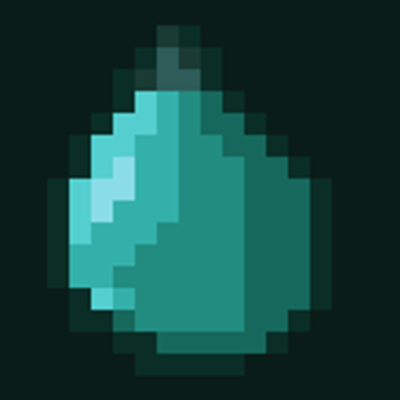
Warped Fruit
Bedrock add-on listed for Minecraft 26.x. Download on the author's site.
Adds Warped Fruit to the Nether. Eat one and no mob can see you for 15 seconds — even in full armor. (Achievement Friendly)
⬇ Download on CurseForgeWarped Fruit
Disappear from most hostile mobs for fifteen seconds — even in full armour.
Warped Fruit is a small, focused Minecraft Bedrock add-on that adds a hanging fruit to the Warped Forest and a new way to escape danger.
One fruit. One mechanic. No extra add-ons required.
Find the fruit
Look beneath the caps of giant warped fungi for hanging teal fruit. Break the fruit itself, or the block supporting it, to collect it.
Fruit is placed beneath warped_wart_block in the Nether, with roughly one fruit per tree on average. Individual trees may have more or none.
It appears in both new and already-explored terrain, so you can use the add-on in an existing world.
The Warped Cloak
Eat a Warped Fruit to gain the Warped Cloak for 15 seconds.
The cloak changes how supported hostile mobs target you, helping you slip past danger or escape a chase. It works while wearing armour, including full netherite.
You can eat the fruit with a full hunger bar. Eating another refreshes the duration.
An escape tool with limits
- Hitting an entity breaks the cloak, including melee hits that deal no damage.
- Environmental hazards still hurt. Keep clear of lava, long falls, and explosions.
- The Warden, Creaking, and Enderman may still find you. The cloak’s backup protection can restore some incoming damage, but it cannot reliably save you from a lethal hit.
- Other add-ons may introduce mobs the cloak does not affect.
Existing worlds
Fruit automatically populates suitable areas around you as you explore the Nether. No command is needed for normal generation.
If an area needs another scan, an operator can use /bn:rescan while in the Nether. /bn:debug displays generation information. Neither command requires cheats to be enabled.
Languages
Fully translated into English and Türkçe, including items, blocks, and messages.
Compatibility
Warped Fruit modifies the behaviour files of 35 vanilla mobs to support the cloak.
Other add-ons that modify those same mobs can conflict, and pack order may affect which behaviour takes effect. Add-ons that only introduce separate items, blocks, structures, or mobs generally avoid this conflict, though newly added mobs may ignore the cloak.
Do not install it alongside BetterNether, which includes overlapping files.
Installation
- Download and open the
.mcaddonfile. - Enable both the Behaviour Pack and Resource Pack in your world.
- Play without enabling experimental settings.
Versions and achievements
Requires Minecraft Bedrock 1.26.40 or later. This minimum matches the stable scripting API used by the pack. Official version notes
The previous release listed 1.26.45 as tested. Version 0.1.5 has passed package validation and automated tests; in-game testing is still pending.
The add-on requires no cheats, experimental toggles, or Beta APIs. However, achievement eligibility for this externally imported package is not guaranteed. Mojang’s official achievement support applies to add-ons released through Minecraft Marketplace. Official achievement policy
Warped Fruit began as part of BetterNether and was released separately for players who want just the fruit and cloak mechanic.
- Edition: Minecraft Bedrock
- File type: .mcpack or .mcaddon
- Minecraft versions listed: 26.40, 26.50
- How to install: Download the .mcpack or .mcaddon file. → Open it — Minecraft imports it. → In your world: Behavior Packs → Available → Activate, then the same under Resource Packs.
- Where to get it: Opens on CurseForge — not every file is mirrored on our own servers.
Install steps are the general flow for this file type — How to install Minecraft Bedrock addons & mods walks through it step by step.
Warped Fruit is a free Minecraft Bedrock addon. Compatible with Minecraft 26.40, 26.50. Downloaded 42 times (via CurseForge). Download it and open it directly in the game.