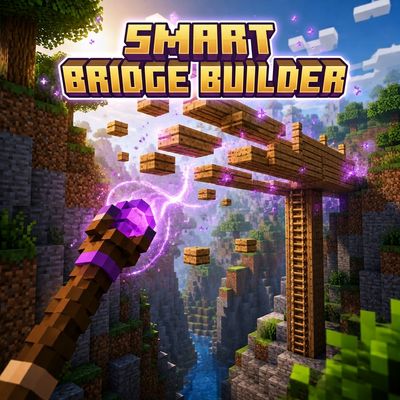
Smart Bridge Builder
Bedrock add-on listed for Minecraft 1.21–26.x (behavior + resource pack). File opened and checked on 4 Sep 2026; installs from the MC Bedrock Mods app on Android.
🌉 Build bridges up to 128 blocks from your inventory! Features smooth slab slopes, auto-pillars with ladders, live HUD cost preview, and 2 wands (wood &…
⬇ Download on CurseForgeThe author built this one for Minecraft 1.21.30–26.20. On other versions it may install and then do nothing.
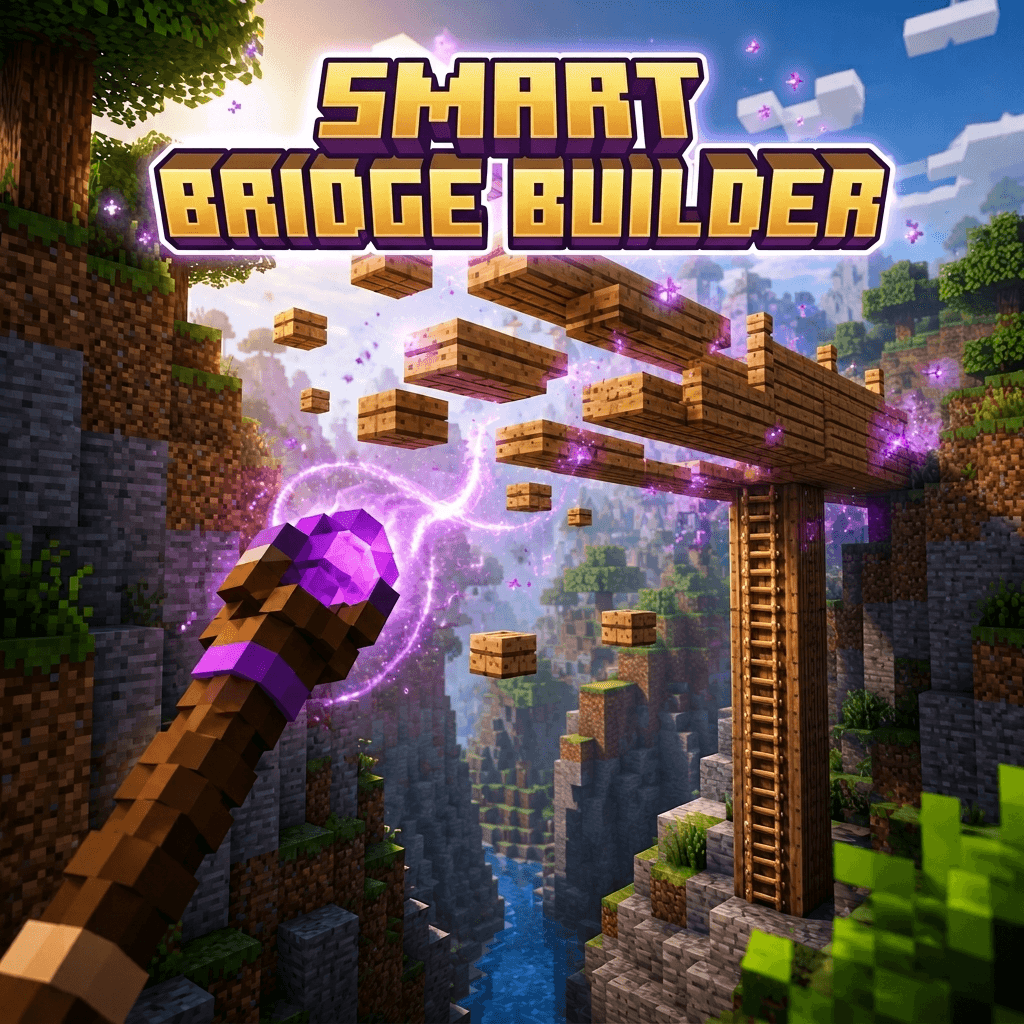
🌉 SMART BRIDGE BUILDER 🌉
Tired of tedious bridging, crouching over endless drops, or losing your gear in lava lakes and void pits? 🌋
Smart Bridge Builder is a smart, lightweight scripting behavior pack designed to automate bridge construction while keeping survival completely fair and balanced. There are no free blocks or cheat mechanics: your bridges are built directly from the materials stored in your inventory! 🎒
Equip your wand, look where you want to go, and let the algorithm calculate the optimal route, check your supplies, and build your bridge in seconds! ✨
✨ KEY FEATURES
📐 Smooth Slab Incline:
Instead of full-block staircases that break your sprint, the pathfinder calculates smooth slopes using top and bottom slabs. Walk or sprint across without jumping! 🏃♂️
🪜 Automatic Pillars and Ladders:
Targeting an area higher or lower than your position? The algorithm automatically detects elevation changes, erects a solid support pillar, and mounts functional ladders on it so you can climb up or down safely. 🧗
📊 Real-Time Action Bar HUD:
Simply hold the wand in your main hand to view live bridge stats right above your hotbar:
1. Total blocks required for the span
2. Exact material cost
3. Instant status indicator (Ready to build! or Not enough materials!)
⚖️ 100% Survival Balanced:
Materials are deducted directly from your inventory upon placement. Costs are calculated fairly:
- Slabs = 0.5 blocks
- Solid Blocks = 1 block
- Ladders = 1 block
🌲 Two Wands and Broad Palette Support:
🪵 Wooden Wand consumes any planks in your inventory (Oak, Spruce, Birch, Jungle, Acacia, Dark Oak, Mangrove, Cherry, Bamboo, Crimson, and Warped).
🪨 Stone Wand consumes Cobblestone, Stone, or Cobbled Deepslate.
🔄 If you run out of one type mid-build, the builder seamlessly switches to the next available material!
🚀 Asynchronous and Lag-Free:
Blocks are placed incrementally using Minecraft script job system (system.runJob), ensuring zero frame drops or server lag even over maximum distances.
📏 Extended Range:
Build bridges up to 128 blocks in length, or cast forward 25 blocks directly into mid-air! 🎯
🔨 CRAFTING RECIPES
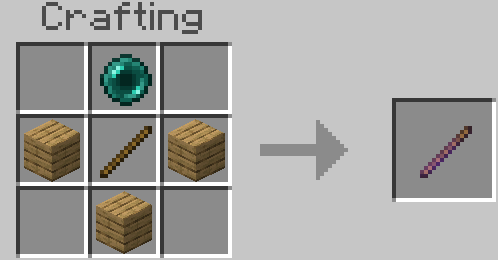
Both wands can be crafted in a standard Crafting Table: 🧩
- Wooden Wand 🪵
Top row: Empty | Ender Pearl | Empty
Middle row: Any Wood Planks | Stick | Any Wood Planks
Bottom row: Empty | Any Wood Planks | Empty
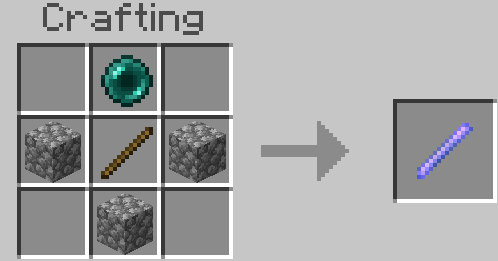
2. Stone Wand 🪨
Top row: Empty | Ender Pearl | Empty
Middle row: Cobblestone | Stick | Cobblestone
Bottom row: Empty | Cobblestone | Empty
🎮 HOW TO USE
1. Gather suitable building supplies (wood planks or stone variants) in your inventory. 📦
2. Hold the Wooden Wand or Stone Wand in your main hand. 🪄
3. Aim at your target location across the gap. 👀
4. Check the Action Bar HUD above your hotbar to verify the block count and material cost. 📋
5. Right-click or Use Item (or long-press on mobile screens) to start building! 🚀
⚙️ REQUIREMENTS AND INSTALLATION
- Minecraft Version: Bedrock Edition 1.21.30 or higher. 📱💻
- Make sure to enable the Beta APIs experiment toggle in your World Settings! 🧪
⛓️💥JOIN OUR DISCORD https://discord.gg/cawX2TfBE6
⛓️💥JOIN OUR TELEGRAM https://t.me/Obsitus_mods
- Edition: Minecraft Bedrock
- File type: .mcpack or .mcaddon
- Minecraft versions listed: 1.21.30, 1.21.50, 1.21.81
- How to install: Download the .mcpack or .mcaddon file. → Open it — Minecraft imports it. → In your world: Behavior Packs → Available → Activate, then the same under Resource Packs.
- Where to get it: Opens on CurseForge — not every file is mirrored on our own servers.
Install steps are the general flow for this file type — How to install Minecraft Bedrock addons & mods walks through it step by step.
- Pack type: .mcaddon — behaviour and resource pack in one file
- Manifest requires Minecraft 1.21.30 or newer
- Complete pack — everything it depends on is inside the file
- Download size: 1.6 MB
- Download link checked 15 Oct 2026 — working
These come from our own check of the pack file, not from the source page.