
AuroraPackReload
Java mod listed for Minecraft 1.20–26.x. Downloads from the MC Java Mods app on Android.
⬇ Download on Modrinth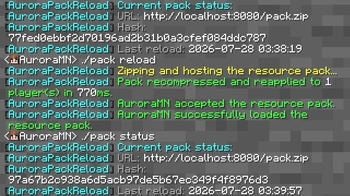
PLEASE READ:
With default settings, packs only work on local servers, and any other players that join will not be able to reach the pack's location.
What is AuroraPackReload?
AuroraPackReload lets you reload server resourcepacks without restarting the server! On your server, the plugin adds /pack <status|reload|apply>
Status: Shows you some debug information about your resourcepack, such as it's location, hash, and reload location.
Reload: Zips and uploads the resourcepack to the host determined in config.yml, and reloads players's packs.
Apply: Lets you enable/disable who loads the pack.
HOW TO USE:
After installing the latest version of the plugin into your server's plugin folder, create a folder in your server root called "resourcepack". This folder is now your resource pack folder, AKA the location of your pack.mcmeta, pack.png, and assets folder.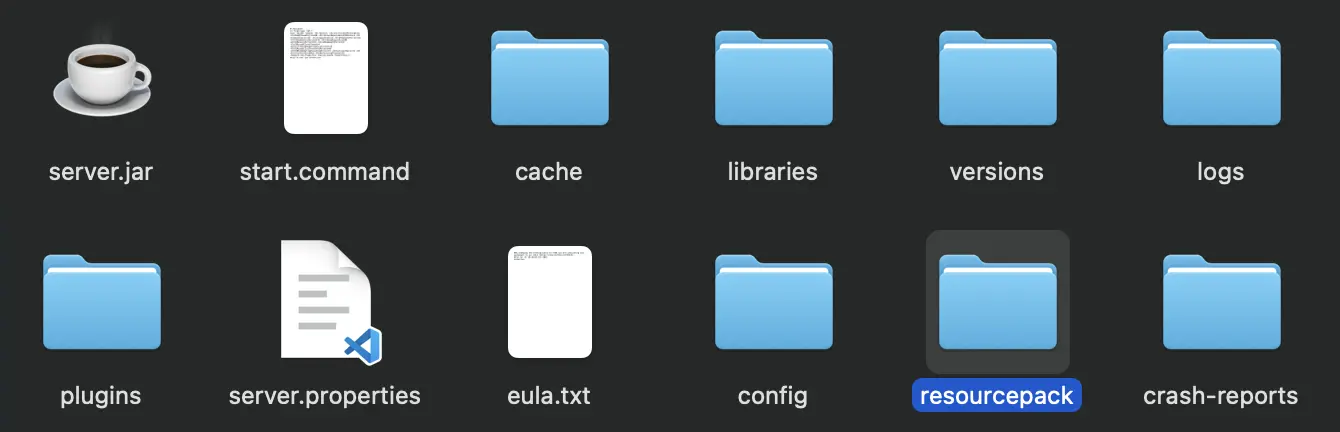
- Edition: Minecraft Java
- File type: .jar
- Minecraft versions listed: 1.20, 1.20.1, 1.20.2
- How to install: Install the matching mod loader (Forge, Fabric or NeoForge) for your Minecraft version. → Download the .jar. → Put it in the .minecraft/mods folder and launch that loader profile.
- Where to get it: Opens on Modrinth — not every file is mirrored on our own servers.
Install steps are the general flow for this file type — How to install Minecraft Java mods & modpacks walks through it step by step.
- Ships as AuroraPackReload.1.0.jar — drop this file into the mods folder
- Download size: 23 KB
- Download link checked 15 Oct 2026 — working
These come from our own check of the pack file, not from the source page.