
Inventory++
Java mod listed for Minecraft 26.x. Downloads from the MC Java Mods app on Android.
⬇ Download on Modrinth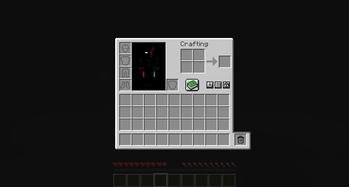
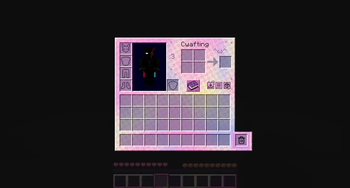
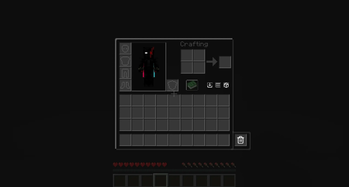
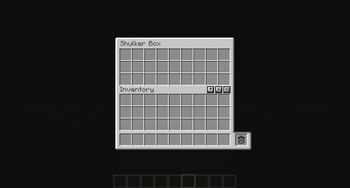
Smart inventory management with sort, quick stack, nearby chest deposit, item locking, and a trash slot.
Needs to be on both the client and the server. Singleplayer works as-is. On a multiplayer server, install it there too or the buttons will show but nothing will happen.
Features
- Sort your inventory or the open chest/container
- Quick stack matching items into the open container
- Deposit matching items into nearby chests, barrels, and shulker boxes (about 5 blocks) from your inventory screen
- Lock items so they stay put
- Drag items into the trash slot next to the hotbar to delete them
- Buttons on inventory screens, plus keybinds
On your inventory screen you get sort and deposit to nearby chests. Open a chest (or similar container) to get quick stack into that container.
Sorting only rearranges the 3×9 inventory grid. Your hotbar is left alone.
Item locking
Lock an item so sort, quick stack, nearby deposit, and the trash slot skip it.
- Hover a slot and press L
- Or Alt + left-click the item
A gold border follows that stack, even if you move it. Press the lock key again to unlock.
Keybinds
Defaults (change them anytime in Options → Controls → Inventory++):
| Action | Default |
|---|---|
| Sort (container if open, otherwise your inventory) | R |
| Sort your inventory (on a container screen) | Shift + R |
| Quick stack into the open container | T |
| Deposit to nearby chests | B |
| Lock hovered item | L |
There is also a dedicated “Sort Player Inventory” bind. It is unbound by default.
Commands
| Command | What it does |
|---|---|
/inventory++ sort |
Sorts your inventory |
/inventory++ sort TYPE |
Sort by item type |
/inventory++ sort NAME |
Sort A–Z |
/inventory++ sort RARITY |
Sort by rarity |
/inventory++ sort DURABILITY |
Sort by remaining durability |
/inventory++ deposit |
Nearby chests if only your inventory is open; otherwise quick-stacks into the open container |
/inventory++ preset save <name> |
Saves your current hotbar as a named preset |
/inventory++ preset apply <name> |
Applies a saved hotbar preset |
/inventory++ lock |
Shows how locking works |
/inventory++ reload |
Reloads the config (ops only) |
- Edition: Minecraft Java
- File type: .jar
- Minecraft version listed: 26.2
- How to install: Install the matching mod loader (Forge, Fabric or NeoForge) for your Minecraft version. → Download the .jar. → Put it in the .minecraft/mods folder and launch that loader profile.
- Where to get it: Opens on Modrinth — not every file is mirrored on our own servers.
Install steps are the general flow for this file type — How to install Minecraft Java mods & modpacks walks through it step by step.
- Ships as inventory-plusplus-1.0.0.jar — drop this file into the mods folder
- Download size: 112 KB
- Download link checked 16 Oct 2026 — working
These come from our own check of the pack file, not from the source page.