
PaintCraft
Java mod listed for Minecraft 1.21. Downloads from the MC Java Mods app on Android.
⬇ Download on Modrinth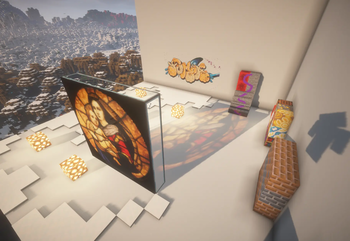
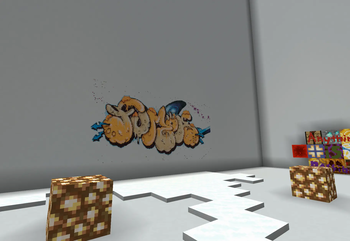
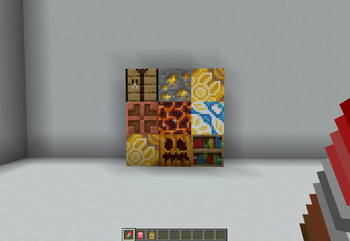
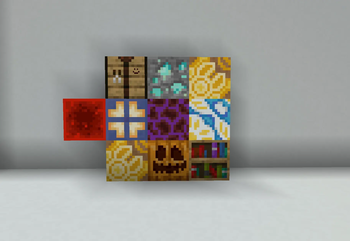
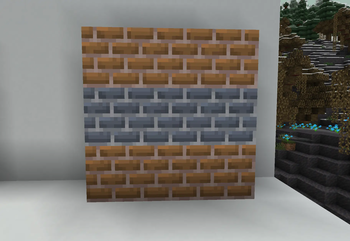
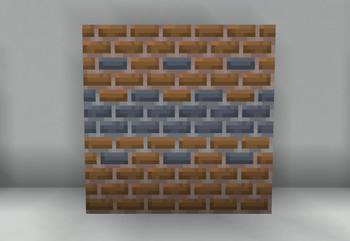
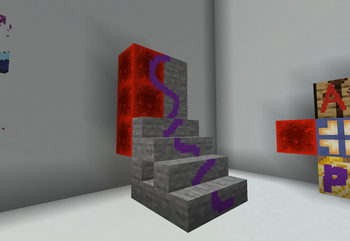
The gallery shows what the mod actually does. Go look at that first.
Tools
Three items in the Tools & Utilities creative tab.
Paint Brush. Right-click a block face to open the painting editor. Shift+right-click two corners first if you want a canvas spanning several blocks. Right-clicking a decal you already placed reopens it for editing.
Stamp. Right-click a decal to copy it, then right-click any face to put the copy there.
Eraser. Right-click a decal to delete it. Shift+right-click wipes every decal on that face at once, with no confirmation.
The editor
Pencil, brush, eraser, fill and line tools, each with its own size and opacity. Tools can be bound per mouse button, and undo/redo covers everything.
Behind the canvas sits a live underlay sampled from the real block texture, including any decals already stacked there. The eyedropper can sample either the canvas or the block underneath it.
You can paste an image straight from the clipboard, though you still pay the dye cost for it.
The palette is built from blocks you choose. Feed it a diamond block and it pulls every color out of that texture, then shows each one blended against the other blocks you added.
How it works
Decals live per-chunk on the server and sync to nearby clients. The client composites them into a shared texture atlas and draws them as extra geometry over the block face. No blocks are replaced, and no block entity is created per decal.
Recessed faces like stair treads, slab tops and fence posts get projected properly, using the same depth-tested volume the editor uses to capture its background, so a painting wraps around the shape rather than floating over its bounding box.
3D relief, if you enable it, extrudes stacked layers outward by their stack height. Nothing extra is stored for this; the geometry comes from counting how many opaque layers sit on each texel.
Compatibility
Create: decals on a contraption move and rotate with it.
Iris: detected automatically, and rendering falls back to a compatible path while a shader pack is active. Not every shader works. BSL is the tested one.
Cost and permissions
Turning a finished canvas into a placed decal costs dye. Every pixel votes for whichever vanilla dye color it is perceptually closest to, and you are charged in whole dyes. pixelsPerDye controls the ratio.
Server admins can also set max canvas size, max decals per chunk, placement range, projection depth, and the permission level needed to edit or erase someone else's decal. See ModServerConfig or the generated paintcraft-server.toml.
Rendering, editor and relief settings are client side, in paintcraft-client.toml (ModConfig): render distance, atlas texture size, relief resolution and thickness, undo depth, and soft versus hard erase.
- Edition: Minecraft Java
- File type: .jar
- Minecraft version listed: 1.21.1
- How to install: Install the matching mod loader (Forge, Fabric or NeoForge) for your Minecraft version. → Download the .jar. → Put it in the .minecraft/mods folder and launch that loader profile.
- Where to get it: Opens on Modrinth — not every file is mirrored on our own servers.
Install steps are the general flow for this file type — How to install Minecraft Java mods & modpacks walks through it step by step.
- Ships as paintcraft-0.1.7.jar — drop this file into the mods folder
- Download size: 320 KB
- Download link checked 16 Oct 2026 — working
These come from our own check of the pack file, not from the source page.