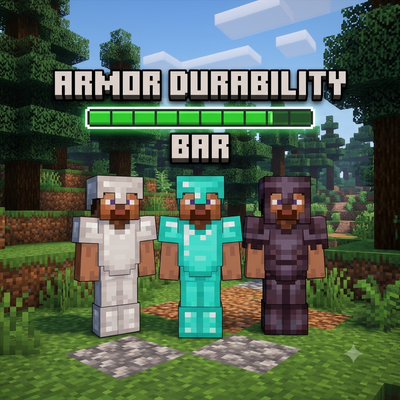
Armor durability bar
Bedrock add-on listed for Minecraft 26.x (behavior pack only). File opened and checked on 5 Sep 2026; installs from the MC Bedrock Mods app on Android.
A persistent corner HUD that shows the durability of every piece of armor and your held tool at a glance — never break gear by surprise again.
⬇ Download on CurseForge# Armor Durability Bar
Never get caught off guard by a shattering sword or crumbling helmet again! Armor Durability Bar adds a clean, always-on HUD in the corner of your screen showing the durability of every equipped armor piece and your held tool/weapon — updated live as you play.
## Features
- 🛡️ Shows Helmet, Chestplate, Leggings, Boots, Main Hand, and Off Hand durability at once
- 🎨 Color-coded bars: green (healthy), yellow (wearing down), red (about to break)
- 📊 Visual bar + exact percentage for every item
- ⚡ Lightweight — pure script API, updates twice a second, no performance impact
- 🧹 Clean design — items without durability (blocks, food, etc.) are simply skipped
## Requirements
- Minecraft Bedrock **1.26.20** or higher
- **Beta APIs** experiment must be enabled in world settings (required for the Script API)
## Installation
1. Download the `.mcaddon` file
2. Open it with Minecraft to import the pack
3. In your world settings, enable the **Armor Durability Bar** Behavior Pack
4. Turn on **Beta APIs** in Experiments
5. Equip some gear and watch the HUD update!
## Known Limitations
- The durability HUD uses Minecraft's native scoreboard sidebar, which is shared across a world rather than per-player. On singleplayer worlds this works perfectly; on servers/realms with multiple players, the HUD currently reflects the first player's equipment. A per-player actionbar version is being considered for a future update.
## Pairs great with
- **Damage Indicator** — see your damage output and gear wear at the same time!
---
Found a bug or have a feature request? Leave a comment below!
- Edition: Minecraft Bedrock
- File type: .mcpack or .mcaddon
- Minecraft versions listed: 26.20, 26.30, 26.40
- How to install: Download the .mcpack or .mcaddon file. → Open it — Minecraft imports it. → In your world: Behavior Packs → Available → Activate, then the same under Resource Packs.
- Where to get it: Opens on CurseForge — not every file is mirrored on our own servers.
Install steps are the general flow for this file type — How to install Minecraft Bedrock addons & mods walks through it step by step.
- Save it as ArmorDurabilityBar.mcpack before opening — it downloads as .mcaddon, but it is a .mcpack pack
- Manifest requires Minecraft 1.26.20 or newer
- Complete pack — everything it depends on is inside the file
- Download size: 2 KB
- Download link checked 16 Oct 2026 — working
These come from our own check of the pack file, not from the source page.