Upgrader
Bedrock add-on listed for Minecraft 26.x. Download on the author's site.
This mod adds a book to your world that if you click on it, it will open the casino menu, but be careful, you can lose everything.
⬇ Download on CurseForge# Upgrader — Minecraft Bedrock Add-On
**Upgrader** is a mobile-friendly Minecraft Bedrock add-on created by **gast7452**. It brings a risk-based upgrade system to Bedrock Edition, inspired by Java-style upgrade and casino mechanics, while being redesigned for phones and tablets. The add-on allows players to place an item from their inventory, choose a target item, view the calculated success chance, and spin an animated upgrade wheel to determine the result.
The main purpose of Upgrader is to make item upgrades more exciting, interactive, and unpredictable. Players can risk common materials in the hope of receiving valuable resources, tools, armor, rare blocks, special items, or other objects from the available catalogue. A successful upgrade replaces the wager with the selected target item. If the wheel stops outside the winning zone, the wager is lost.
## Mobile-Friendly Design
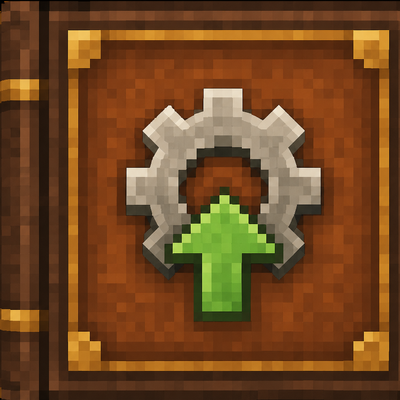
Upgrader is designed especially for Minecraft Bedrock players using mobile devices. Since phones and tablets do not always support additional keyboard-style buttons or complicated interfaces, the add-on uses a simple inventory item called **Upgrader** to open the menu.
The Upgrader item is automatically given to players when they first enter the world. It has a custom Minecraft-style texture and can be used directly from the player’s hand. The item itself is protected from being selected as a wager, so it cannot accidentally disappear during an upgrade.
When a player uses the Upgrader item, only that player sees the menu. Other players in the world are not interrupted and do not receive unnecessary messages or interface screens.
## Normal and Random Modes
The add-on includes two ways to select a wager.
### Normal Mode
In Normal mode, the player manually chooses an item from another inventory slot. The Upgrader item is automatically excluded from the selection, so the player cannot accidentally use the menu item itself as a wager.
Normal mode is useful when the player wants complete control over the operation. The player can select a particular stack, choose a target item, select the target quantity, check the chance, and then decide whether to spin the wheel.
### Random Mode
Random mode selects a random valid item from the player’s inventory. It can choose an item from any inventory slot, including the first slot, second slot, ninth slot, twenty-fifth slot, or another available slot.
The Upgrader item is never included in the random selection. It is specifically excluded from the random system and cannot be removed, consumed, burned, or used as the wager. This allows players to use Random mode without worrying about losing the item that opens the menu.
Random mode is designed for players who want a more unpredictable and entertaining experience.
## Upgrade Chances and the Wheel
Before starting an upgrade, Upgrader calculates the success chance using the value of the wager and the value of the selected target.
The system considers:
- the value of the input item;
- the amount of the input item;
- the value of the selected target;
- the requested target quantity;
- the configured casino advantage;
- minimum and maximum chance limits.
The chance is displayed before the player confirms the attempt. This allows the player to make an informed decision instead of starting an upgrade blindly.
After confirmation, an animated wheel appears on the screen. The wheel contains a green winning area and a red losing area. The pointer rotates for a short period before stopping on the final result.
If the pointer stops in the green area, the player wins the selected target. If it stops in the red area, the complete wager is lost.
## Randomness and Risk
Upgrader is built around risk and decision-making. A low-value input may have a high chance of producing a common item, while a valuable target may have a significantly lower chance.
This creates different styles of gameplay:
- safe upgrades with common targets;
- risky upgrades for rare materials;
- large-stack upgrades;
- low-probability jackpot attempts;
- random inventory challenges;
- competitive multiplayer wagers.
The system also displays a warning before extremely valuable items are used as wagers. This gives the player an additional opportunity to cancel the operation before the item is removed.
## Rare Item Protection
Rare items such as Netherite equipment, Elytra, Dragon Eggs, and other valuable objects receive additional protection. Before they are used as a wager, the player must confirm that they understand the risk.
The warning explains that the complete input stack may be lost if the wheel stops in the losing zone. This helps prevent accidental losses caused by clicking the wrong inventory slot or selecting an expensive item unintentionally.
## Item Search and Categories
The target selection interface includes a search system designed for both Russian and English players. Players can search by:
- item name;
- partial name;
- individual letters;
- English terms;
- Russian terms;
- Minecraft-style item names.
The catalogue is divided into categories, including:
- blocks;
- resources;
- combat items;
- tools;
- armor;
- food;
- rare items;
- other items;
- favorites.
The target list uses pages so that it remains usable on a mobile screen instead of creating one extremely long menu.
## Favorites
Players can mark frequently used targets as favorites. Favorite items are placed at the beginning of the list and can also be viewed through the Favorites category.
This is useful for players who often upgrade toward the same items, such as:
- diamonds;
- Netherite;
- enchanted equipment;
- rare blocks;
- Dragon Eggs;
- valuable resources.
Favorites are saved for the individual player and remain available after leaving and re-entering the world.
## Statistics and Achievements
Upgrader records useful statistics for each player, including:
- total attempts;
- successful upgrades;
- failed upgrades;
- win percentage;
- current win streak;
- unlocked achievements.
The add-on also includes lightweight achievements for special events, such as:
- winning the first upgrade;
- winning with a very low chance;
- obtaining a rare item;
- reaching a long win streak;
- completing a large number of upgrade attempts.
These achievements are designed to add long-term goals without creating heavy server or device usage.
## Win Streaks and Jackpot Results
Successful upgrades increase the player’s current win streak. A failed attempt resets the streak.
If a player wins with a very low chance, the add-on displays a special **JACKPOT** message. This makes extremely unlikely victories feel more memorable and gives players a reason to attempt difficult upgrades.
The Jackpot system does not require heavy calculations or additional entities. It uses simple stored values and lightweight checks.
## History and Leaderboard
The add-on stores the most recent upgrade operations for each player. The history can include:
- the wagered item;
- the wager amount;
- the selected target;
- the target amount;
- the final result.
A leaderboard is also available for multiplayer worlds. It can display players with the highest number of wins and compare their total attempts.
This makes Upgrader suitable for servers, survival worlds, challenge maps, and friendly competitions between players.
## Sound Profiles and Themes
Players can customize their experience through settings. The add-on supports sound controls and visual interface preferences.
Available options include:
- sound enabled or disabled;
- normal or faster wheel speed;
- gold casino-style theme;
- dark technical theme;
- minimal or quieter gameplay preferences.
The effects are designed to remain lightweight and avoid unnecessary entities, complex animations, or demanding calculations.
## Recovery Protection
If a player leaves the world while an upgrade is in progress, the add-on stores the unfinished wager. When the player returns, the wager can be safely restored instead of silently disappearing.
This protection is especially useful on mobile devices, where the game may close unexpectedly because of:
- switching applications;
- receiving a phone call;
- low memory;
- accidental game closure;
- connection problems;
- device sleep mode.
The recovery system is intended to protect players from technical interruptions rather than change the normal risk of a completed upgrade.
## Author
**Upgrader** was created by **gast7452** for Minecraft Bedrock Edition players who want a more interactive and exciting way to upgrade items.
Thank you for downloading and playing the add-on. Your support, feedback, and suggestions help improve future versions of the project.
**Author:** gast7452
**TikTok:** [@gast_official1](https://www.tiktok.com/@gast_official1?_r=1&_t=ZS-98tx1ChgvIe)
> Upgrader is designed to be exciting, mobile-friendly, lightweight, and easy to use while preserving the risk and suspense of every upgrade attempt.
- Edition: Minecraft Bedrock
- File type: .mcpack or .mcaddon
- Minecraft versions listed: 26.20, 26.13, 26.30
- How to install: Download the .mcpack or .mcaddon file. → Open it — Minecraft imports it. → In your world: Behavior Packs → Available → Activate, then the same under Resource Packs.
- Where to get it: Opens on CurseForge — not every file is mirrored on our own servers.
Install steps are the general flow for this file type — How to install Minecraft Bedrock addons & mods walks through it step by step.
Upgrader is a free Minecraft Bedrock addon. Compatible with Minecraft 26.20, 26.13, 26.30, 26.40. Downloaded 45,653 times (via CurseForge). Download it and open it directly in the game.