
shadow gems
Java mod listed for Minecraft 26.x. Downloads from the MC Java Mods app on Android.
The ultimate premium currency system for Minecraft. Modern, lag-free, and highly customizable. A better alternative to PlayerPoints.
⬇ Download on Modrinth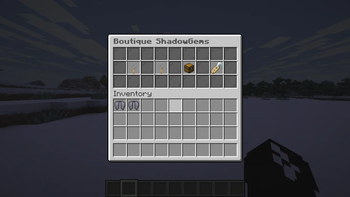
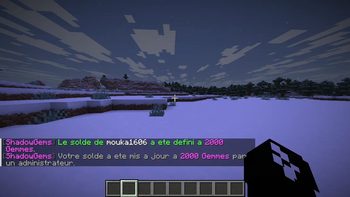
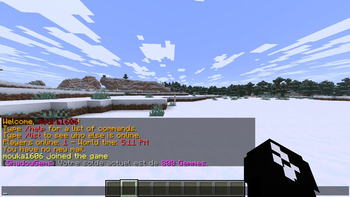
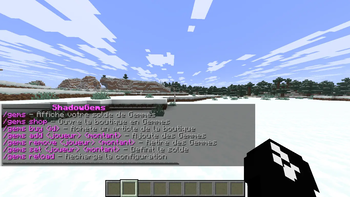
💎 ShadowGems Developed by Shadow Labs
Looking for a reliable, lag-free, and modern premium currency system for your Minecraft server? ShadowGems is the ultimate alternative to older plugins like PlayerPoints. Designed with performance in mind, it provides everything you need to manage a premium economy smoothly.
✨ Features
🚀 Highly Optimized: Coded to ensure zero lag, even on massive servers.
🎨 100% Customizable: Change every message, prefix, and color in the config.yml to match your server's theme.
📍 PlaceholderAPI Support: Easily display players' gem balances on scoreboards, tab lists, or menus (e.g., %shadowgems_balance%).
💾 Safe Data Storage: Securely saves player balances without data loss.
💸 Easy Transactions: Simple commands for admins to give/take gems, and for players to check their balance or pay others.
💻 Commands & Permissions
/gems - Check your balance. (Permission: shadowgems.use)
/gems add - Add gems to a player. (Permission: shadowgems.admin)
/gems remove - Remove gems from a player. (Permission: shadowgems.admin)
/gems set - Set a player's gem balance. (Permission: shadowgems.admin)
/gems reload - Reload the plugin configuration. (Permission: shadowgems.admin)
🎮 See it in action!
This plugin is the official premium economy system used on Shadow Craft. Want to see how it works in a live environment? Join our server: IP: play.shadowcraft.cloud
- Edition: Minecraft Java
- File type: .jar
- Minecraft versions listed: 26.1, 26.1.1, 26.1.2
- How to install: Install the matching mod loader (Forge, Fabric or NeoForge) for your Minecraft version. → Download the .jar. → Put it in the .minecraft/mods folder and launch that loader profile.
- Where to get it: Opens on Modrinth — not every file is mirrored on our own servers.
Install steps are the general flow for this file type — How to install Minecraft Java mods & modpacks walks through it step by step.
- Ships as ShadowGems-1.0.0.jar — drop this file into the mods folder
- Download size: 16.0 MB
- Download link checked 17 Oct 2026 — working
These come from our own check of the pack file, not from the source page.