
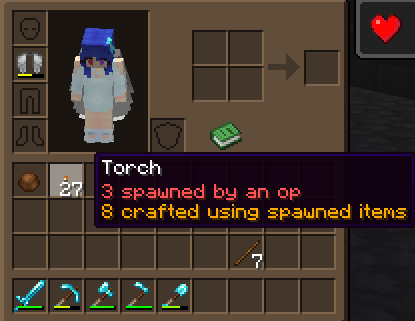
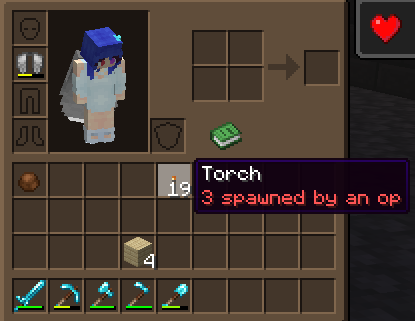
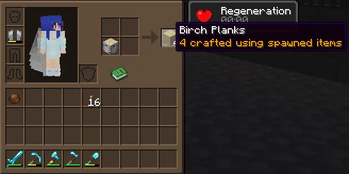
Trust your OPs, but verify they're not spawning items willy-nilly! This plugin adds a small tag to an item description that shows when an item has been spawned in by a server operator, or someone in creative mode. It also shows when an item has been crafted with a spawned-in ingredient.
The plugin tracks spawned items, blocks, mobs and other entities. Mobs producing items or loot also have those items tagged. Marked items still stack and work like they normally would, and when a spawned item stacks with a non-spawned item, the plugin will show exactly how many items in the stack were spawned.
The plugin does not show who spawned in an item.
- Edition: Minecraft Java
- File type: .jar
- Minecraft version listed: 26.2
- How to install: Install the matching mod loader (Forge, Fabric or NeoForge) for your Minecraft version. → Download the .jar. → Put it in the .minecraft/mods folder and launch that loader profile.
- Where to get it: Opens on Modrinth — not every file is mirrored on our own servers.
Install steps are the general flow for this file type — How to install Minecraft Java mods & modpacks walks through it step by step.
- Ships as SpawnProvenance-1.1.5.jar — drop this file into the mods folder
- Download size: 22 KB
- Download link checked 27 Sept 2026 — working
These come from our own check of the pack file, not from the source page.