
ModsJava
Stopwatch Plugin
Java mod listed for Minecraft 1.21. Downloads from the MC Java Mods app on Android.
⬇ Download on Modrinth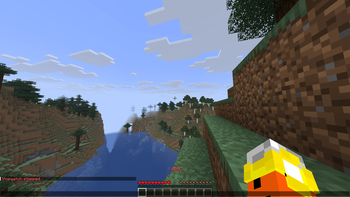
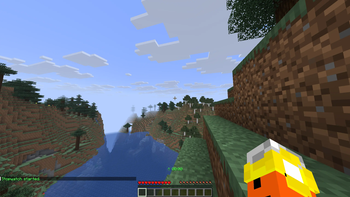
- /stopwatch start — starts a new stopwatch at 00:00 in green. An existing stopwatch must be deleted first.
- /stopwatch pause — freezes it and changes it to orange.
- /stopwatch stop — freezes it and changes it to red.
- /stopwatch unpause — resumes a paused or stopped stopwatch in green.
- /stopwatch delete — removes the stopwatch and clears the action bar.
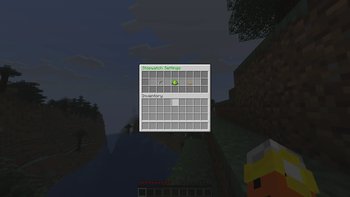
- /stopwatch settings — opens a GUI that enables or disables stopwatch sounds for that player.
- /stopwatch time add — adds testing time; requires stopwatch.time.add (operators by default).
- /sw is an alias for /stopwatch. Displays refresh once per second and expand from MM:SS to HH:MM:SS, then DD:HH:MM:SS.
Sounds are enabled by default. Starting or resuming plays entity.arrow.hit_player; pausing, stopping, or deleting plays block.wooden_pressure_plate.click_off. The GUI preference persists in the player's saved data.
Trying to start a second stopwatch shows a bold red warning and always plays block.anvil.land, even when stopwatch sounds are disabled.
Quick facts
- Edition: Minecraft Java
- File type: .jar
- Minecraft version listed: 1.21
- How to install: Install the matching mod loader (Forge, Fabric or NeoForge) for your Minecraft version. → Download the .jar. → Put it in the .minecraft/mods folder and launch that loader profile.
- Where to get it: Opens on Modrinth — not every file is mirrored on our own servers.
Install steps are the general flow for this file type — How to install Minecraft Java mods & modpacks walks through it step by step.
File checked by MCModsHub
- Ships as Stopwatch-1.21.jar — drop this file into the mods folder
- Download size: 19 KB
- Download link checked 7 Nov 2026 — working
These come from our own check of the pack file, not from the source page.