
ModsJava
QuickMessage
Java mod listed for Minecraft 26.x. Downloads from the MC Java Mods app on Android.
⬇ Download on Modrinth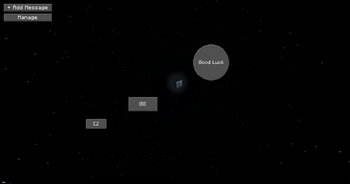
QuickMessage
QuickMessage allows you to setup Messages that you can send instantly with just a button in your chat
Features
- Instant Messaging & Commands: Send chat messages or execute commands
- Direct Send or Paste: Choose whether buttons send the message immediately or just paste it into your chat box.
- Drag & Drop Anywhere: Freely move buttons around your chat screen and lock them in place.
- Custom Shapes: Choose between Normal, Rounded Corners, and Circle buttons.
- Live Scaling: Scale buttons dynamically using the edit slider or your mouse scroll wheel.
- Quick Edit: Right-click any button in chat to edit it instantly.
Quick facts
- Edition: Minecraft Java
- File type: .jar
- Minecraft version listed: 26.2
- How to install: Install the matching mod loader (Forge, Fabric or NeoForge) for your Minecraft version. → Download the .jar. → Put it in the .minecraft/mods folder and launch that loader profile.
- Where to get it: Opens on Modrinth — not every file is mirrored on our own servers.
Install steps are the general flow for this file type — How to install Minecraft Java mods & modpacks walks through it step by step.
File checked by MCModsHub
- Ships as QuickMessage-1.0.0.jar — drop this file into the mods folder
- Download size: 30 KB
- Download link checked 18 Oct 2026 — working
These come from our own check of the pack file, not from the source page.