
MCL Shader
A shader pack built on one rule: there is one correct picture. Exposure, fog, saturation and bloom are identical in every profile - how powerful your GPU is has nothing to do with how a midday sky should look. The profile only decides what that picture costs.
What it does
Light & shadow
- Contact-hardening shadows (PCSS): sharp at the trunk, soft further away - the sun is a disc, not a point
- Warm direct light against cool shade - the difference is what gives the world volume
- HDR float buffers: fire, lava and the sun overshoot into the filmic curve instead of clipping to flat white
Firelight
- A torch is a flame, not a grey lamp: warm tint, inverse-square falloff, bright core
- Held light actually lights the world - vanilla leaves a cave just as dark with a torch as without one
- Emissive blocks glow by themselves: lava, glowstone, sea lanterns, magma, campfires, lanterns
Sky
- Scattering instead of a flat fill: deeper blue overhead, pale band at the horizon
- Stars of varying size and colour, the Milky Way, auroras on clear deep nights
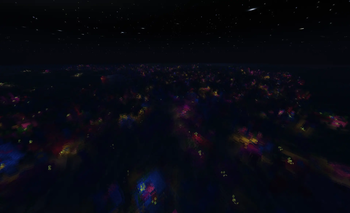
- A real End sky - cold violet dust with stars showing through, instead of vanilla's black smear
Clouds
- Ray-marched volumetric clouds: light travels through an actual layer of vapour, not a slab of rectangles
- Cover ranges from scattered wisps to a solid blanket; rain thickens the layer on its own
Water
- Waves, caustics, screen-space reflections, refraction, adjustable clarity
- Underwater: wavelength-dependent absorption - red dies in the first few metres, blue carries furthest, and that is what makes depth feel deep
- Surface wobble at the boundary between water and eye
Weather
- Transparent rain that takes its colour from the haze, not the sky, so streaks stay part of the frame
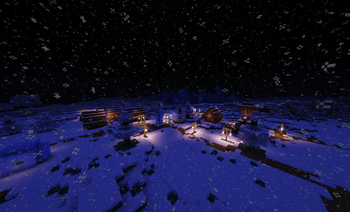
- Snow that drifts sideways as it falls instead of dropping in columns
- Wet surfaces darken and pick up a narrow sky reflection
Space & frame
- SSAO, volumetric light shafts, distance fog, aerial perspective
- Filmic tonemapping, bloom thresholded above full sunlight, vignette, sharpening, FXAA
Profiles
| Profile | For |
|---|---|
| Fast | Integrated graphics and older cards - no SSAO, reflections, refraction or bloom |
| Balanced | The default. Everything on at sane sample counts |
| Fancy | Higher step and sample counts on clouds, reflections, shadows and volumetrics |
Settings
Around 50 sliders, grouped into Light & shadow, Firelight, Sky, Clouds, Water, Wind, Rain & snow, Space and Frame. Every one has an in-menu explanation of what it actually changes.
Options -> Video Settings -> Shaders -> Shader Pack Settings
Menus are translated into English and Ukrainian.
Requirements
- Iris (or OptiFine - the pack is in the OptiFine shader format)
- GLSL 120, so it runs on old hardware too
- Nether and End have their own shader programs
Installation
- Install Iris (or OptiFine)
- Drop the
.zipinto.minecraft/shaderpacks - Options -> Video Settings -> Shaders -> select MCL Shader
=== TODO BEFORE PUBLISHING ===
- Screenshots: on Modrinth they matter more than the text. At minimum day, night, rain and underwater.
- Game versions and loaders on the version tab (the pack itself is version agnostic, but list what you actually tested).
- License, and a Credits section if any borrowed code is in there.
- Categories/tags: Fantasy or Realistic, Atmosphere, Cartoon/Vanilla-like - whichever fits, plus Iris / OptiFine under compatibility.
- Edition: Minecraft Java
- File type: .zip (resource pack)
- Minecraft version listed: 1.15
- How to install: Download the .zip resource pack — do not unzip it. → Put it in .minecraft/resourcepacks. → Enable it in Options → Resource Packs.
- Where to get it: Opens on Modrinth — not every file is mirrored on our own servers.
Install steps are the general flow for this file type — see the MC Java Mods guides for the full walkthrough.
- Downloads as MCL Shader 0.1 (1.15).zip
- Download size: 214 KB
- Download link checked 7 Sept 2026 — working
These come from our own check of the pack file, not from the source page.