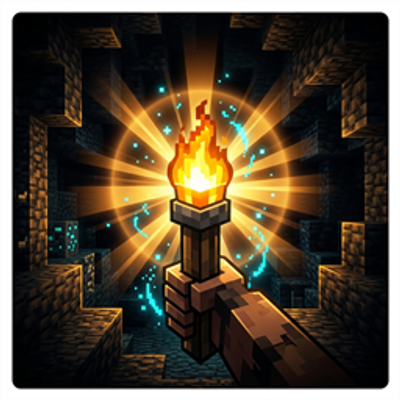
Flux Dynamic Light
Real-time dynamic lighting addon for Minecraft Bedrock where held or dropped light sources illuminate the world, fully achievement friendly with no…
⬇ Download on CurseForge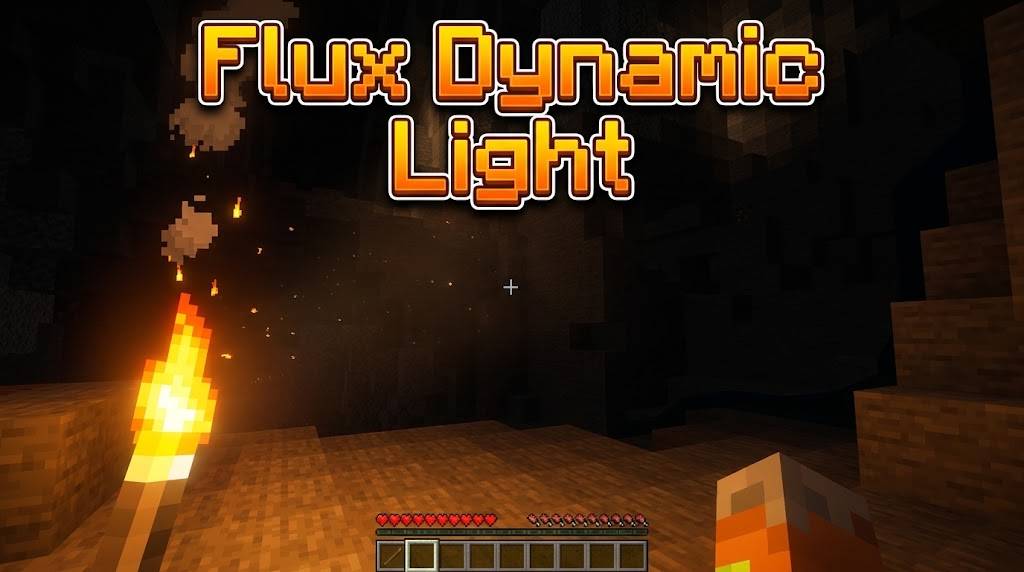
A lightweight, high-performance, and lag-free dynamic lighting addon built specifically for Minecraft Bedrock Edition (1.21.x+).
Tired of placing hundreds of torches while mining in dark caves? Just hold a torch, lantern, or any light-emitting item in your hand or off-hand, or toss it into a dark ravine, and watch the world illuminate around you smoothly in real time.
Achievement Friendly: does not disable Xbox Achievements/Trophies. Freely usable in survival worlds, Realms, or long-term playthroughs while still earning achievements.
Highlights
- 100% Achievement Friendly: no experimental toggles needed, safe for achievement-enabled worlds.
- No Experimental Toggles Required: no need to enable Beta APIs, Holiday Creator Features, or any other experimental toggle. Just activate the packs and play.
- Centralized Lag-Free Engine: built with an optimized single-loop scheduler and smart player-priority suppression, so dropped items and multiplayer lighting won't cause block-update lag or stutter, even on large servers or Realms.
- 100% Vanilla Safe Menu: the settings menu is accessed with a regular vanilla stick named
fluxmenu(or via/scriptevent flux:get_config), no risky custom items that break on game updates.
Features Overview
- Dynamic Hand Lighting: walk around dark caves with light seamlessly following you.
- Full Off-hand Support: hold a pickaxe or sword in your main hand while lighting up caves from your off-hand.
- Quick Off-hand Switch: right-click/hold a light source into the air to instantly swap it into your off-hand.
- Dropped Items Lighting: toss torches or glowstone down ravines or deep pits to inspect the bottom before jumping down.
- Smart Light Prioritization: automatically prioritizes the brightest source between mainhand and offhand, preventing flickering between nearby players and dropped items.
- Interactive 2-Level Settings UI: complete control over light settings, active dimensions, dropped item limits, and auto-offhand mechanics.
Supported Items & Light Levels
| Light Level | Supported Items & Blocks |
|---|---|
| Level 15 (Maximum) | Lava Bucket, Lantern, Campfire, Glowstone, Shroomlight, Sea Lantern, Beacon, End Rod, Conduit, Jack o'Lantern, Copper Bulb (all variants), Froglight (Ochre, Pearlescent, Verdant) |
| Level 13 (Standard Torch) | Torch, Soul Lantern, Copper Lantern, Soul Campfire, Candle (plain and all 16 dyed colors), Sea Pickle, Colored Torches (Green, Blue, Purple, Red) |
| Level 11 (Medium-High) | Soul Torch, Copper Torch, Crying Obsidian |
| Level 9 (Medium) | Redstone Torch, Fire Charge, Totem of Undying, Nether Star, Ender Chest, Enchanting Table, Sculk Catalyst |
| Level 6 (Soft Glow) | Blaze Rod, Blaze Powder, Glow Ink Sac, Glowstone Dust, Dragon's Breath, Glow Berries, Magma Block, Enchanted Book, Eye of Ender, Bottle o' Enchanting, Brewing Stand, Redstone Dust, Repeater, Comparator |
In-Game Settings Menu
How to Open
- New players automatically receive a stick named
fluxmenuon first join. - Right-click/long-press the stick to open the Flux Settings Menu.
- Lost your stick? Rename any vanilla stick to
fluxmenuin an Anvil, or run/scriptevent flux:get_configin chat.
Available Configurations
Player Light
- Mainhand Light (toggle on/off)
- Offhand Light (toggle on/off)
- Auto Offhand Move (Disabled / Use Item / Sneak + Use)
- Light Priority (Brightest / Prefer Offhand / Prefer Mainhand)
Items & Drops
- Dropped Items Light (toggle on/off)
- Max Dropped Lights Limit (10 / 20 / 40 / Unlimited)
General & Dimensions
- Master Enable/Disable switch
- Active Dimensions (Overworld Only / Overworld + Nether / Overworld + End / All Dimensions)
Installation
- Download the
FluxDynamicLight.mcaddonfile. - Double-click or open the file with Minecraft to automatically import both the Behavior Pack and Resource Pack.
- Apply both packs to your world settings: activate Flux Dynamic Light BH under Behavior Packs, and Flux Dynamic Light RS under Resource Packs.
- Start your world and enjoy, no experimental toggles needed.
Compatibility
Tested and working on:
- Windows 10/11
- Android & iOS
- Edition: Minecraft Bedrock
- File type: .mcpack or .mcaddon
- Minecraft versions listed: 26.12, 26.20, 26.13
- How to install: Download the .mcpack or .mcaddon file. → Open it — Minecraft imports it. → In your world: Behavior Packs → Available → Activate, then the same under Resource Packs.
- Where to get it: Opens on CurseForge — not every file is mirrored on our own servers.
Install steps are the general flow for this file type — How to install Minecraft Bedrock addons & mods walks through it step by step.
- Pack type: .mcaddon — behaviour and resource pack in one file
- Manifest requires Minecraft 1.21.40 or newer
- Complete pack — everything it depends on is inside the file
- Download size: 310 KB
- Download link checked 7 Sept 2026 — working
These come from our own check of the pack file, not from the source page.