
Target HP Display
Java mod listed for Minecraft 26.x. Downloads from the MC Java Mods app on Android.
⬇ Download on Modrinth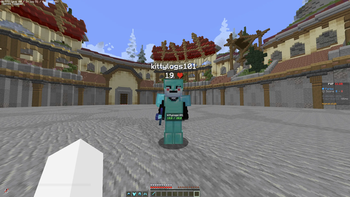
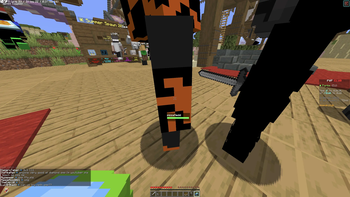
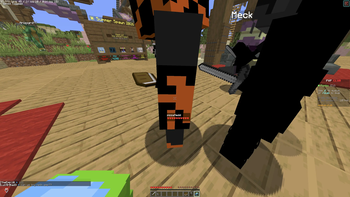
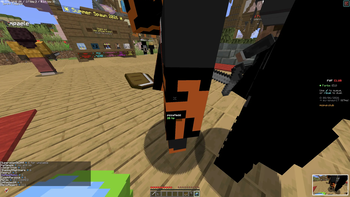
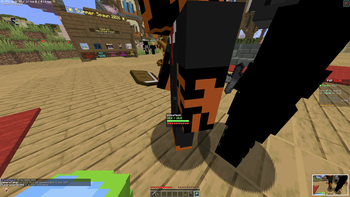
Target HP
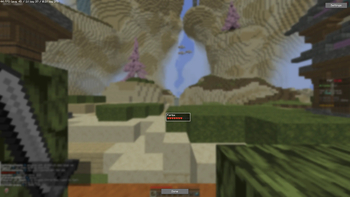
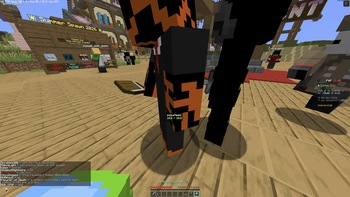
See any player's HP the moment you look at them. Fully customizable, draggable HUD widget for PvP.
Ever been mid-fight and had no idea if your target is one hit from death or still full health? Target HP fixes that. Just aim at a nearby player and their health appears on your screen instantly, in whatever style and position you want. No commands, no clunky config files — everything is adjustable from an in-game menu.
Features
- Smart target detection — automatically shows the HP of whichever player you're looking at, within a configurable range (default 5 blocks, adjustable up to 20). No target lock, no keybind needed — just look at them.
- Custom color thresholds — define your own high/low HP percentage cutoffs and pick the exact colors for each state (e.g. green above 50%, yellow 20–50%, red below 20%).
- Smooth animations — HP changes lerp instead of snapping instantly, with an adjustable smoothing speed so the widget feels natural during fast fights.
- Fully draggable HUD — drag the widget to any position on your screen and it stays there across sessions.
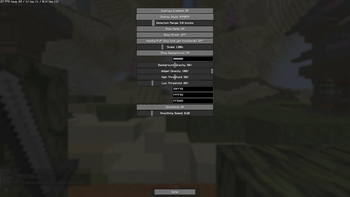
- Deep customization — toggle the player's name, background panel, background color/opacity, overall widget opacity, and scale, all without touching a config file.
- Standalone settings menu — a built-in gear/Settings button opens a full options screen. No Mod Menu or Cloth Config dependency required.
- Lightweight & client-side only — no server installation needed, minimal performance impact, works on any server that allows client-side mods.
Requirements
- Minecraft 26.2
- Fabric Loader + Fabric API
Compatibility note
This mod is client-side only and works by reading HP data the client already receives. Most servers work fine with it. Some servers explicitly block certain client-side mods or extra entity data (e.g. via anti-cheat plugins) — on those specific servers, the HP display may not show or may be disabled. This isn't a mod bug, it's a server-side restriction.
- Edition: Minecraft Java
- File type: .jar
- Minecraft version listed: 26.2
- How to install: Install the matching mod loader (Forge, Fabric or NeoForge) for your Minecraft version. → Download the .jar. → Put it in the .minecraft/mods folder and launch that loader profile.
- Where to get it: Opens on Modrinth — not every file is mirrored on our own servers.
Install steps are the general flow for this file type — How to install Minecraft Java mods & modpacks walks through it step by step.
- Ships as target-hp-display-1.0.0.jar — drop this file into the mods folder
- Download size: 28 KB
- Download link checked 19 Oct 2026 — working
These come from our own check of the pack file, not from the source page.