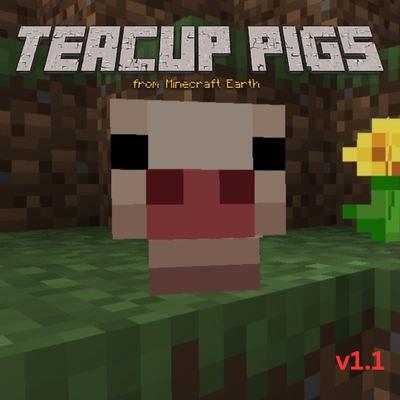
Teacup Pig || Minecraft Earth
Bedrock add-on listed for Minecraft 1.21–26.x (behavior + resource pack). File opened and checked on 14 Sep 2026; installs from the MC Bedrock Mods app on Android.
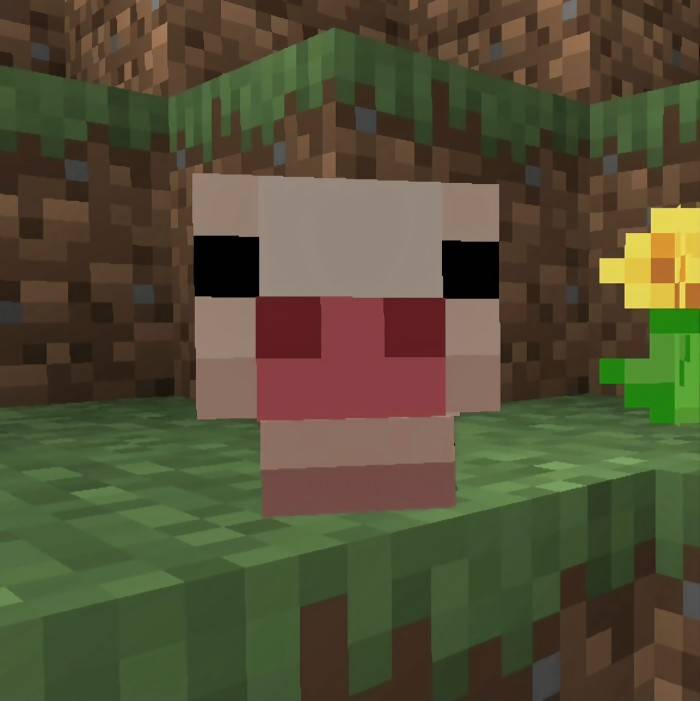
This Minecraft Bedrock addon brings back the adorable teacup pigs, once teased for the Minecraft Earth update but never officially released
I don't know my version
Version: 1.2
Compatible with: Minecraft Bedrock Edition
Last Updated: 9/13/2026
---
The Teacup Pigs Add-On reintroduces the adorable, pint-sized pigs that were once teased for Minecraft Earth but canceled before they could be added. With this add-on, you can bring these miniature pigs into your Minecraft Bedrock world, adding charm to your farms, villages, and adventures. Based on screenshots and information from the devs after Minecraft Earth was canceled, all textures, models, and animations are crafted by me, inspired by the original designs.
---
Features:
1. Teacup Pig Mobs
These tiny pigs spawn naturally in any Overworld biome on top of grass blocks. They are about a quarter the size of regular pigs.
2. Taming and Breeding
Like regular pigs, teacup pigs can be bred using carrots, potatoes, and beetroot. A new addition is that you can feed a wild teacup pig beetroot soup, and there’s a chance to tame it like wolves, parrots, or cats. Once tamed, they will follow you, and you can make them sit to stay in place!
---
How to Install:
1. Download the Teacup Pigs Add-On .mcpack file from the provided link.
2. Open the file with Minecraft Bedrock Edition, and it will automatically install.
3. Activate the Add-On in your world settings under "Behavior Packs" and "Resource Packs."
4. Make sure to enable experimental gameplay options.
---
Enjoy your new mini companions and bring life to your Minecraft world with the Teacup Pigs Add-On!
- Edition: Minecraft Bedrock
- File type: .mcpack or .mcaddon
- Minecraft versions listed: 26.20, 26.30, 26.40
- How to install: Download the .mcpack or .mcaddon file. → Open it — Minecraft imports it. → In your world: Behavior Packs → Available → Activate, then the same under Resource Packs.
- Where to get it: Opens on CurseForge — not every file is mirrored on our own servers.
Install steps are the general flow for this file type — How to install Minecraft Bedrock addons & mods walks through it step by step.
- Pack type: .mcaddon — behaviour and resource pack in one file
- Manifest requires Minecraft 1.21.30 or newer
- Complete pack — everything it depends on is inside the file
- Download size: 154 KB
- Download link checked 19 Oct 2026 — working
These come from our own check of the pack file, not from the source page.