
Enderman Grief Control stops Endermen from picking up or placing blocks without disabling `mobGriefing` for the rest of your world.
It affects only Endermen, preventing new persistent block-carrying Endermen while leaving other vanilla mob behavior unchanged.
## Why use Enderman Grief Control?
* **Endermen only:** Keep the fix focused on the mob causing the problem.
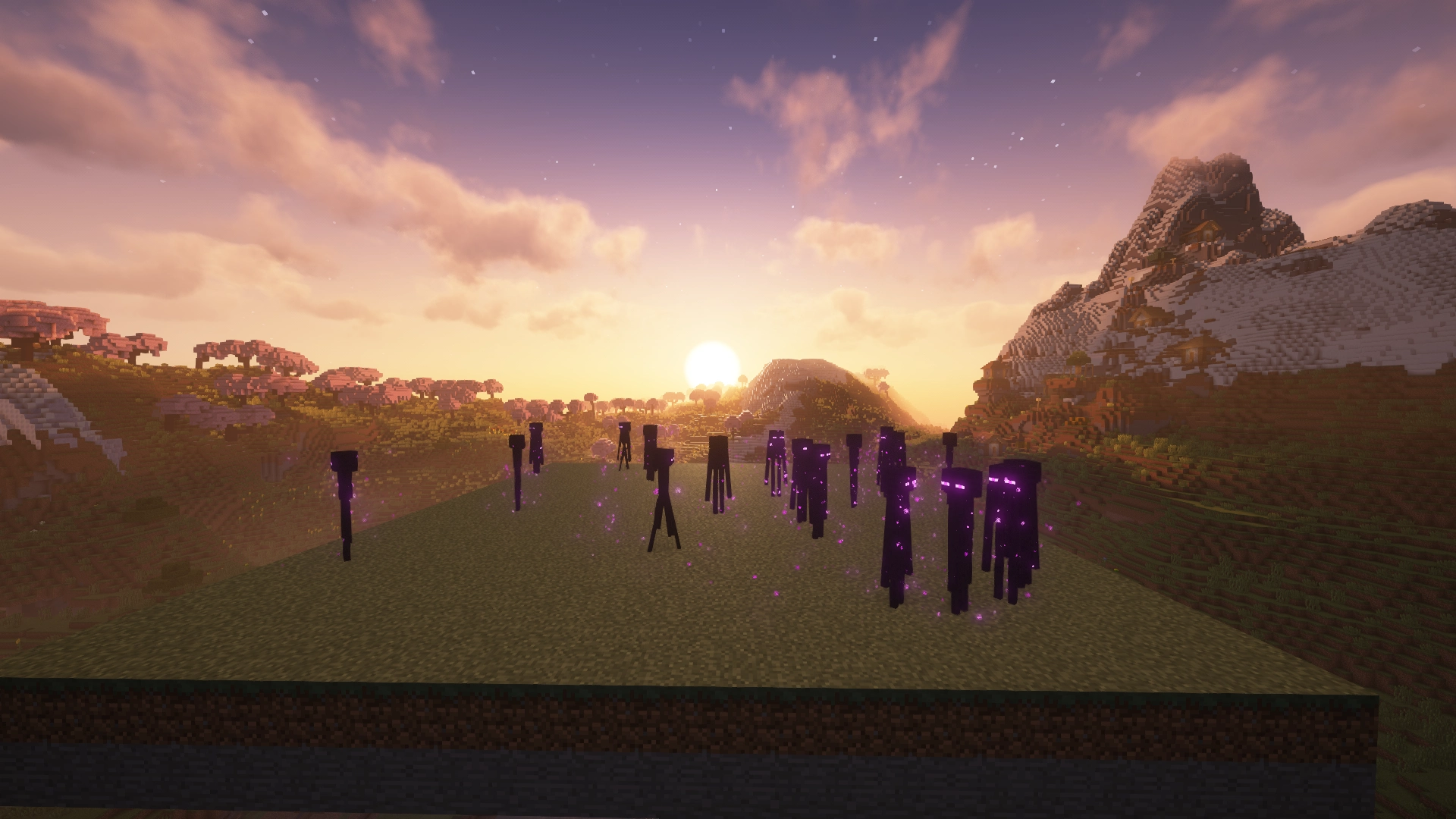
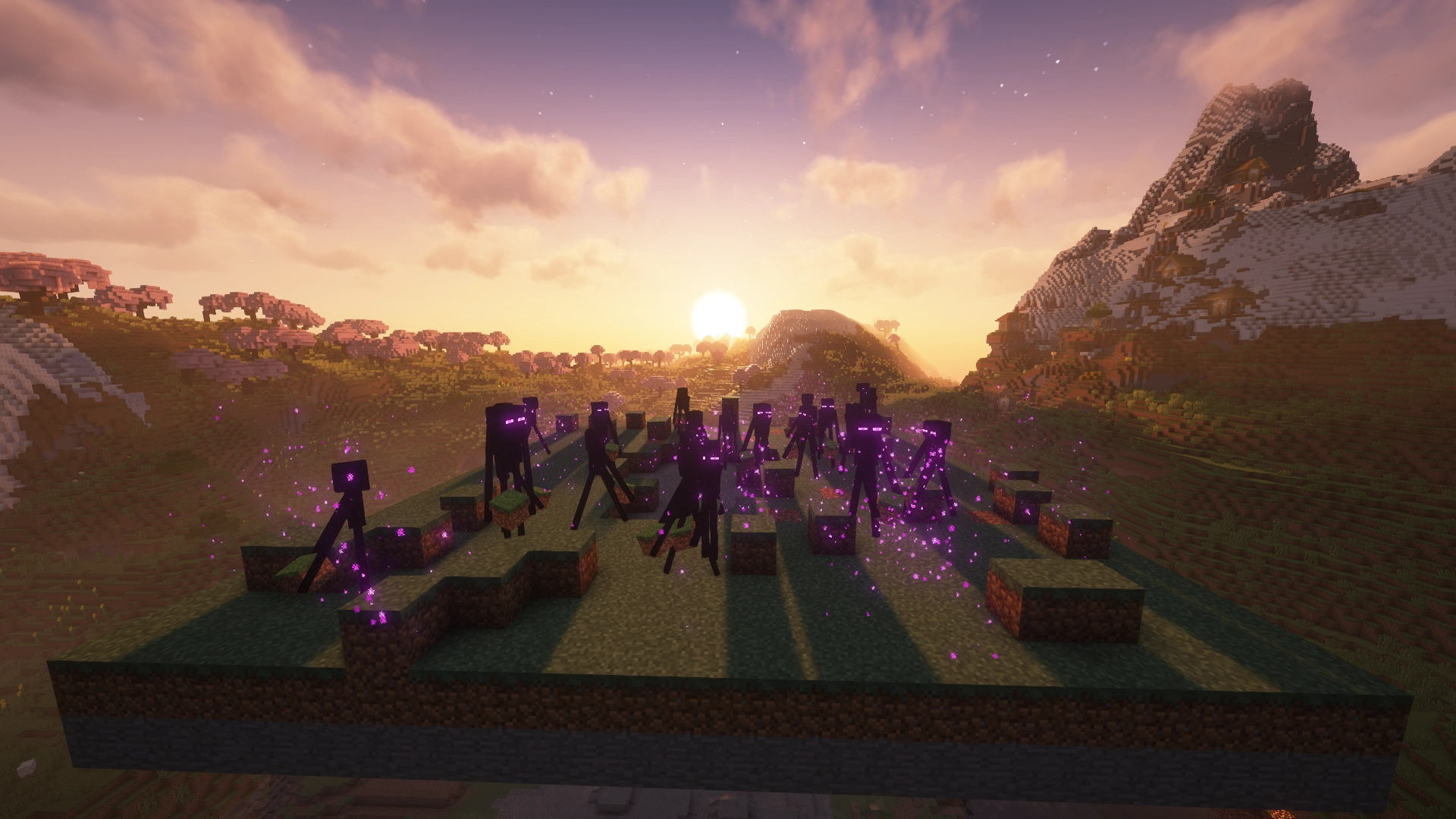
* **Pickup and placement blocked:** Prevent Endermen from taking blocks or placing carried blocks back into the world.
* **No global gamerule tradeoff:** Leave `mobGriefing` enabled for farms, villagers, sheep, and other mechanics that rely on it.
* **Persistent carrier prevention:** Stop new block-carrying Endermen from being created and building up over time.
### Enderman Grief Control: Enabled
### Enderman Grief Control: Disabled
## Which download do I need?
`Enderman Grief Control` has separate builds for **Paper** and **Fabric**. Choose the file that matches your setup.
| Your setup | Use |
| ------------------- | -------------- |
| **Paper** server | **Paper** version |
| **Fabric** server | **Fabric** version |
| **Fabric** singleplayer | **Fabric** version |
Use the Versions tab to download the build that matches your Minecraft version.
**Note:** Fabric versioning is found on other Modding Platforms:
- [Modrinth](https://modrinth.com/plugin/enderman-grief-control)
- [CurseForge](https://www.curseforge.com/minecraft/mc-mods/enderman-grief-control)
## Platform features
### Paper
* Per-world configuration
* Runtime configuration reload
* Optional event logging
## Installation
### Paper
1. Download the **Paper** version from the Versions tab.
2. Place the `.jar` file in your server's `plugins` folder.
3. Restart the server.
## Configuration
`Enderman Grief Control` works out of the box with its default settings. Configuration is only needed if you want to customize its behavior.
### Paper
Configuration is located at:
`plugins/NoEndermanGrief/config.yml`
After making changes, reload the configuration with the plugin's reload command or restart the server.
For a full reference of available configuration options, see the [GitHub documentation](https://github.com/Jack-Underhill/Enderman-Grief-Control).
## Compatibility
* **Paper:** Supports `Paper` servers only. `Bukkit`, `Spigot`, and `Purpur` are not officially supported.
* Supported Minecraft versions are listed on the Versions tab for each release.
## Source, bugs, and feedback
`Enderman Grief Control` is open source under the **Apache 2.0 License**.
- [View the source code on GitHub](https://github.com/Jack-Underhill/Enderman-Grief-Control)
- [Report a bug or request a feature](https://github.com/Jack-Underhill/Enderman-Grief-Control/issues)
Bug reports and feedback are welcome.
Quick facts
- Edition: Minecraft Java
- File type: .jar
- Minecraft versions listed: 1.21, 1.21.1, 1.21.10
- How to install: Install the matching mod loader (Forge, Fabric or NeoForge) for your Minecraft version. → Download the .jar. → Put it in the .minecraft/mods folder and launch that loader profile.
- Where to get it: Opens on Hangar — not every file is mirrored on our own servers.
Install steps are the general flow for this file type — How to install Minecraft Java mods & modpacks walks through it step by step.
Enderman-Grief-Control is a free Minecraft Java mod. Compatible with Minecraft 1.21, 1.21.1, 1.21.10, 1.21.11 and newer. Downloaded 1 times (via Hangar). Download it and open it directly in the game.