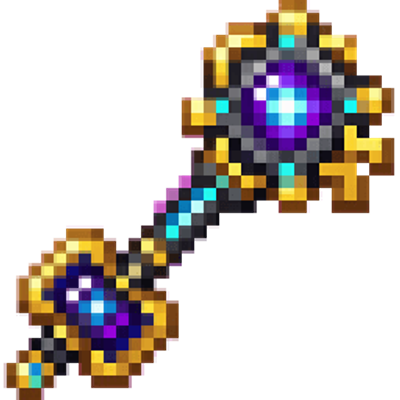
Select the key in your hotbar. You can also obtain it in Creative mode from the Equipment category, or use:
/give @s com_chrono_portal_key_uetw2tf2:my_sword
Press the item's Use button to open the Chrono Portal Key interface.
Start by choosing Save current location, then use Teleport to saved location to return to that point.
For multiplayer travel, choose Enter player name and enter the name of an online player.
Try Open dark random/future portal after saving a location or joining another player. It selects an unpredictable destination from available saved locations and online players.
The key can be used from either hand and does not stack.
Overview
The Chrono Portal Key is a teleportation and portal-control item. Its interface lets you:
Save your current coordinates.
Return to your saved location, including across dimensions.
Teleport to another online player.
Share your current location with another player.
Open a random portal to an available destination.
Create an obsidian ultimate portal anchor powered by a diamond.
How To Use
Hold the Chrono Portal Key and press Use to open its menu:
Menu option Effect
Enter player name Enter the name of an online player to teleport to their current location. Player names are not case-sensitive.
Teleport to saved location Teleports you to the location you most recently saved. This also works between the Overworld, Nether, and End.
Save current location Records your current position and dimension for later use.
Ultimate portal (1 diamond) Consumes one diamond and creates a hollow obsidian portal anchor around your position.
Assist another player Choose an online player to receive your current location as their saved destination.
Open dark random/future portal Teleports you to a randomly selected saved location or online player's current location.
Close a menu without selecting an option to cancel that action.
Player teleportation
To travel to another player:
Choose Enter player name.
Type the exact name of an online player.
Confirm the form.
The target can be in another dimension. If no other players are online, the player-link option cannot be used.
Saved locations
Choose Save current location wherever you may want to return, such as a base, mine, or portal site. Later, select Teleport to saved location.
Each player has their own saved destination. Assist another player lets you set another player's saved destination to your current position; that player can then use their own key to return to it.
Random portals
The random portal searches available saved destinations and the current locations of other online players. Because the destination is selected randomly, do not use it when you need a guaranteed route. Save an important location first so it is available as a possible destination.
Abilities And Mechanics
Ultimate portal
The Ultimate portal (1 diamond) option consumes one diamond from your inventory. When it succeeds, it:
Builds a compact hollow obsidian anchor around your current position.
Plays a portal sound.
Grants Resistance for 8 seconds.
Grants Night Vision for 12 seconds.
The ultimate portal option creates the anchor and protective effects; use one of the teleport options when you want to travel to a destination.
Item properties
Attack damage: 6
Durability: 512
Maximum stack size: 1
Enchantment type: Sword
Hand use: Main hand or off-hand
The key can therefore serve as both a portal tool and a basic combat weapon.
Crafting And Obtaining
Craft the key at a crafting table using:
1 obsidian
2 ender eyes
1 clock
1 diamond
In Creative mode, look for Chrono Portal Key in the Equipment category. Players with command access can use:
/give @s com_chrono_portal_key_uetw2tf2:my_sword
Progression And Strategy
Save your home or base before experimenting with random destinations.
Save important locations again after moving your base or changing dimensions.
Use player links for reliable multiplayer travel instead of the random portal.
Ask a teammate to use Assist another player when you need to establish a shared return point.
Carry diamonds when you plan to use the ultimate portal.
Use the ultimate portal's Resistance and Night Vision when preparing for a dangerous expedition.
Keep the key repaired or replace it when its 512 durability is depleted.
- Edition: Minecraft Bedrock
- File type: .mcpack or .mcaddon
- Minecraft versions listed: 1.21.123, 26.0, 26.11
- How to install: Download the .mcpack or .mcaddon file. → Open it — Minecraft imports it. → In your world: Behavior Packs → Available → Activate, then the same under Resource Packs.
- Where to get it: Opens on CurseForge — not every file is mirrored on our own servers.
Install steps are the general flow for this file type — How to install Minecraft Bedrock addons & mods walks through it step by step.
Chrono Portal Key is a free Minecraft Bedrock addon. Compatible with Minecraft 1.21.123, 26.0, 26.11, 26.40. Downloaded 2 times (via CurseForge). Download it and open it directly in the game.