
All The Technical Mods You Need (ATTMYN)
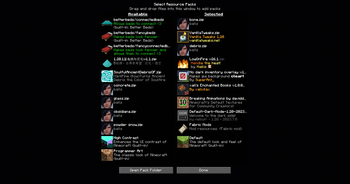
This project contains a lot of mods and resource packs used in Technical Minecraft 1.20.1 and bellow. Anything you can think off, it is here.
⬇ Download on Modrinth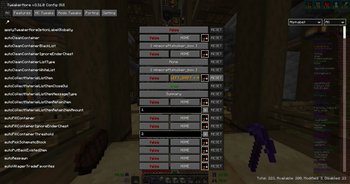
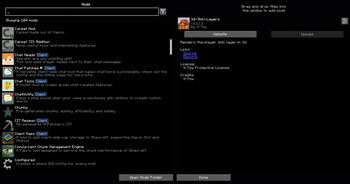
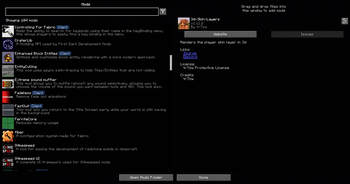
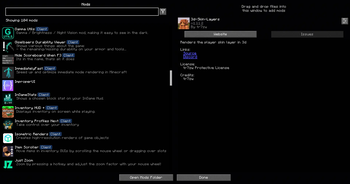
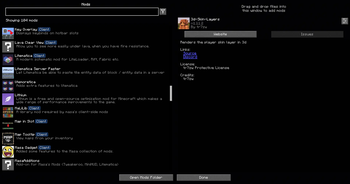
All The Technical Mods You Need
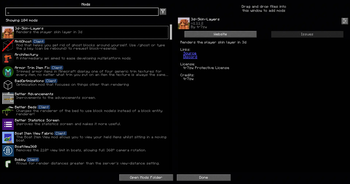
ATTMYN is a modpack that contains more than 120 mods and 10 resource packs used, generally, in the technical Minecraft community.
Mods included:
I can't list every single mod listed, so I'm going to name a few mods of each "category":
- Optimization: Sodium, FerriteCore, Lithium, More Culling... you already know all of these.
- Quality of Life (Silly (meaning they can be disabled, since you barely use it or could even be a minor inconvenience in some cases)): First-person Model, Shoulder Surfing Reloaded, Small View Model, Default Dark Mode or Isometric Renders.
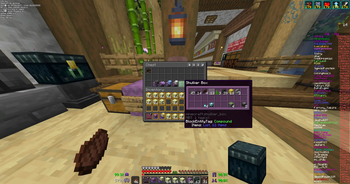
- Quality of Life (Not-that-silly (meaning the can be disabled, since you may require them but not at all times)): Better Advancements, Client Maps, Map In Slot, Server Country Flags or xali's Enchanted Boosk.
- Quality of Life (Actually important): Chat Patches, Chat Tools, Extreme sound muffler or Fadeless, Gamma Utils (Fullbright), or Xaero's Minimap and all of its forks.
- TMC Related: Carpet and all of its forks, G4mespeed, Litematica and Litemoretica, MaLiLib, Masa Gadget and MasaAdditions, MiniHUD, Tweakeroo and TweakerMore, or ViaFabricPlus.
Note that this modpack is based on Minecraft 1.20.1, and can be used in lower versions of Minecraft thanks to ViaFabricPlus.
Also, it is not recomended to update the default list of mods, since they may make the game crash when opening it. This mostly happens, as of August of 2026, with Sodium 0.5.13 (you must play with Sodium 0.5.8, for some reason)
This modpack uses Nvidium, which only works if you have a Nvidia graphic card. If you don't, disable or remove the mod.
Support and Contact:
If you want some help setting up some mods keybinds, like Tweakeroo or MiniHUD, join the ATTMYN Discord server
Disclaimer:
- I'm not the owner nor creator of any of the mods showcased in this modpack. I have no relation to them, and I'm not afiliated with them in any way. All credit for them goes to the creators, and whoever works on keeping them alive. I'm not trying to take their playerbase, I'm providing a compilation of the best mods. This modpack is also not monetized at all. If your mod or resource pack is used on this modpack, and you wish to get it removed, feel free to contact me via Discord (LxVer8) and I will remove it as fast as I can.
- Some of the mods used here may contain features that could get you in trouble if used on a server. We suggest you verify with the owner of the server before playing in it with this modpack, to make sure they are okay with all the mods from the list. ATTMYN and any of the creators of the mods used in the modpack are responsable of any punishment you could get on a server.
Credits:
- Vanilla Tweaks: https://vanillatweaks.net/
This modpack includes the mod "Tweakfork" by Andrews54757. Tweakfork is free software: you can redistribute it and/or modify it under the terms of the GNU Lesser General Public License as published by the Free Software Foundation, either version 3 of the License, or (at your option) any later version. Tweakfork is distributed in the hope that it will be useful, but WITHOUT ANY WARRANTY; without even the implied warranty of MERCHANTABILITY or FITNESS FOR A PARTICULAR PURPOSE. See the GNU Lesser General Public License for more details. A copy of the GNU Lesser General Public License v3.0 (and the GNU GPL v3.0) is included with this modpack and is also available at: https://www.gnu.org/licenses/lgpl-3.0.html. Source code for Tweakfork is available at: https://github.com/Andrews54757/tweakfork
- Edition: Minecraft Java
- File type: .jar
- Minecraft version listed: 1.20.1
- How to install: Install the matching mod loader (Forge, Fabric or NeoForge) for your Minecraft version. → Download the .jar. → Put it in the .minecraft/mods folder and launch that loader profile.
- Where to get it: Opens on Modrinth — not every file is mirrored on our own servers.
Install steps are the general flow for this file type — How to install Minecraft Java mods & modpacks walks through it step by step.
- Downloads as All The Technical Mods You Need 1.0.0.mrpack
- Download size: 18.0 MB
- Download link checked 10 Sept 2026 — working
These come from our own check of the pack file, not from the source page.