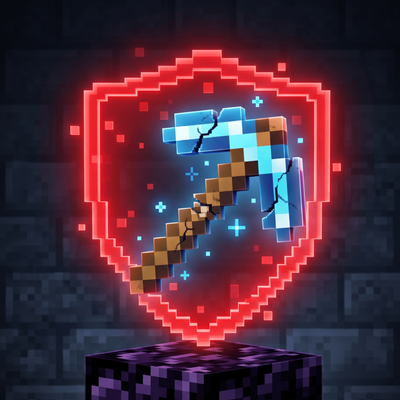
ShatterGuard: Tool Saver QoL
Bedrock add-on listed for Minecraft 1.20–26.x (behavior pack only). File opened and checked on 9 Sep 2026; installs from the MC Bedrock Mods app on Android.
This mod adds a warning system in your minecraft world. So whenever the heslth of any of your tool is low, this will tell you in case you forget it.
⬇ Download on CurseForge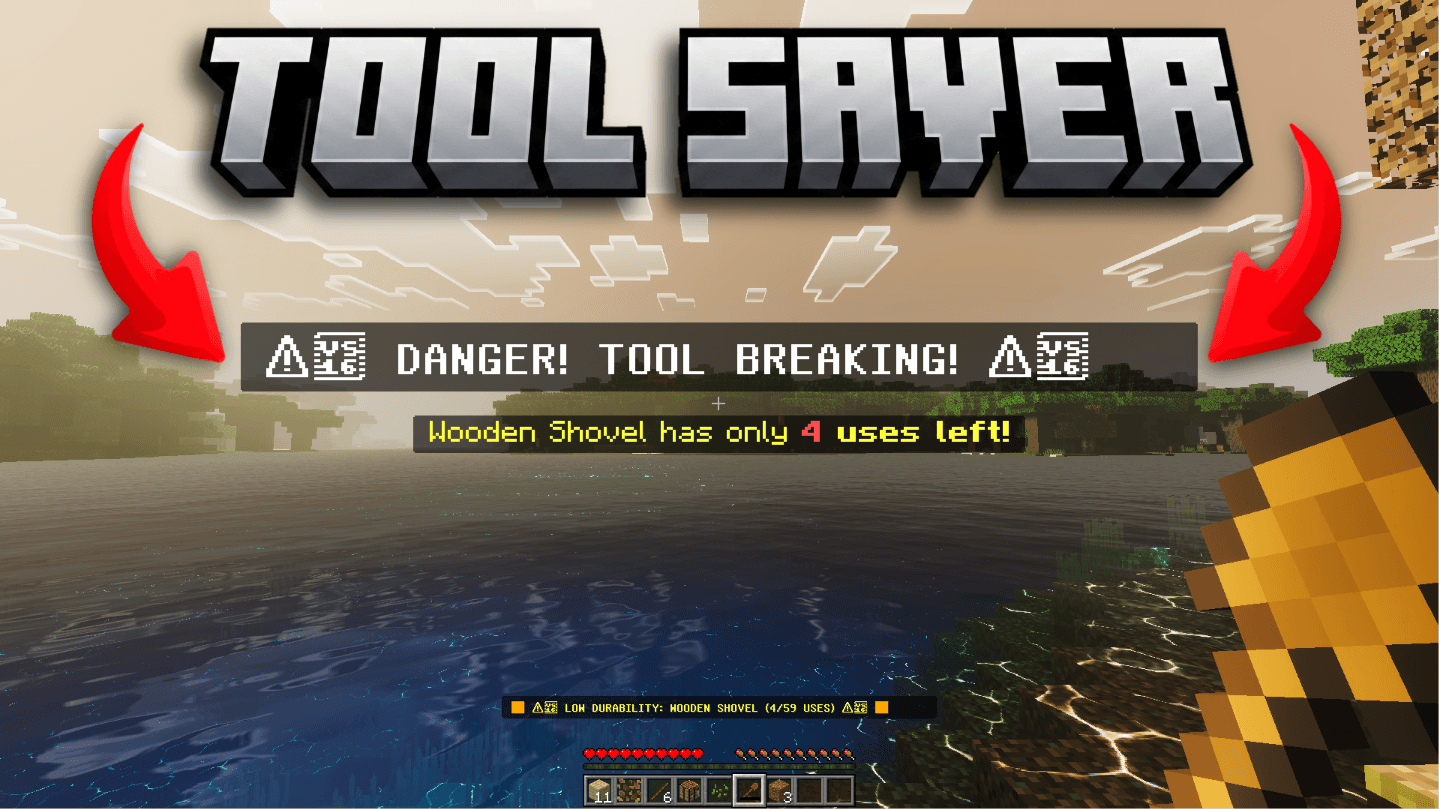
🛡️ ShatterGuard: Tool Saver QoL (Achievement-Friendly)
Ever lost your prized Efficiency V, Unbreaking III, Mending Diamond/Netherite Pickaxe because you were mindlessly strip-mining and missed the durability bar?
ShatterGuard is the ultimate Quality of Life (QoL) utility for Minecraft Bedrock Edition designed to eliminate tool breakage forever. It constantly monitors whatever item you hold in your main hand and gives you unmistakable visual and audio warnings before your gear shatters into dust.
Best of all? It is 100% Achievement-Friendly! You can add this to your main survival world or realm without disabling Xbox/Bedrock achievements.
✨ Features
- 🛡️ Achievement-Friendly: Uses client-safe Bedrock scripting/UI event methods so your world stats and achievements remain completely untouched.
- ⏱️ Ultra-Responsive Monitoring: Scans your mainhand item every 10 ticks (half a second) for real-time durability tracking without impacting FPS.
- 🚨 Bold Actionbar Alerts: Displays a high-visibility, bright red warning directly on your actionbar above your hotbar when your tool drops below 15 uses.
- 🔊 Sound Effects: Triggers a distinct, low-frequency bass audio cue that cuts through ambient cave sounds and combat music so you never miss a warning.
- ⛏️ Universal Tool Protection: Works on Pickaxes, Axes, Shovels, Hoes, Swords, Bows, Crossbows, Tridants, Elytra, and Shears.
- ⚙️ Zero Setup Required: Plug-and-play installation—no complex commands, configuration files, or structure blocks required.
🛠️ How It Works
- Equip Any Durable Item: Place any tool, weapon, or breakable item into your main hand.
- Seamless Background Checks: Every 10 ticks, ShatterGuard checks the remaining durability points of the active item.
- The Warning Zone (< 15 Durability):
- As soon as your item reaches 14 or fewer uses remaining, the system activates.
- A flashing bold red actionbar message alerts you:
⚠️ WARNING: Tool Durability Low! [X Uses Left] ⚠️ - A heavy bass sound effect plays directly in your audio mix to instantly catch your attention.
- Repair or Swap: Swap items or head back to your Mending xp farm before that final disastrous click!
Note:- If you want to turn of this sound or effect, just croutch(Sneak) and right-click or use item, a menu will appear where you can toggle these settings
📥 Installation Guide
For Singleplayer / Local Worlds:
- Download the
.mcpackfile from the Downloads tab. - Double-click or open the
.mcpackfile to automatically import it into Minecraft Bedrock Edition. - Edit your chosen Survival World settings.
- Navigate to Resource Packs (and/or Behavior Packs if applicable) in the world menu.
- Activate ShatterGuard QoL.
- Load into your world and mine with absolute peace of mind!
For Bedrock Realms / Dedicated Servers:
- Import the pack into your Minecraft client.
- Go to your Realm/Server management settings.
- Apply the pack under the world's pack settings and select "Require players to accept resource packs to join".
❓ Frequently Asked Questions (FAQ)
Q: Will this disable achievements on my Bedrock world?
A: No! ShatterGuard is built specifically to operate within Bedrock's non-cheat pack guidelines, keeping achievements fully active.
Q: Does this work in Multiplayer or on Realms?
A: Yes! It works seamlessly on local worlds, LAN host games, Bedrock Realms, and dedicated Bedrock servers(WHEN APPLIED BY OWNER OR ADMINISTRATOR OR ANYONE WHO HAS PERMISSION TO APPLY BEHAVIOUR PACKS)
Q: Does it fix my tool automatically?
A: No. ShatterGuard is an alert system designed to warn you so you can manually stop using the item and repair it yourself.
- Edition: Minecraft Bedrock
- File type: .mcpack or .mcaddon
- Minecraft versions listed: 1.21.132, 26.0.02, 26.0
- How to install: Download the .mcpack or .mcaddon file. → Open it — Minecraft imports it. → In your world: Behavior Packs → Available → Activate, then the same under Resource Packs.
- Where to get it: Opens on CurseForge — not every file is mirrored on our own servers.
Install steps are the general flow for this file type — How to install Minecraft Bedrock addons & mods walks through it step by step.
- Save it as tool_saver.mcaddon before opening — it downloads as .mcpack, but it is a .mcaddon pack
- Manifest requires Minecraft 1.20.0 or newer
- Complete pack — everything it depends on is inside the file
- Download size: 3.0 MB
- Download link checked 20 Oct 2026 — working
These come from our own check of the pack file, not from the source page.