AddonsBedrock
More Crops Addon for Minecraft Bedrock 26.10
Minecraft Bedrock add-on. Download on the author's site.
⬇ Download on ModbayMore Crops
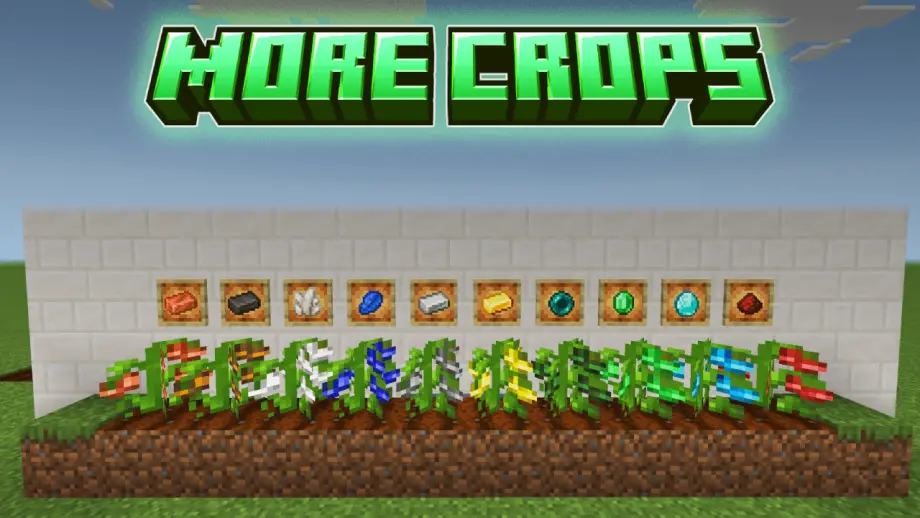
More Crops lets you grow valuable Minecraft resources as crops and farm them instead of mining.
Crops
- Iron
- Gold
- Emerald
- Lapis
- Redstone
- Diamond
- Netherite
- Ender Pearl
- Quartz
- Copper
Features
- 3 growth stages for every crop
- Same growth time for all crops
- Custom Fertilizer system
- Fortune-compatible resource drops
- Bone Meal does not work on custom crops
Fertilizers
- Basic: Copper, Iron, Gold, Redstone, Lapis
- Advanced: Diamond, Emerald, Ender Pearl, Quartz
- Premium: Netherite
Drops
| Crop | Drop | Amount |
|---|---|---|
| Copper | Copper Nugget | 2–6 |
| Iron | Iron Nugget | 2–6 |
| Gold | Gold Nugget | 2–5 |
| Diamond | Diamond Shard | 2–4 |
| Emerald | Emerald Shard | 2–6 |
| Redstone | Redstone | 2–8 |
| Lapis | Lapis Lazuli | 4–6 |
| Netherite | Netherite Scrap | 1 |
| Ender Pearl | Ender Pearl Shard | 3–6 |
| Quartz | Quartz | 3–6 |
Each crop always returns its seed when harvested.
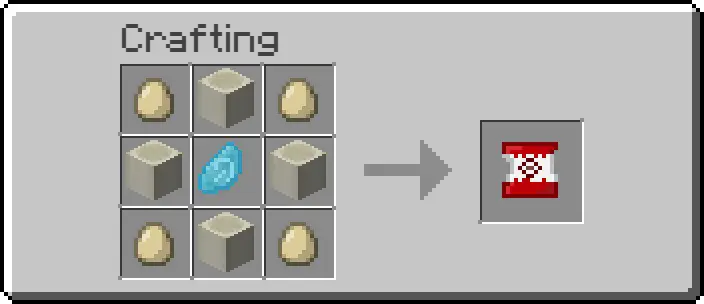
Seed Recipe: Place a Minecraft Seed in the center and surround it with the resource you want to grow.
More Crops — Mine less, farm more.
Quick facts
- Edition: Minecraft Bedrock
- File type: .mcpack or .mcaddon
- How to install: Download the .mcpack or .mcaddon file. → Open it — Minecraft imports it. → In your world: Behavior Packs → Available → Activate, then the same under Resource Packs.
- Where to get it: Opens on Modbay — not every file is mirrored on our own servers.
Install steps are the general flow for this file type — How to install Minecraft Bedrock addons & mods walks through it step by step.
More Crops Addon for Minecraft Bedrock 26.10 is a free Minecraft Bedrock addon. Available via Modbay. Download it and open it directly in the game.