
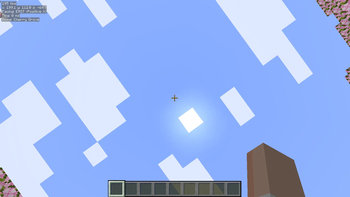
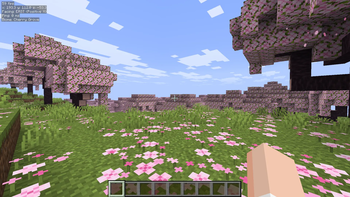
Leavium Modpack
Leavium , is an Optimization Modpack that aims for the best performance ,even if your computer is a Potato this modpack is your solution.
Why I say its a great option ?
- It provise you a great FPS boost
- You don't need to allocate too much RAM
- Perfect for low end PC/laptops (including me)
Benchmarks
| Minecraft | Max FPS | Avg FPS | Lowest FPS |
|---|---|---|---|
| Vanilla | 50 FPS | 35 FPS | 18 FPS |
| Leavium | 180 FPS | 60 FPS | 45 FPS |
- CPU : AMD Athlon 300U with Radeon Vega Mobile Gfx (2.40 GHz)
- GPU : AMD Radeon(TM) RX Vega 10 Graphics (2 GB)
- OS : Windows 11 Home
Rendering Engine
- Recommended by Cubixium (The creator of this Modpack) to :
- AMD cards perform better on OpenGL because Minecraft's new Vulkan engine is poorly optimized and contains code bugs that clash with AMD's hardware . Set the Defalut API to openGL
- Nvidia cards perform better on Vulkan because their hardware handles Minecraft's unoptimized code much more efficiently.Set the Defalut API to Vulkan
Other way to install the modpack?
I suggest you install a third party app.The benefits are that you can install mods and reasource packs more easily.
You can pick from those options ,those are the most popular in the Minecraft Community :
Launchers- Prism Launcher (i use)
- ATLauncher
- Modrinth App
Quick facts
- Edition: Minecraft Java
- File type: .jar
- Minecraft version listed: 26.2
- How to install: Install the matching mod loader (Forge, Fabric or NeoForge) for your Minecraft version. → Download the .jar. → Put it in the .minecraft/mods folder and launch that loader profile.
- Where to get it: Opens on Modrinth — not every file is mirrored on our own servers.
Install steps are the general flow for this file type — How to install Minecraft Java mods & modpacks walks through it step by step.
Verified by MCModsHub
- Downloads as Leavium.mrpack
- Download size: 20 KB
- Download link checked 10 Sept 2026 — working
These come from our own check of the pack file, not from the source page.