
GUI Slider
I don't know my version or loader
GUI Slider
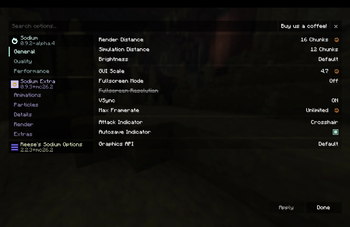
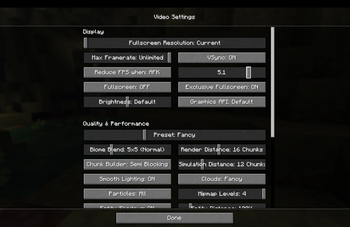
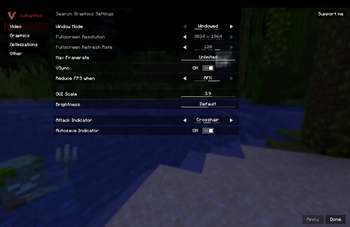
GUI Slider turns Minecraft's GUI Scale setting into an actual slider. Instead of being limited to the usual whole-number sizes, you can choose a scale from 1.0 to 6.0 in 0.1 steps.
If scale 1 is too small and scale 2 is too large, this is the mod for you. Set it to 1.3, 2.6, 4.1, or whatever feels right for your screen.
Features
• Replaces the normal integer GUI Scale choices with a 1.0–6.0 slider.
• Supports 0.1-step precision.
• Uses Minecraft's official GUI Scale option rather than adding a separate setting to remember.
• Updates GUI layout when the value changes.
• Client-side only.
Downloads
Installation
Install the Fabric Loader for your Minecraft version.
Download the GUI Slider JAR matching your version family.
Put the JAR in your instance's mods folder.
Launch the game and open the video settings menu.
Move the GUI Scale slider until the interface feels right.
Compatibility
GUI Slider is designed for Fabric clients and works with the normal Minecraft video settings path. It also includes compatibility handling for Sodium, Sodium Extra, and Reese's Sodium Options, so the fractional values are shown in the settings screen you actually use.
It is client-side and does not need to be installed on a server. It does not change gameplay, world data, or server communication.
Notes
Some modpacks replace large parts of Minecraft's settings or interface. If another mod also changes GUI scaling, only use one GUI scaling mod at a time.
If you find a menu that scales incorrectly, please include your Minecraft version, GUI Slider family build, and a screenshot or latest log when reporting it.
Made for people who want their UI to be just a little bigger without jumping all the way to the next vanilla scale.
- Edition: Minecraft Java
- File type: .jar
- Minecraft versions listed: 1.20.5, 1.20.6, 1.21
- How to install: Install the matching mod loader (Forge, Fabric or NeoForge) for your Minecraft version. → Download the .jar. → Put it in the .minecraft/mods folder and launch that loader profile.
- Where to get it: Opens on Modrinth — not every file is mirrored on our own servers.
Install steps are the general flow for this file type — How to install Minecraft Java mods & modpacks walks through it step by step.
- Ships as GUI-Slider-Sandwich-Vulkan-1.20.5-1.21.11-v1.0.1.jar — drop this file into the mods folder
- Download size: 20 KB
- Download link checked 10 Sept 2026 — working
These come from our own check of the pack file, not from the source page.