
ModsJava
ScriptEngine
Java mod listed for Minecraft 26.x. Downloads from the MC Java Mods app on Android.
⬇ Download on Modrinth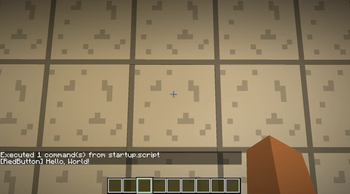

Can Run .script file as commands
ScriptEngine lets you place text files in your world folder and execute them as Minecraft commands.
All Scripts must be in saves/yourworld/ScriptEngine/scripts
Example:
saves/MyWorld/ScriptEngine/scripts/startup.script
saves/MyWorld/ScriptEngine/scripts/demo.txt
Each line in the script is executed as a separate Minecraft command.
Example script:
# Example script
say Hello from ScriptEngine!
time set day
gamemode creative
Use:
/scriptengine run startup.script
The mod also automatically checks for startup.script when the world loads and runs it if it exists.
This mod is designed for Fabric 26.2 and works as a lightweight script runner without requiring heavy frameworks like Mappet.
Quick facts
- Edition: Minecraft Java
- File type: .jar
- Minecraft version listed: 26.2
- How to install: Install the matching mod loader (Forge, Fabric or NeoForge) for your Minecraft version. → Download the .jar. → Put it in the .minecraft/mods folder and launch that loader profile.
- Where to get it: Opens on Modrinth — not every file is mirrored on our own servers.
Install steps are the general flow for this file type — How to install Minecraft Java mods & modpacks walks through it step by step.
File checked by MCModsHub
- Ships as scriptengine-1.0.0.jar — drop this file into the mods folder
- Download size: 54 KB
- Download link checked 30 Sept 2026 — working
These come from our own check of the pack file, not from the source page.