
Create: Routes
Java mod listed for Minecraft 1.21. Downloads from the MC Java Mods app on Android.
Write once, follow anywhere. Name a run of stops as a route, and every schedule follows it with a single entry — edit the route once and every train…
⬇ Download on Modrinth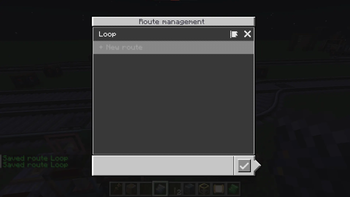
Write once, follow anywhere.
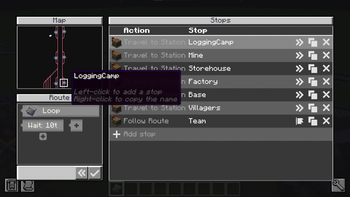
Create: Routes gives the stops a home of their own. Name a run of stops as a route. Edit the route and every train following it picks the change up.
Following a route
Add a Follow Route entry to any schedule and that one entry stands for the whole run.
- Rev — run the route's stops back to front.
- Skip — drop the last stop.
An out-and-back line is two entries pointing at one route.
Shared defaults
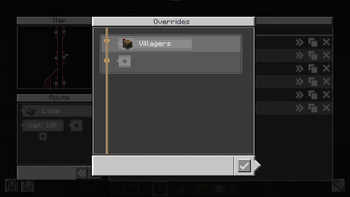
Wait conditions belong to the route. A stop that sets none of its own borrows them, so the wait is set once at the top instead of on all twelve stops.
Nesting
A route can follow another route. Define a trunk once and every branch running over it shares that one definition — fix the trunk and you fix all of them.
The editor
Open it from the Follow Route entry's Configure route button. Pick stops straight off the railway map, drag to reorder.
- Edition: Minecraft Java
- File type: .jar
- Minecraft version listed: 1.21.1
- How to install: Install the matching mod loader (Forge, Fabric or NeoForge) for your Minecraft version. → Download the .jar. → Put it in the .minecraft/mods folder and launch that loader profile.
- Where to get it: Opens on Modrinth — not every file is mirrored on our own servers.
Install steps are the general flow for this file type — How to install Minecraft Java mods & modpacks walks through it step by step.
- Ships as create-routes-mc1.21.1-0.2.0.jar — drop this file into the mods folder
- Download size: 122 KB
- Download link checked 21 Oct 2026 — working
These come from our own check of the pack file, not from the source page.