
ModsJava
Omniscient Storage Index Mod (26.2, 26.1.2) – Find Any Stored Item
Minecraft Java mod. Downloads from the MC Java Mods app on Android.
⬇ Download
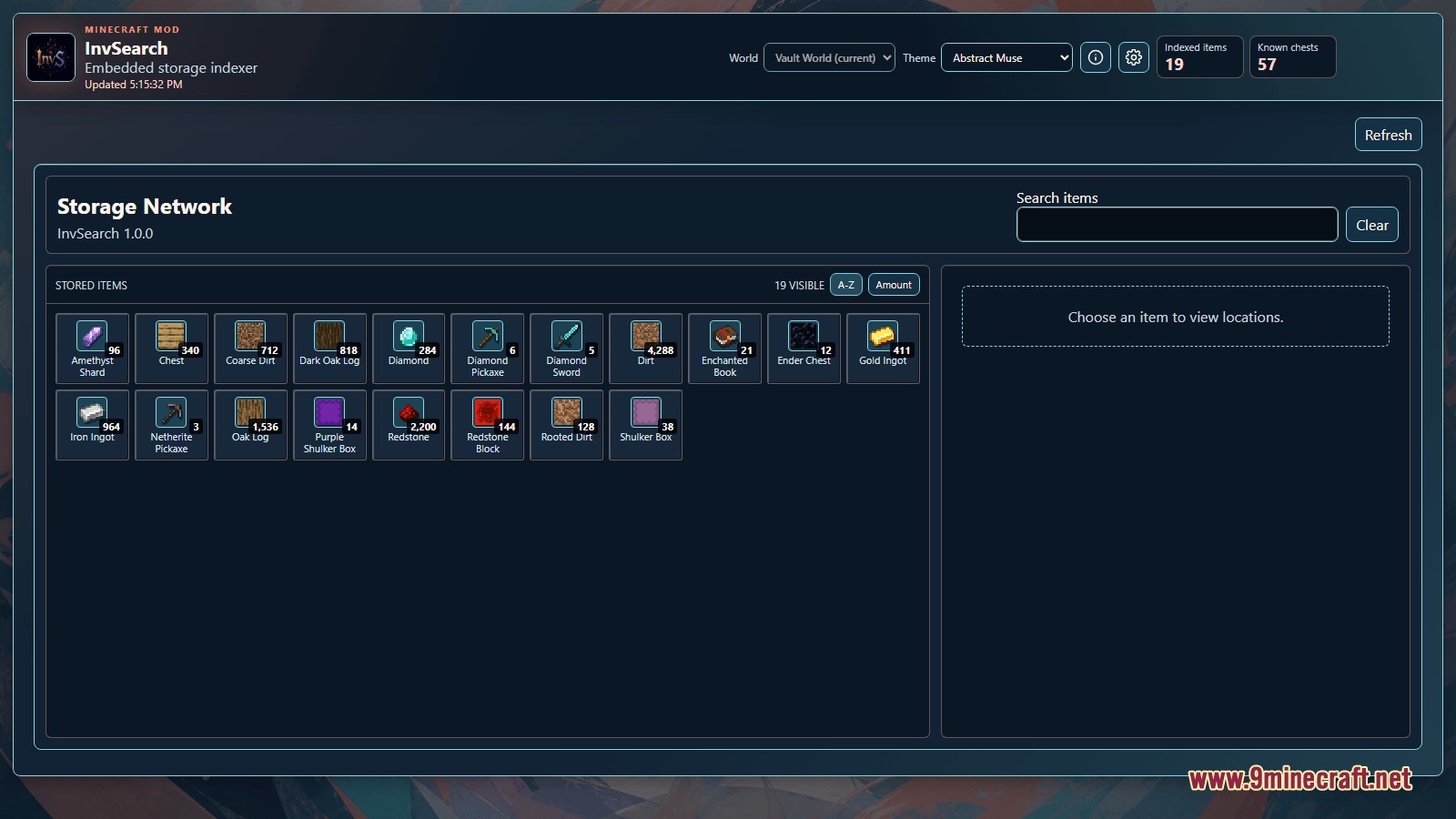
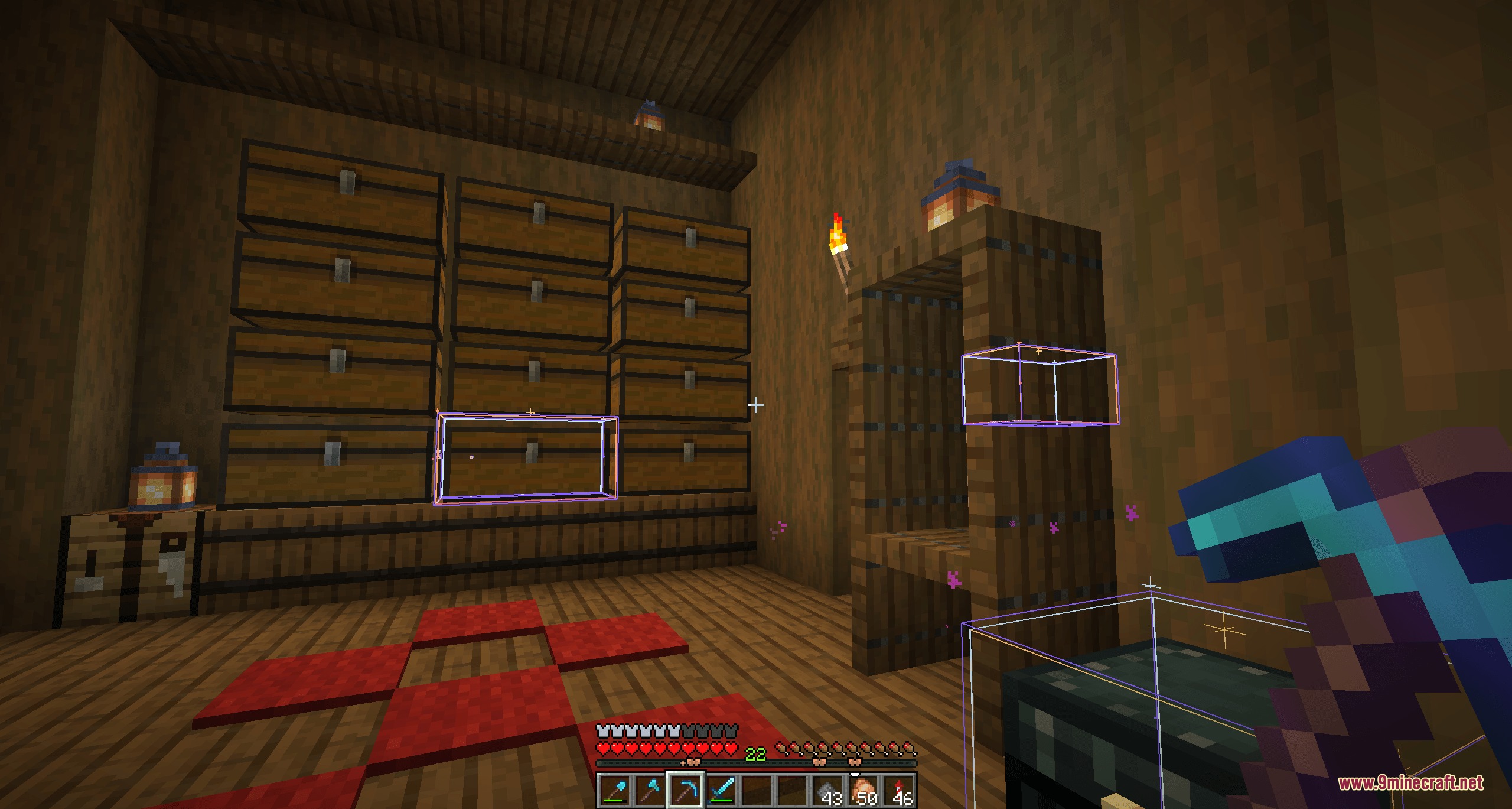
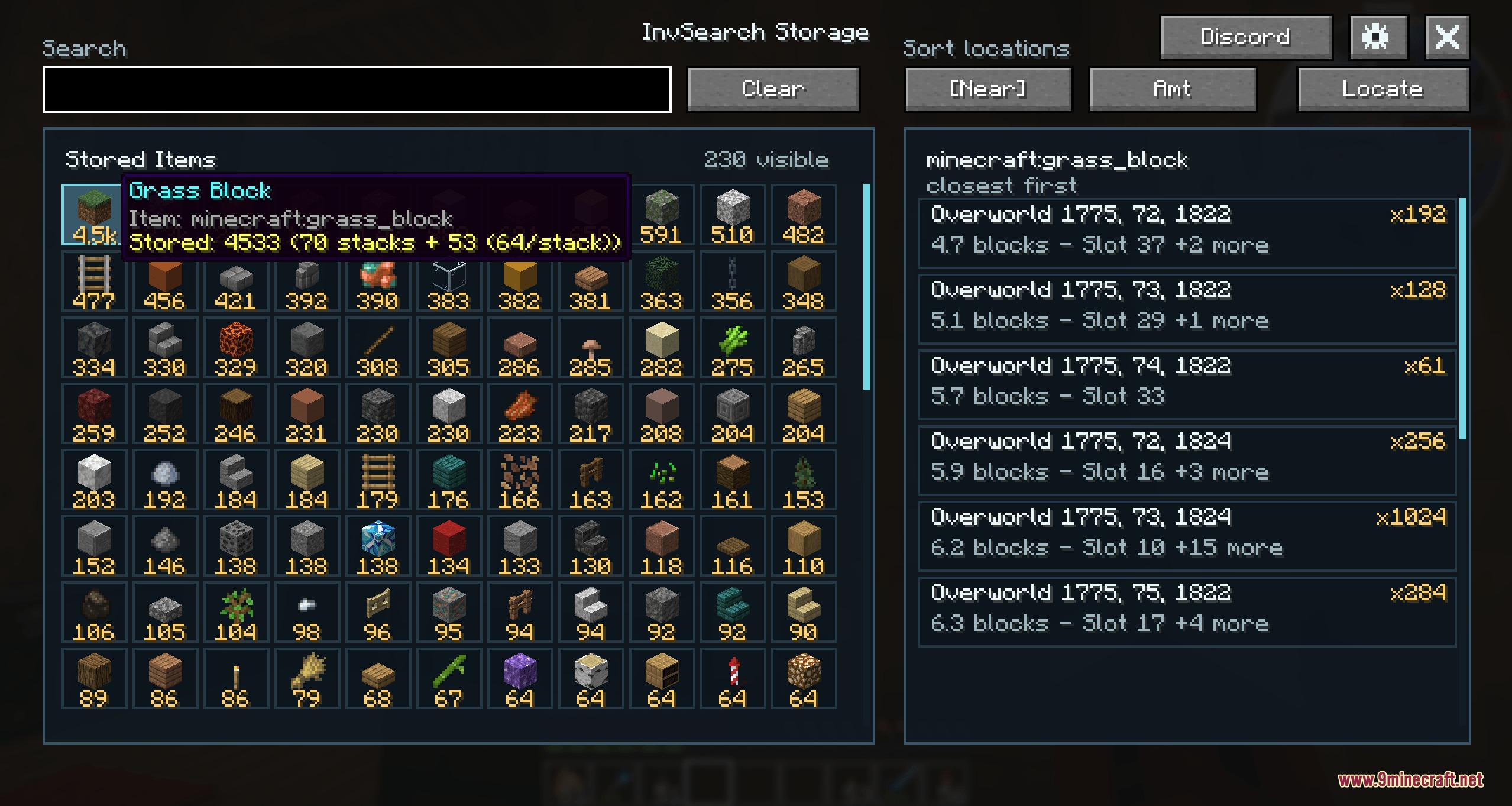
Omniscient Storage Index Mod indexes storage containers across your base to help you locate items right away. It runs entirely on the client side, meaning you can use it in singleplayer worlds or on multiplayer servers without extra server files. The mod provides an in-game interface and a built-in web dashboard so you can check item counts, inspect chest coordinates, and highlight target containers in the world.
Features:
- Runs fully on the client side with no server installation needed.
- Works in both singleplayer worlds and multiplayer servers.
- Indexes chests, barrels, and storage containers as you open them around your base.
- Opens a clean in-game storage menu with a single hotkey.
- Provides a local web dashboard hosted straight from the game client.
- Groups stored items with clear item counts and sorting options.
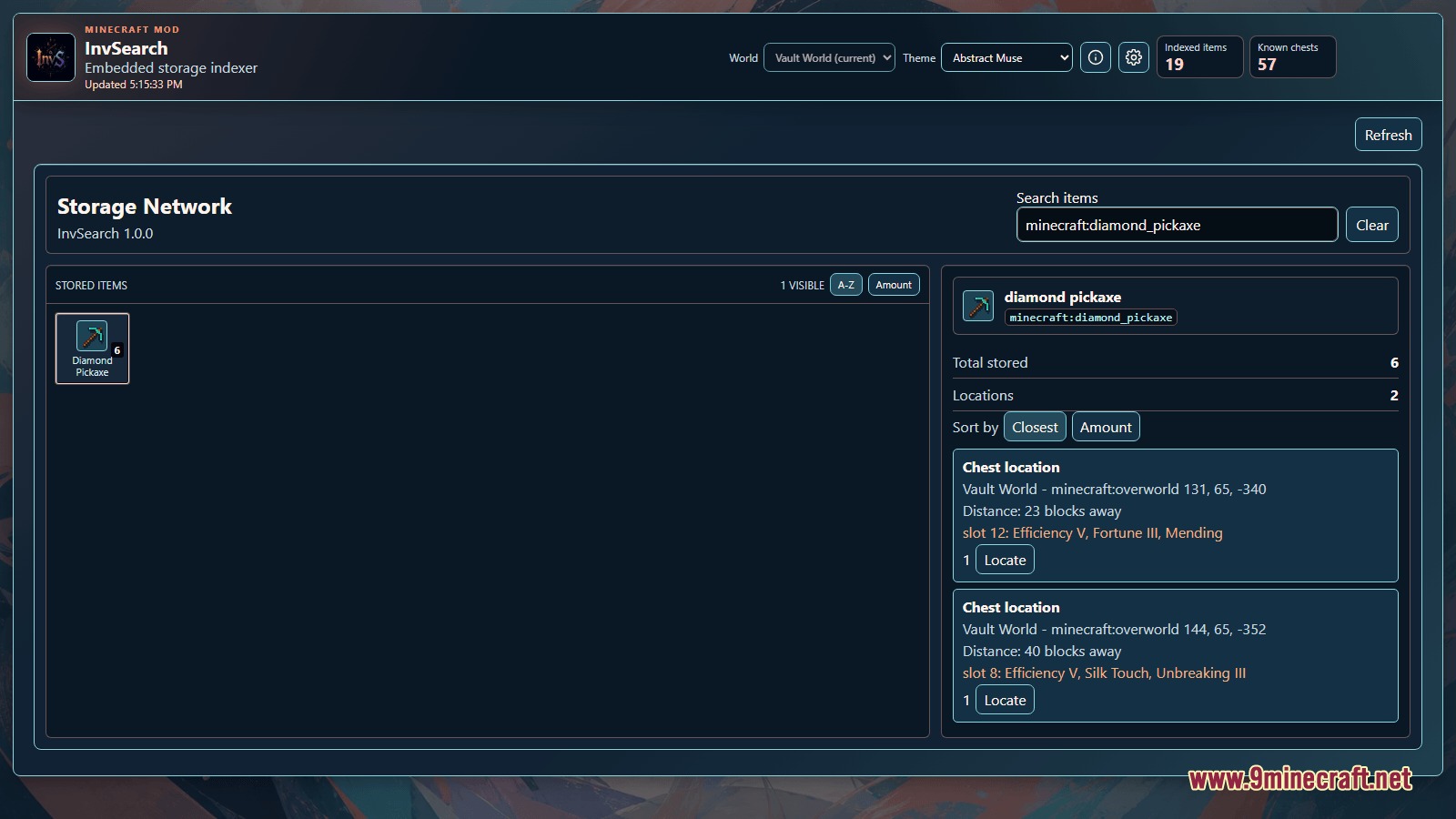
- Shows exact chest locations, distance readouts, and enchantment details for stored gear.
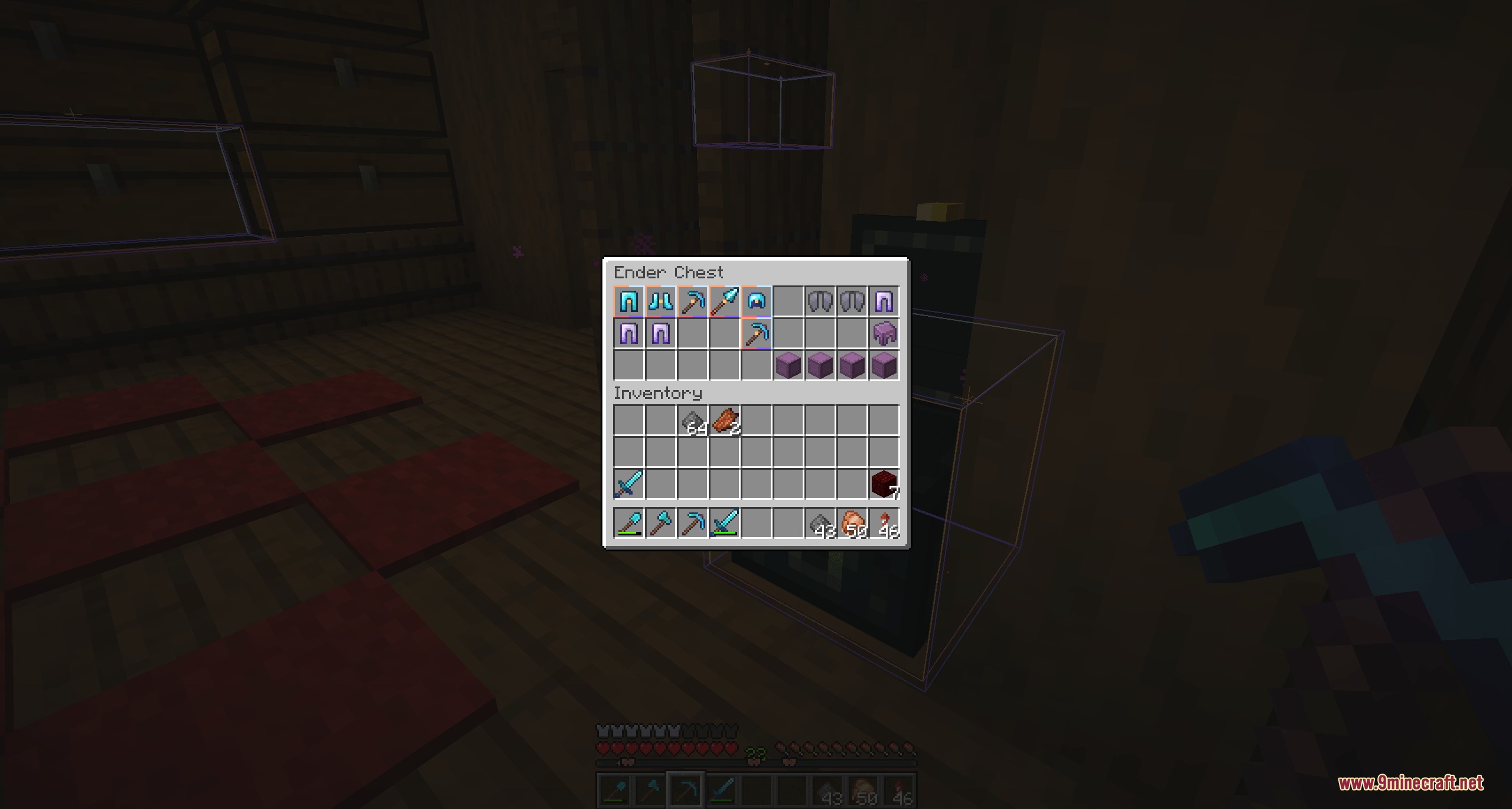
- Highlights matching chests directly in the game world so you know where to walk.
- Adds storage markers to the compass locator bar for distant targets.
- Includes a Look button that turns your camera directly toward the target container.
- Filters search results by distance with a handy range slider.
- Remembers your active search query and selections when reopening menus.
Commands:
/InvS gui: Opens the in-game storage search menu./InvS search <item>: Searches indexed storage for matching items./InvS search <item>!: Fills the search bar and jumps to the closest exact match./InvS search clear: Clears the current active search query./InvS materials highlight: Highlights containers holding materials needed for current structural builds./InvS materials clear: Removes the material highlight markers.
How to Use:
- Open storage chests around your base so the mod can index their contents.
- Press I or type
/InvS guito open the search menu. - Type an item name into the search bar to see all stored matches and totals.
- Click an item from the list to view container coordinates and distances.
- Click the Locate or Look button to follow highlights and compass markers directly to the right chest.
- Press Backspace to clear your search query quickly.
Screenshots:
Omniscient Storage Index Mod Download Links
Quick facts
- Edition: Minecraft Java
- File type: .jar
- How to install: Install the matching mod loader (Forge, Fabric or NeoForge) for your Minecraft version. → Download the .jar. → Put it in the .minecraft/mods folder and launch that loader profile.
- Where to get it: In MC Java Mods, or directly above on this page.
Install steps are the general flow for this file type — How to install Minecraft Java mods & modpacks walks through it step by step.
File checked by MCModsHub
- Downloads as 508183.mcaddon
- Download size: 1.9 MB
- Download link checked 23 Sept 2026 — working
- Mirrored on our own servers — the download does not depend on the original host
These come from our own check of the pack file, not from the source page.