
ModsJava
RavengardExtras
Java mod listed for Minecraft 26.x. Downloads from the MC Java Mods app on Android.
⬇ Download on Modrinth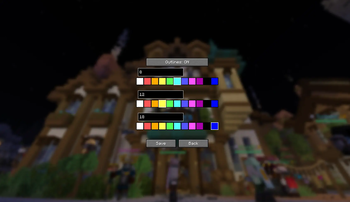
Ravengard Extras
A lightweight QOL mod for Fabric 26.2.
Open the menu with /ravengardextras or /rge - a tabbed dashboard covering Dungeon Utils, Party, and Inventory.
Features
🛡️ Gear Highlighter
Outlines item slots based on attributes and parameters you choose.
- Build rule cards from stats like Crown Value, Defense, Damage, and Class
- Up to 4 named presets, only one applies in-game at a time
- Priority decides which card wins when more than one matches
- Pick a color with the hue slider, or toggle full RGB rainbow cycling
- Cards live on a draggable grid you can freely rearrange
💚 Heal Highlighter
Tints healing items with a colored wash.
- Checklist to pick which items count
- Custom tint color
- Overrides Gear Highlighter's outline on the same slot
📍 Party Ping
Valorant-style pings for your party.
Z- temporary ping, fades after 10s (configurable)- Double-tap
Z- turns it into a flashing red alert X- permanent mark, up to 5 at a time; tap to clear one, hold to clear all- Visible through walls, shown with name and distance
- Broadcasts over party chat so it works on any server
- Each player gets a bright, fixed color for the session
🔒 Slot Locking
Lock slots so you can't accidentally move or drop what's in them.
Lon a hovered slot to lock/unlock it- Locked slots block clicks, drags, throws, and hotbar swaps
- Small lock icon + chime, persists across sessions
👑 Run Tools
Per-run Crown and XP tallies on the HUD, summarised in chat when you escape.
- Crown Calculator - tracks net Crowns gained during the run
- XP Calculator - totals XP gained from chat and the action bar
Requirements
- Minecraft 26.2
- Fabric Loader 0.19.3 or newer
- Fabric API (26.2 build)
- Java 25 or newer
Credits
Made by chrrisk and Scrolls.
Quick facts
- Edition: Minecraft Java
- File type: .jar
- Minecraft version listed: 26.2
- How to install: Install the matching mod loader (Forge, Fabric or NeoForge) for your Minecraft version. → Download the .jar. → Put it in the .minecraft/mods folder and launch that loader profile.
- Where to get it: Opens on Modrinth — not every file is mirrored on our own servers.
Install steps are the general flow for this file type — How to install Minecraft Java mods & modpacks walks through it step by step.
File checked by MCModsHub
- Ships as ravengardextras-0.3.jar — drop this file into the mods folder
- Download size: 126 KB
- Download link checked 1 Oct 2026 — working
These come from our own check of the pack file, not from the source page.