Chest Organization - Automatically make your chests organized!
Bedrock add-on listed for Minecraft 1.20–26.x (behavior pack only). File opened and checked on 11 Sep 2026; installs from the MC Bedrock Mods app on Android.
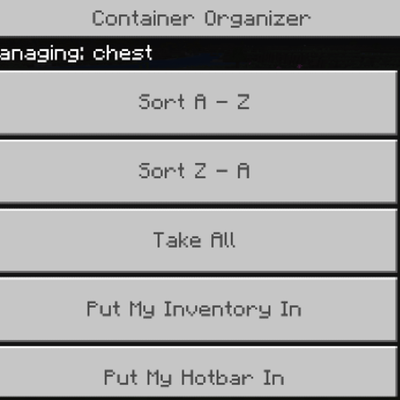
Hate organizing your chests? Well now you can in 2 clicks! Shift+Click any container to open the organization menu.
⬇ Download on CurseForge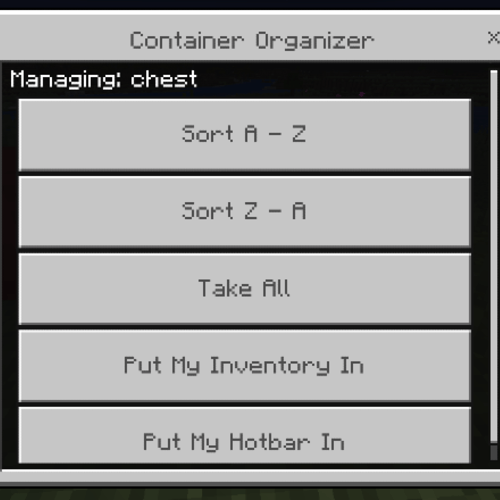
CHEST ORGANIZATION V1:
Hate organizaing your chests or any container for that matter? Well now you can do it easily, Shift+Click to open the menu, and select your prefered option.
FEATURES:
Organize A-Z
Organize Z-A
Take all items from the chest
Deposit your inventory into the chest
Deposit your hotbar into the chest
Leave suggestions in the comments.
- Edition: Minecraft Bedrock
- File type: .mcpack or .mcaddon
- Minecraft versions listed: 26.30, 26.40
- How to install: Download the .mcpack or .mcaddon file. → Open it — Minecraft imports it. → In your world: Behavior Packs → Available → Activate, then the same under Resource Packs.
- Where to get it: Opens on CurseForge — not every file is mirrored on our own servers.
Install steps are the general flow for this file type — How to install Minecraft Bedrock addons & mods walks through it step by step.
- Pack type: .mcaddon — behaviour and resource pack in one file
- Manifest requires Minecraft 1.20.20 or newer
- Complete pack — everything it depends on is inside the file
- Download size: 98 KB
- Download link checked 1 Oct 2026 — working
These come from our own check of the pack file, not from the source page.