
Smooth Text
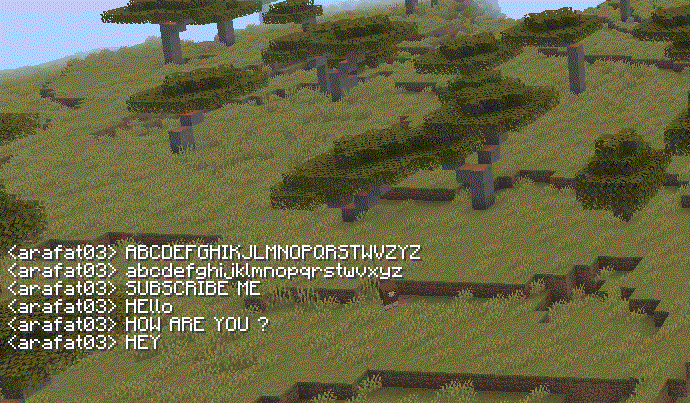
Smooth and clean Minecraft text with a modern, polished look. Improves the appearance of in-game fonts while keeping the vanilla style.
⬇ Download on Modrinth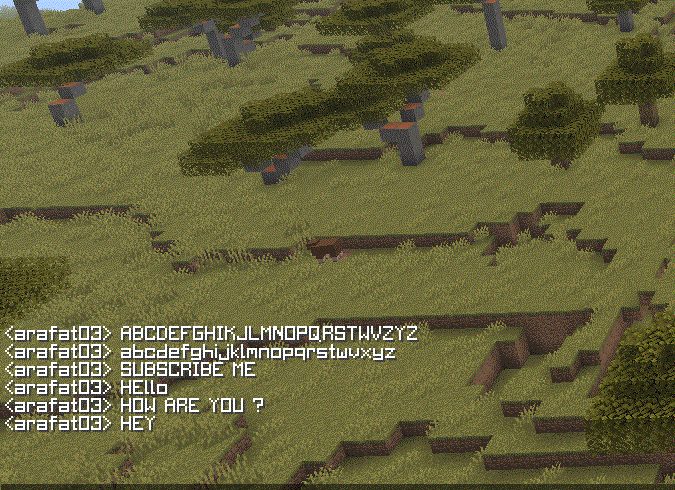
Smooth Text
Smooth Text is a simple Minecraft resource pack designed to make in-game text look smoother, cleaner, and more polished.
✨ Features Smooth and clean-looking text Better-looking Minecraft font Simple and lightweight Keeps the original Minecraft style Great for screenshots, videos, and everyday gameplay Designed for a clean and modern UI experience 📦 Installation Download the resource pack. Open Minecraft. Go to Options → Resource Packs. Move the pack into the resource pack folder. Activate Smooth Text and enjoy!
Made for players who want a cleaner and smoother Minecraft text experience. ❤️
- Edition: Minecraft Java
- File type: .zip (resource pack)
- Minecraft version listed: 26.2
- How to install: Download the .zip resource pack — do not unzip it. → Put it in .minecraft/resourcepacks. → Enable it in Options → Resource Packs.
- Where to get it: Opens on Modrinth — not every file is mirrored on our own servers.
Install steps are the general flow for this file type — How to install Minecraft Java resource packs walks through it step by step.
- Downloads as Smooth Text 26.2 Zip.zip
- Download size: 8.5 MB
- Download link checked 12 Sept 2026 — working
These come from our own check of the pack file, not from the source page.