
White block, No Texture
Turn Minecraft 26.2 completely white by replacing thousands of texture-based visuals, including blocks, mobs, items, plants, armor, particles, and more…
⬇ Download on Modrinth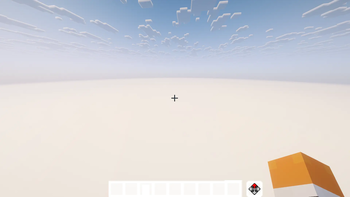
TRUE WHITE EVERYTHING — Minecraft 26.2
Turn Minecraft into a completely whitewashed world.
TRUE WHITE EVERYTHING replaces the game's texture-based visuals with clean, solid white textures while preserving transparency and the original game functionality.
✨ What’s Included
- 🧱 All blocks
- 🪵 All wood types & bamboo
- 🌿 Leaves, plants, flowers & crops
- 🐄 Mobs & animals
- 👤 Player textures
- ⚔️ Items, tools & weapons
- 🛡️ Armor
- 🔴 Redstone components
- 🖼️ Paintings
- ✨ Particles
- 🧰 GUI & interface textures
- 🌊 Texture-based environmental elements
- And thousands of other vanilla textures
🎬 Perfect For
- Minecraft experiments
- Cinematic videos
- Abstract builds
- Surreal / liminal worlds
- Challenge videos
- Unique thumbnails & screenshots
- Creative visual effects
Minecraft Version: 26.2 Edition: Java Edition Style: Minimal • White • Clean • Experimental
Everything white. Nothing distracting. Just Minecraft. 🤍
- Edition: Minecraft Java
- File type: .zip (resource pack)
- Minecraft version listed: 26.2
- How to install: Download the .zip resource pack — do not unzip it. → Put it in .minecraft/resourcepacks. → Enable it in Options → Resource Packs.
- Where to get it: Opens on Modrinth — not every file is mirrored on our own servers.
Install steps are the general flow for this file type — How to install Minecraft Java resource packs walks through it step by step.
- Downloads as TRUE_WHITE_EVERYTHING_26.2.zip
- Download size: 1.4 MB
- Download link checked 12 Sept 2026 — working
These come from our own check of the pack file, not from the source page.