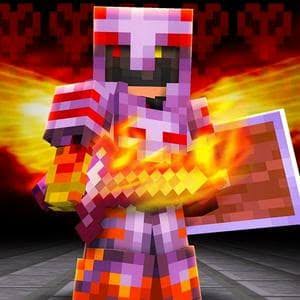
🔥 FlameFrags Soundtrack (Music Overhaul)
Transform your Minecraft experience into an intense, cinematic adventure with the iconic themes of content creator FlameFrags!
This resource pack completely replaces Minecraft's default background music across the Main Menu, Survival Overworld, Creative Mode, The Nether, and The End / Ender Dragon Fight with the famous, high-energy compositions produced by Nombra101 and Nour OSTs.
⚠️IMPORTANT⚠️
If you found any bug or the resources pack is not working, DM me in discord.
🎶 Soundtrack & Placement
| In-Game Context | Replaced Sound Events | Assigned FlameFrags Track | Composer |
|---|---|---|---|
| Main Menu | music.menu |
FlameFrags' Official Theme Song & FlameFrags' 2nd Official Theme Song | Nombra101 |
| Overworld Survival | music.game & all biomes |
The Zone, Scorched Earth Symphony, It's Fraggin' Time, Burn the Horizon | Nombra101 / Nour OSTs |
| Creative Mode | music.creative |
The Zone, FlameFrags' Official Theme Song, FlameFrags' 2nd Official Theme Song | Nombra101 |
| The Nether | music.nether.* (all biomes) |
Oblivionfire, Firestorm Frenzy, Scorched Earth Symphony, Incinerated Battlefield | Nombra101 |
| The End & Dragon Fight | music.end, music.dragon |
Incinerated Battlefield, Oblivionfire, Firestorm Frenzy | Nombra101 |
| Credits Screen | music.credits |
FlameFrags' Official Theme Song | Nombra101 |
✨ Features
- No Memory Lag: All tracks are pre-configured with
"stream": trueand encoded in high-quality Ogg Vorbis (44.1 kHz stereo) so your game remains smooth without RAM spikes. - Complete Overhaul: Includes both
sounds.jsonoverrides and direct vanilla fallback files (calm1-3,hal1-4,menu1-4, etc.). - Wide Compatibility: Compatible with 1.21, 1.21.1, 1.21.2, 1.21.3, 1.21.4, and 1.21.11+ without yellow incompatibility warnings.
📦 How to Install
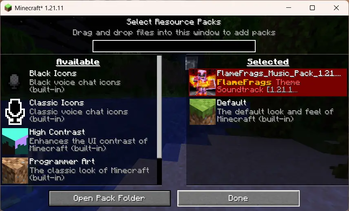
- Download the
.zipresource pack file. - In Minecraft, open Options > Resource Packs > Open Pack Folder.
- Drag and drop the downloaded
.zipfile into the folder. - Activate the pack in the menu and enjoy!
⚖️ Credits & Attribution
This is a fan-made resource pack celebrating the content and community of FlameFrags.
- FlameFrags: Character design & channel branding (YouTube)
- Nombra101: Original music compositions for FlameFrags (YouTube)
- Nour OSTs: Co-composer on "It's Fraggin' Time"
All musical and character rights belong to their respective creators.
- Edition: Minecraft Java
- File type: .zip (resource pack)
- Minecraft versions listed: 1.21, 1.21.1, 1.21.2
- How to install: Download the .zip resource pack — do not unzip it. → Put it in .minecraft/resourcepacks. → Enable it in Options → Resource Packs.
- Where to get it: Opens on Modrinth — not every file is mirrored on our own servers.
Install steps are the general flow for this file type — How to install Minecraft Java resource packs walks through it step by step.
- Downloads as FlameFrags_Music_Pack_1.21-26+.zip
- Download size: 144.7 MB
- Download link checked 12 Sept 2026 — working
These come from our own check of the pack file, not from the source page.