
Vmvr's Utiliities
Java mod listed for Minecraft 26.x. Downloads from the MC Java Mods app on Android.
⬇ Download on Modrinth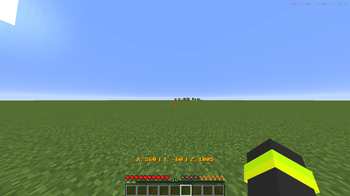
All commands:
/creative - Sets your gamemode to Creative.
/survival - Sets your gamemode to Survival.
/spectator - Sets your gamemode to Spectator.
/cleararrows - Removes all arrow entities.
/clearitems - Removes all dropped item entities.
/clearentities - Removes every non-player entity.
/angle - Sets your camera yaw and pitch.
/renderdist - Changes your client render distance.
/fov - Changes your field of view.
/defaultsettings - Sets chat scale to 0.35, FOV to 110, GUI scale to 3, and disables the vignette.
/lookat - Rotates your camera to look directly at the specified coordinates.
/displaycoords - Toggles a live coordinate display above the hotbar.
/displayangle - Toggles a live yaw and pitch display above the hotbar.
/nethercoords - Toggles a display showing your coordinates converted to Nether coordinates.~~~~
- Edition: Minecraft Java
- File type: .jar
- Minecraft version listed: 26.1.2
- How to install: Install the matching mod loader (Forge, Fabric or NeoForge) for your Minecraft version. → Download the .jar. → Put it in the .minecraft/mods folder and launch that loader profile.
- Where to get it: Opens on Modrinth — not every file is mirrored on our own servers.
Install steps are the general flow for this file type — How to install Minecraft Java mods & modpacks walks through it step by step.
- Ships as utils-1.0.0.jar — drop this file into the mods folder
- Download size: 16 KB
- Download link checked 2 Oct 2026 — working
These come from our own check of the pack file, not from the source page.