
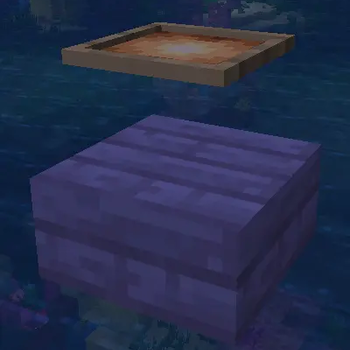
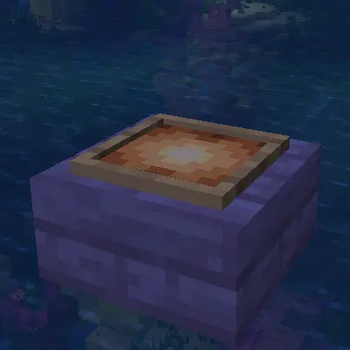
Makes item frames actually touch the block they're hanging on.
Do I need it on the server?
No, but it is recommended. With only the client, item frames will still snap to their supporting blocks. However, the server will still see the frames in their original positions. This could cause incompatibilities with anticheats or unexpected behavior when interacting with the frames as the server would think that you are not looking at the item frame.
What does it do?
A visual explanation is best here.
Without SnappierFrames
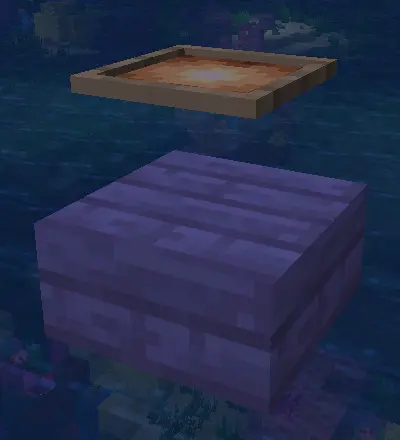
With SnappierFrames
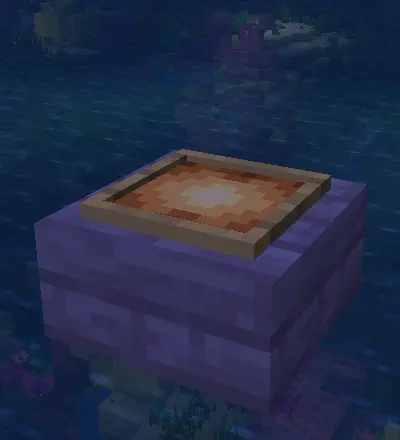
SnappierFrames dynamically calculates the edges of a block's model and correctly adjusts item frames based on it. This allows SnappierFrames to be fully compatible with mods despite not knowing about them.
- Edition: Minecraft Java
- File type: .jar
- Minecraft version listed: 26.2
- How to install: Install the matching mod loader (Forge, Fabric or NeoForge) for your Minecraft version. → Download the .jar. → Put it in the .minecraft/mods folder and launch that loader profile.
- Where to get it: Opens on Modrinth — not every file is mirrored on our own servers.
Install steps are the general flow for this file type — How to install Minecraft Java mods & modpacks walks through it step by step.
- Ships as SnappierFrames-1.0.1.jar — drop this file into the mods folder
- Download size: 50 KB
- Download link checked 12 Sept 2026 — working
These come from our own check of the pack file, not from the source page.