AddonsBedrock
Portable Crafting Table | Craft Anywhere
Open a full 3×3 crafting table anywhere in Minecraft Bedrock without placing a block, then carry it with you when you are done.
⬇ Download on CurseForge

Craft anywhere without placing and breaking a crafting table every time.
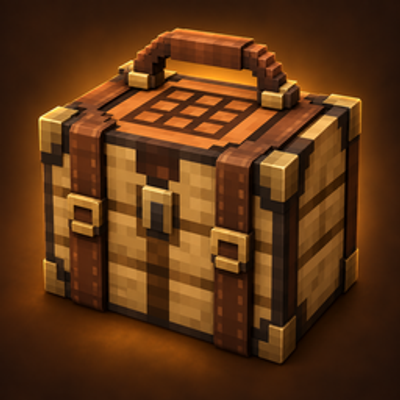
Portable Crafting Table adds a compact reusable item that opens the full vanilla 3×3 crafting interface directly from your hand. It uses the normal recipe system, so vanilla recipes and compatible add-on recipes remain available.
Features
- Portable 3×3 crafting — open the full crafting-table interface while holding the item.
- No manual placement — the portable table stays in your inventory instead of occupying the world.
- Normal recipe support — works with vanilla crafting-table recipes and compatible recipes added by other packs.
- Survival crafting recipe — make it in the 2×2 inventory grid with one stick above one crafting table.
- Reusable item — crafting does not consume or damage the portable table.
- Multiplayer friendly — each player can carry and use their own portable table.
- Localized — includes English and Russian names and descriptions.
How to use
- Import the
.mcaddonfile into Minecraft Bedrock. - Activate the Portable Crafting Table Behavior Pack and Resource Pack for your world.
- Craft the item by placing a stick directly above a crafting table in any 2×2 crafting grid.
- Hold the Portable Crafting Table in your main hand while standing normally.
- Press Use to open the full crafting interface.
Crafting
Place one stick directly above one crafting table. The recipe fits inside the player's 2×2 inventory crafting grid.
Notes
- Do not sneak while opening the portable table.
- The player's head space must be clear; the item does not replace solid blocks or liquids.
- No experimental toggles are required.
Requirements
- Minecraft Bedrock Edition 1.26.30 or newer
- Portable Crafting Table Behavior Pack and Resource Pack must both be active
- No external add-on dependencies required

Quick facts
- Edition: Minecraft Bedrock
- File type: .mcpack or .mcaddon
- Minecraft versions listed: 26.30, 26.40
- How to install: Download the .mcpack or .mcaddon file. → Open it — Minecraft imports it. → In your world: Behavior Packs → Available → Activate, then the same under Resource Packs.
- Where to get it: Opens on CurseForge — not every file is mirrored on our own servers.
Install steps are the general flow for this file type — How to install Minecraft Bedrock addons & mods walks through it step by step.
Verified by MCModsHub
- Pack type: .mcaddon — behaviour and resource pack in one file
- Manifest requires Minecraft 1.26.30 or newer
- Complete pack — everything it depends on is inside the file
- Download size: 179 KB
- Download link checked 12 Sept 2026 — working
These come from our own check of the pack file, not from the source page.