
Depth of Field
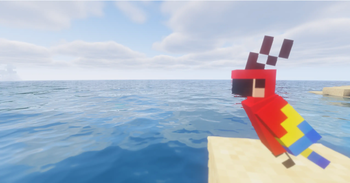
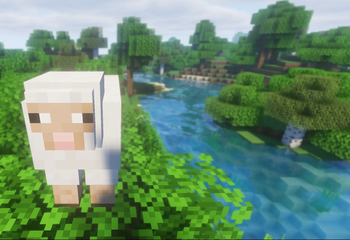
Depth of Field adds a cinematic depth-of-field effect to Minecraft Fabric 1.20.1.
The mod dynamically focuses on what you are looking at. Nearby blocks, mobs, and objects can stay sharp while the background becomes smoothly blurred. When looking into the distance, the landscape stays clear while nearby foreground objects become blurred.
Features
- Dynamic depth of field
- Crosshair-based focus
- Nearby object focus
- Landscape / distance focus
- Smooth cinematic blur
- Clean non-pixelated blur
- Smooth focus transitions
- Toggle Depth of Field with a configurable keybind
- Dedicated Depth of Field category in the Controls menu
- Client-side only
- Compatible with Iris + Sodium
- Tested with Solas Shader
- Controls
Go to:
Options → Controls → Key Binds → Depth of Field
There you can configure:
Enable/Disable Depth of Field
Default key: B
Requirements Minecraft 1.20.1 Fabric Loader Fabric API Satin API Shader Compatibility
Depth of Field is compatible with Iris + Sodium and has been tested with Solas Shader.
Compatibility with every shaderpack is not guaranteed.
Performance
The mod uses post-processing and depth information from Minecraft's renderer. Performance impact may vary depending on resolution, hardware, and shaderpack.
Credits
Developed by SyntikoModsStudio
Authors: Syntius & Niko
- Edition: Minecraft Java
- File type: .jar
- Minecraft version listed: 1.20.1
- How to install: Install the matching mod loader (Forge, Fabric or NeoForge) for your Minecraft version. → Download the .jar. → Put it in the .minecraft/mods folder and launch that loader profile.
- Where to get it: Opens on Modrinth — not every file is mirrored on our own servers.
Install steps are the general flow for this file type — How to install Minecraft Java mods & modpacks walks through it step by step.
- Ships as depth-of-field-1.0.0.jar — drop this file into the mods folder
- Download size: 22 KB
- Download link checked 13 Sept 2026 — working
These come from our own check of the pack file, not from the source page.