
Banner Alphabet
Русское описание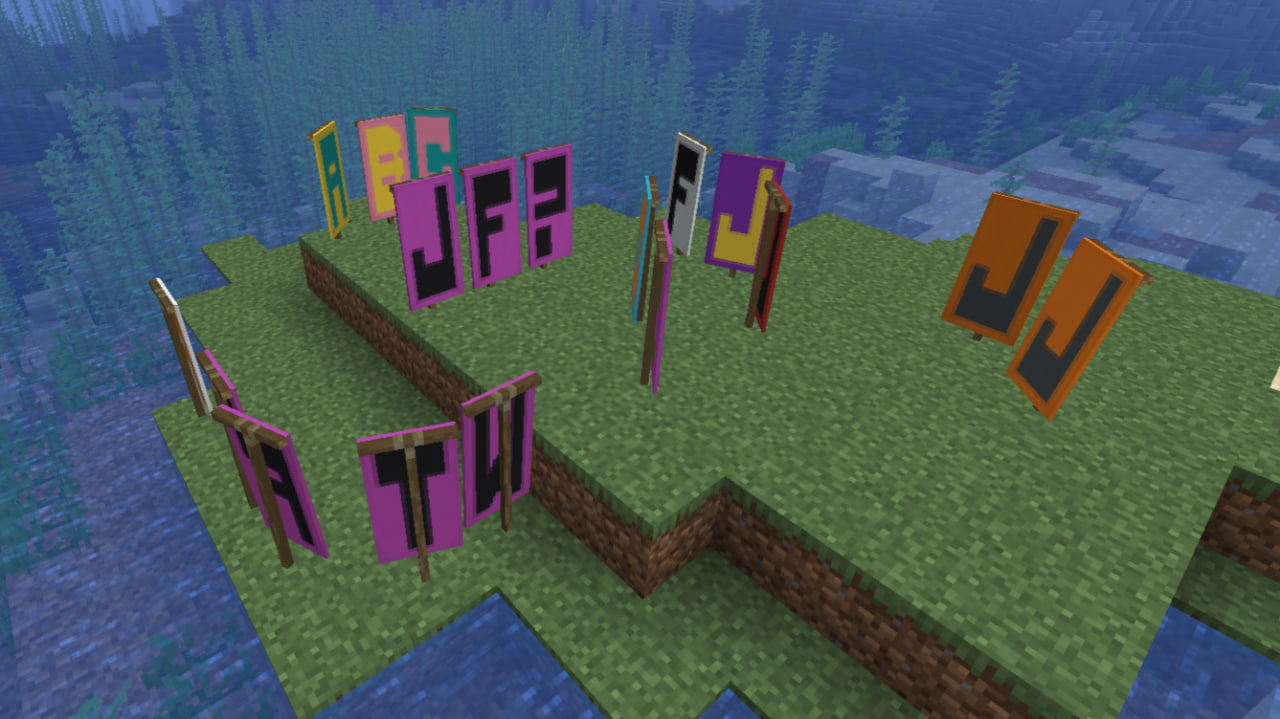
Banner Alphabet это мод, который позволяет создавать баннеры с предопределенными узорами, используя два цвета: основной цвет и цвет фона.
Мод предназначен в первую очередь для создания букв и других символов. Вместо того, чтобы вручную применять каждый узор к баннеру, вы можете выбрать два цвета и получить готовый баннер из интерфейса мода.
Меню баннеров
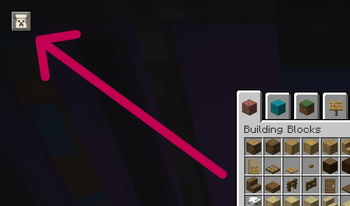
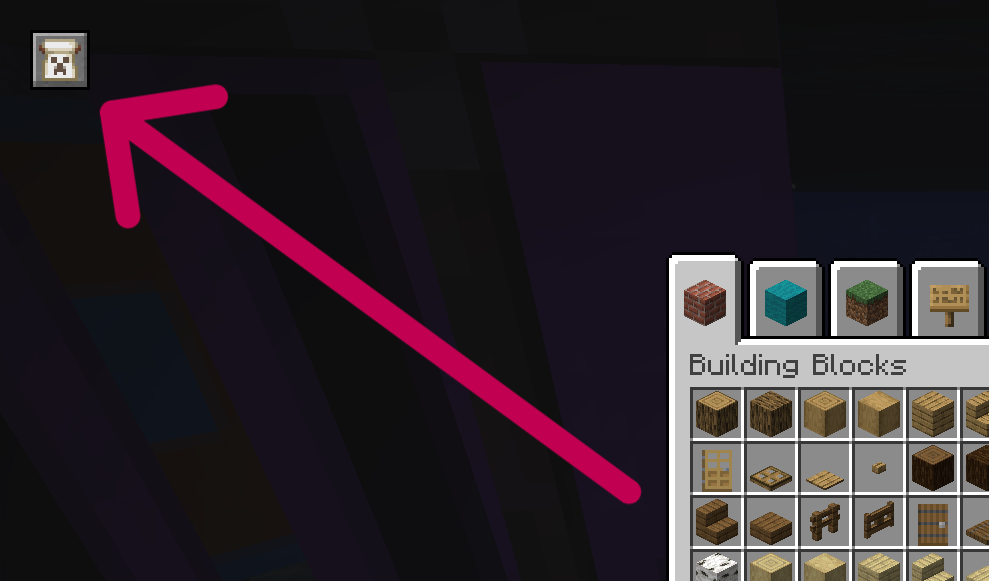
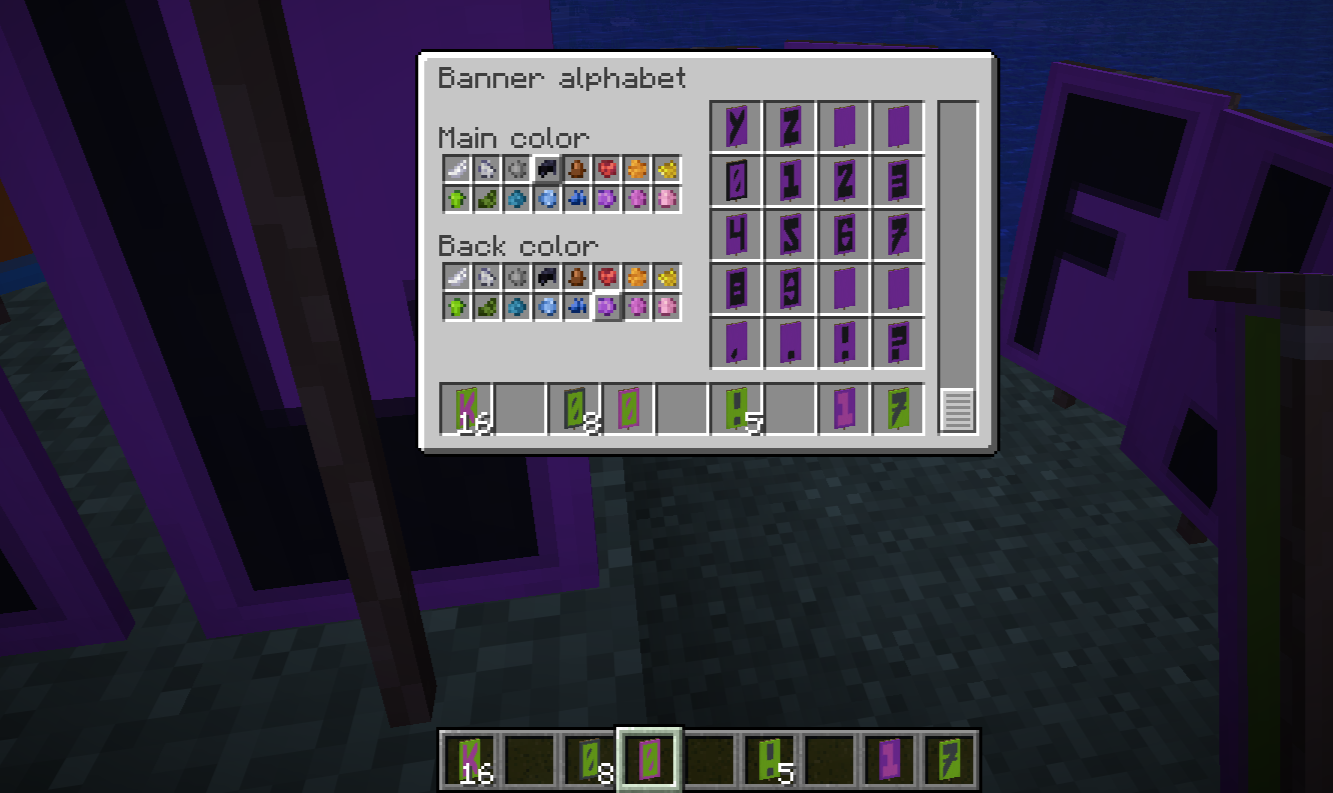
Меню баннеров можно открыть с помощью кнопки, добавленной в инвентарь креатива.
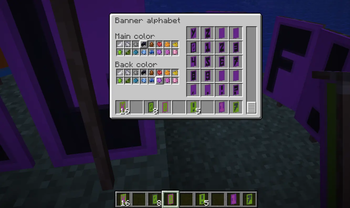
Меню содержит два переключателя цвета:
- Основной цвет — основной цвет, используемый в шаблонах баннеров.
- Цвет фона — базовый цвет баннера.
После выбора цветов настроенные баннеры генерируются с использованием этих цветов. Полученные баннеры затем можно будет взять из меню вывода.
Commands
| Команда | Описание |
|---|---|
/banners help |
Показывает список команд |
/banners add |
Добавляет в конфигурацию баннер из основной руки |
/banners rem |
Удаляет баннер из основной руки из конфигурации |
/banners replace |
Заменяет в конфигурации баннер из дополнительной руки на баннер из основной руки |
/banners save |
Сохраняет конфигурацию |
/banners load |
Перезагружает конфигурацию |
/banners add
Добавляет в конфигурацию баннер, который в данный момент находится в основной руке. Это можно использовать для создания новых пользовательских баннеров прямо в игре.
/banners rem
Удаляет баннер, который в данный момент находится в основной руке, из конфигурации.
/banners replace
Заменяет баннер в дополнительной руке на баннер из основной руки в конфигурации. Это может быть полезно при изменении существующего дизайна баннера, сохраняя при этом его положение в конфигурации.
/banners save
Вручную сохраняет текущую конфигурацию баннера в banner-alphabet.json.
Конфигурация также сохраняется автоматически при выходе из Майнкрафта.
/banners load
Заставляет мод перезагрузить конфигурацию из banner-alphabet.json.
Это полезно после редактирования файла конфигурации вручную во время работы Майнкрафта.
Конфигурация
Определения баннеров хранятся в файле config/banner-alphabet.json. Файл содержит массив JSON, где каждый элемент представляет один баннер. Каждый баннер содержит массив «patterns». Каждый «patterns» имеет два свойства:
| Property | Description |
|---|---|
pattern |
Идентификатор шаблона баннера |
color |
Определяет, какой из двух выбранных цветов используется |
Цветовые значения
0 = Цвет фона
1 = Основной цвет
Например:
[
  {
    "patterns": [
      {
        "pattern": "minecraft:stripe_top",
        "color": 1
      },
      {
        "pattern": "minecraft:border",
        "color": 0
      }
    ]
  },
  {
    "patterns": [
      {
        "pattern": "minecraft:bricks",
        "color": 1
      }
    ]
  }
]
Порядок баннеров в массиве определяет их порядок в Баннерном меню..
Banner Alphabet is a mod that allows you to create banners with predefined patterns using two colors: a main color and a background color.
The mod is designed primarily for creating letters and other predefined symbols. Instead of manually applying every pattern to a banner, you can select two colors and get the finished banner from the mod's interface.
Banner Menu
The banner menu can be opened using a button added to the Creative Mode inventory.
The menu contains two color selectors:
- Main Color — the primary color used by the banner patterns.
- Background Color — the base color of the banner.
After selecting the colors, the configured banners are generated using those colors. The resulting banners can then be taken from the output menu.
Commands
| Command | Description |
|---|---|
/banners help |
Show the command list |
/banners add |
Add the main-hand banner to the configuration |
/banners rem |
Remove the main-hand banner from the configuration |
/banners replace |
Replace the off-hand banner with the main-hand banner in the configuration |
/banners save |
Save the configuration |
/banners load |
Reload the configuration |
/banners add
Adds the banner currently held in the main hand to the configuration. This can be used to create new custom banners directly in-game.
/banners rem
Removes the banner currently held in the main hand from the configuration.
/banners replace
Replaces the banner in the off hand with the banner from the main hand in the configuration. This can be useful when modifying an existing banner design while keeping its position in the configuration.
/banners save
Manually saves the current banner configuration to banner-alphabet.json.
The configuration is also saved automatically when leaving Minecraft.
/banners load
Forces the mod to reload the configuration from banner-alphabet.json.
This is useful after manually editing the configuration file while Minecraft is running.
Configuration
The banner definitions are stored in: config/banner-alphabet.json. The file contains a JSON array where each element represents one banner. Each banner contains a patterns array. Every pattern has two properties:
| Property | Description |
|---|---|
pattern |
The banner pattern identifier |
color |
Determines which of the two selected colors is used |
Color Values
0 = Background Color
1 = Main Color
For example:
[
  {
    "patterns": [
      {
        "pattern": "minecraft:stripe_top",
        "color": 1
      },
      {
        "pattern": "minecraft:border",
        "color": 0
      }
    ]
  },
  {
    "patterns": [
      {
        "pattern": "minecraft:bricks",
        "color": 1
      }
    ]
  }
]
The order of banners in the array determines their order in the Banner Menu.
- Edition: Minecraft Java
- File type: .jar
- Minecraft version listed: 26.2
- How to install: Install the matching mod loader (Forge, Fabric or NeoForge) for your Minecraft version. → Download the .jar. → Put it in the .minecraft/mods folder and launch that loader profile.
- Where to get it: Opens on Modrinth — not every file is mirrored on our own servers.
Install steps are the general flow for this file type — How to install Minecraft Java mods & modpacks walks through it step by step.
- Ships as [26.2] banner-alphabet-1.0.0.jar — drop this file into the mods folder
- Download size: 127 KB
- Download link checked 13 Sept 2026 — working
These come from our own check of the pack file, not from the source page.