
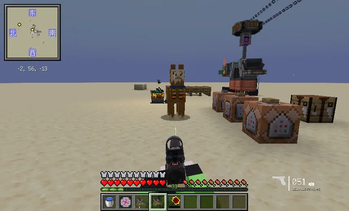
Glock 18 Standalone Gun Pack_English
This is a standalone gun pack for Timeless and Classics Guns: Zero (TaCZ). It extracts the Glock 18 pistol from the Charge into Battle: Reboot (CIB:R) pack, making it available on its own for players who only want this specific gun.
📦 Contents
- Glock 18 Pistol: Fully preserves the original model, textures, animations, sounds, and shooting feel from the source pack.
- Attachment Support: Retains the attachment system supported by the original gun (such as extended magazines, sights, muzzles, etc.).
🎯 Why Choose This Gun Pack?
- Lightweight: No need to download the entire Charge into battle:Reboot pack, saving space.
- Focused: If you only need the Glock 18, this pack is made for you.
- Plug and Play: Simple installation, unzip and use.
🔧 Installation
- Make sure TaCZ is installed.
- Open your game directory and locate the
.minecraft/taczfolder (if it doesn't exist, launch the game once to generate it). - Place the zip file of this gun pack directly into the
taczfolder. No need to unzip. - Launch the game, or run
/tacz reloadin-game to reload the configuration. - The Glock 18 will be available in-game.
⚠️ Requirements
- Minecraft Versions: ① 1.19.2, 1.20, 1.20.1 ② 1.21.1
- Required Mod ①: TaCZ (Timeless and Classics Guns: Zero)
- Required Mod ②: TaCZ NeoForge Port and TaCZ Pack Upgrader
- Original Gun Pack Source: [TaCZ] Charge into battle:Reboot Pack
📜 License
This gun pack is extracted from the original pack and follows the CC BY 4.0 license.
🙏 Credits
- Original gun pack author: [TaCZ] Charge into battle:Reboot Pack team
- Thanks to the TaCZ mod for providing the gun system support.
格洛克18 独立枪包_简体中文
这是一个适用于 《永恒枪械工坊:零》(TaCZ) 的独立枪包,将《冲锋陷阵:重启》(CIB:R) 中的 格洛克18 (Glock 18) 手枪单独拆分出来,方便只想使用这把枪的玩家。
📦 内容
- 格洛克18 手枪:完整保留原枪包中的模型、贴图、动画、音效与射击手感。
- 配件支持:保留原枪包中该枪支持的配件系统(如扩容弹匣、瞄具、枪口等)。
🎯 为什么选择这个枪包?
- 轻量:不需要下载整个《冲锋陷阵:重启》枪包,节省空间。
- 专注:如果你只需要格洛克18,这个包就是为你准备的。
- 即插即用:安装简单,解压即用。
🔧 安装方法
- 确保已安装 TaCZ 模组。
- 打开你的游戏目录,找到
.minecraft/tacz文件夹(如果没有,启动一次游戏会自动生成)。 - 将本枪包的 压缩包(.zip)直接放入
tacz文件夹,不需要解压。 - 启动游戏,或进入游戏后输入
/tacz reload重载配置。 - 在游戏内即可使用格洛克18。
⚠️ 前置要求
- Minecraft 版本:① 1.19.2 ,1.20 ,1.20.1 ② 1.21.1
- 必需模组①:TaCZ (永恒枪械工坊:零)
- 必需模组② TaCZ NeoForge Port 与 TaCZ Pack Upgrader
- 原枪包来源:CIB:R 冲锋陷阵:重启
📜 许可证
本枪包基于原枪包拆分,遵循CC BY 4.0协议
🙏 致谢
- 原枪包作者:[TaCZ] Charge into battle:Reboot Pack 团队
- 感谢 TaCZ 模组提供的枪械系统支持
Quick facts
- Edition: Minecraft Java
- File type: .zip (resource pack)
- Minecraft versions listed: 1.19.2, 1.20, 1.20.1
- How to install: Download the .zip resource pack — do not unzip it. → Put it in .minecraft/resourcepacks. → Enable it in Options → Resource Packs.
- Where to get it: Opens on Modrinth — not every file is mirrored on our own servers.
Install steps are the general flow for this file type — How to install Minecraft Java resource packs walks through it step by step.
Verified by MCModsHub
- Downloads as steven_gun.zip
- Download size: 537 KB
- Download link checked 13 Sept 2026 — working
These come from our own check of the pack file, not from the source page.